
Statuses and severities
Set the statuses an item can be marked with and the severities that rank what you find, in your own words and colors.
Statuses say whether an item was looked at (Inspected, Not inspected, Not present). Severities say how serious a finding is (for example Safety, Repair, Monitor, Maintenance, Info), most serious first; the report's summary is built from them. Both are your words and colors, set per template.
An item can be inspected with no defects, or with several: problems are always findings with a severity, never a status.
Edit them
Open the list
In the template editor, click Statuses & severities in the outline.
Change a row
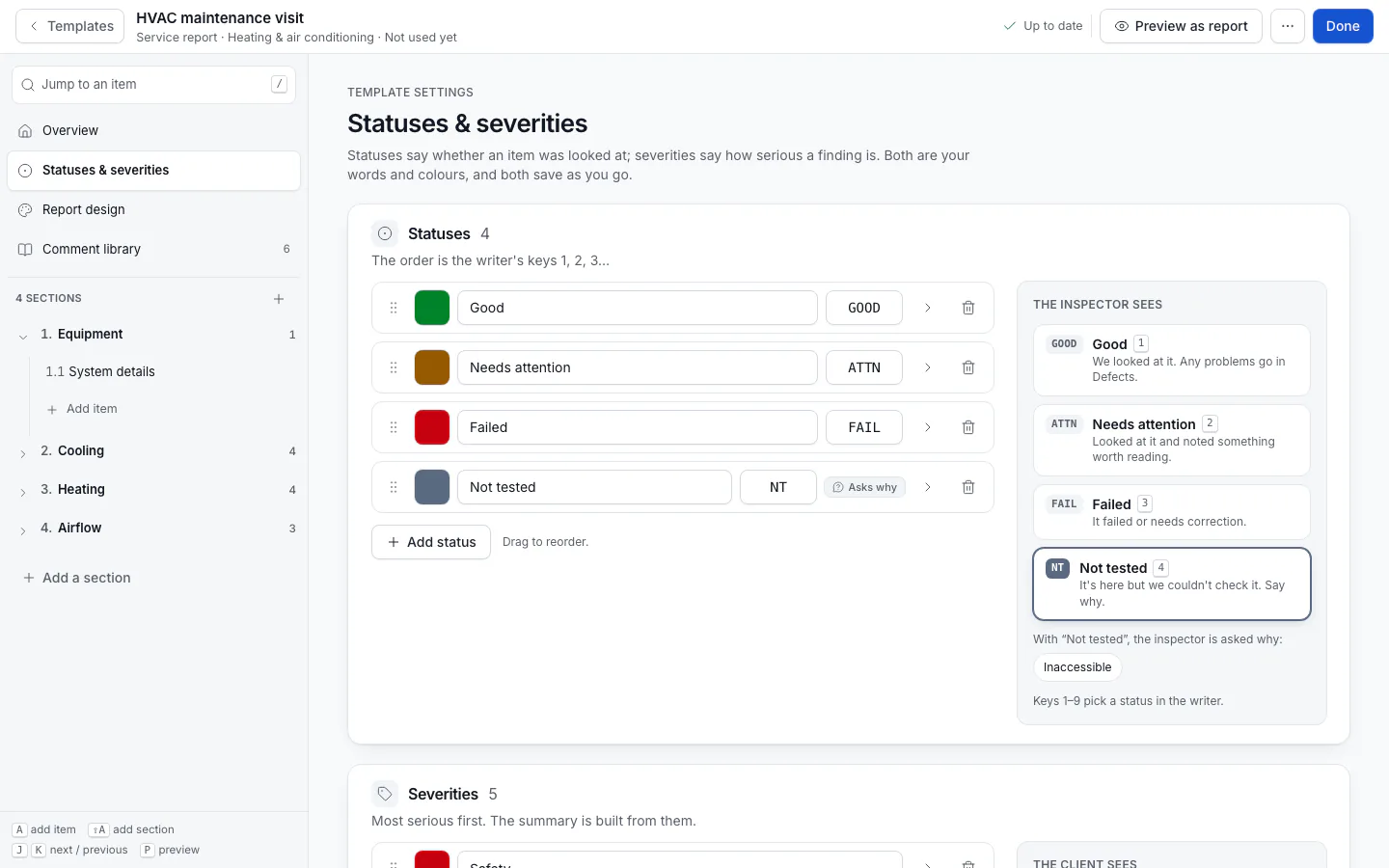
For each row set the Colour, the name and a short Code (shown on the status buttons). Click a status to show its details:
- What it means: Looked at, fine, Worth reading, Failed, Couldn't check, Not there or For information. This drives colors, filters, the checklist and AI, whatever you call the status.
- Client's report says: different wording for the client; leave empty to print the name.
- Explanation: printed in the report's legend.
- Ask why: the inspector must pick a reason (from Reasons offered, or ServFlo's: Inaccessible, Unsafe to access, Obstructed, Utilities off…). The reason prints as a limitation.
Add, remove or reorder
Click Add status or Add severity, remove a row, or drag to reorder. The order of statuses is the inspector's keys 1, 2, 3… in the writer. Changes save as soon as they're valid.
The previews on the right show The inspector sees (the status buttons) and The client sees (the severity chips).
A template can have no statuses (items are then listed without one), or no severities (every finding is informational). Use Inspected / Not inspected / Not present puts the usual home inspection statuses back.
The starters come with wording for their trade, for example Good / Needs attention / Failed / Not tested for HVAC, Pass / Fail for backflow, or No evidence / Evidence found / Damage / Inaccessible for pest.
To limit an item to some statuses, open the item and pick them under Statuses.
Changing a status's code takes it off items that only allowed the old code. Reports already on jobs keep their own statuses.