
Share a report
Resend the report link, give agents and others their own link, see who opened it, add extra documents and download the PDF.
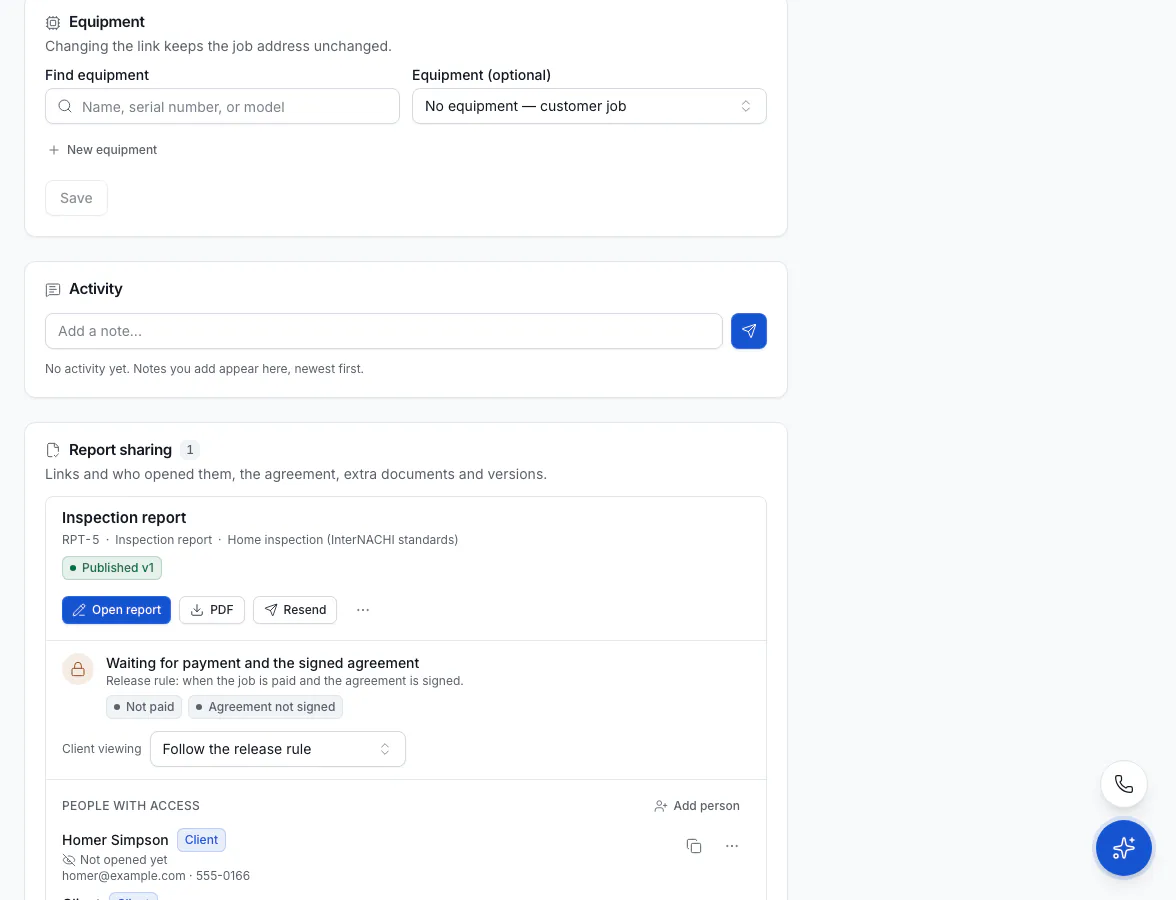
Once a report is published, the job's Report sharing panel is where you manage who can read it: the client's link, links for agents and others, who opened them and when, extra documents, the agreement and every version's PDF. Owners, admins and dispatchers can share; technicians can see the links but not change them.
Resend the report to the client
The client gets the link automatically when the report is published or released. To send it again:
Click Resend
On the job, in Report sharing, click Resend on the report.
Choose how
Pick Email, Text message or both, and Add a note (optional).
Send
Click Send. If the report is still waiting for payment or a signature, the link opens a page that shows what's needed.
Share with an agent or someone else
Every person gets their own link, so you can see who opened it and revoke one link without touching the others.
Add a person
Under People with access, click Add person.
Fill in who they are
Pick a Role: Buyer's agent, Listing agent or Other (someone the client wants to share with), and add their Name, Email and Phone.
Make the link
Click Make link. Nothing is sent: click Copy link and send it to them yourself.
Their link works once the report is released. Agents see what your release rule allows: the full report, the summary only, or nothing.
See who opened it
Each person shows Opened how many times and when last, or Not opened yet. To stop a link working, open the person's actions and click Revoke link. It stops at once; you can make a new one later.
Send extra documents with the report
Under Documents sent with it, click Add PDF to attach things like a maintenance schedule, a warranty or a test sheet (PDF only, up to 25 MB each). The client sees them with the report once it's released.
Download the PDF
Click PDF on the report to download the latest version. Every earlier version is listed under Versions with its own PDF.
Delete a report
From the report's More actions, click Delete report.
Deleting a report removes its findings, published versions and links, and the client's link stops working. This can't be undone.