
Choose a template
Start from a ServFlo starter template, build your own from scratch, or copy and archive the templates you have.
Every report is made from a template. ServFlo has ready-made starter templates for many trades: copy one and change anything you like. Owners and admins manage templates; everyone else can look.
Open your templates
Go to Settings → Report templates. The page has three tabs: Templates, Release rules and Agreements. Under Your templates each template shows what the document is called, its trade, its contents, which service types get it, how many reports use it, and when it was last edited.
The first time you open this page, ServFlo copies the starters for your trade into your templates so you have something to work from.
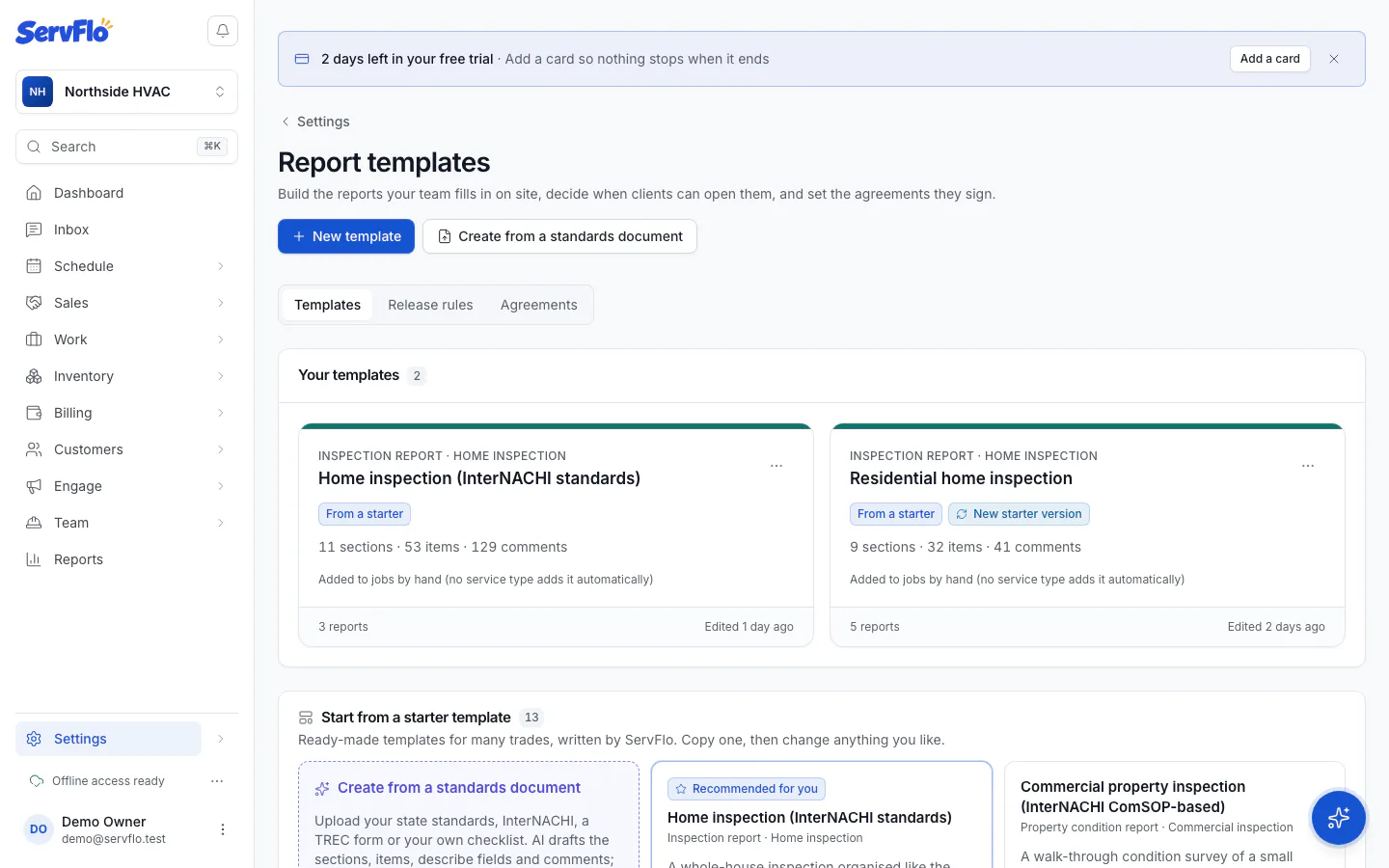
Start from a starter template
Below your templates, Start from a starter template lists every starter. The ones for your trade are marked Recommended for you. Home inspectors get Home inspection (InterNACHI standards).
| Starter | Called on the cover |
|---|---|
| Home inspection (InterNACHI standards) | Inspection report |
| Commercial property inspection (InterNACHI ComSOP-based) | Property condition report |
| HVAC maintenance visit | Service report |
| Electrical safety inspection | Electrical safety report |
| Plumbing inspection | Plumbing report |
| Sewer camera inspection | Sewer scope report |
| Roof inspection | Roof inspection report |
| Wood-destroying organism inspection | WDO inspection report |
| Septic system inspection | Septic inspection report |
| Chimney and fireplace inspection | Chimney inspection report |
| Pool and spa inspection | Pool inspection report |
| Backflow prevention assembly test | Test certificate |
| Solar site survey | Site survey |
Pick a starter
Click Use this template on the starter you want. It's added to Your templates and marked From a starter.
Open your copy
Click Open your copy to change it in the template editor. Your copy is yours: changes never affect the starter, and starter changes never change your copy.
The InterNACHI home inspection starter follows the order of the InterNACHI Home Inspection Standards of Practice: inspection details first, then roof, exterior, structure, heating, cooling, plumbing, electrical, fireplace, attic, and so on. Each item has the describe fields the standards ask for, a library of defect comments with severities and who should fix them, and standard limitations. The wording is ServFlo's own summary, not the Standards' text.
When we improve a starter, your copy shows New starter version. Open it and choose Copy the new version: you get a fresh copy, and your old one is kept, renamed "(previous version)".
Build your own from scratch
Create it
Click New template. Give it a Template name (for example "Annual furnace check") and, optionally, What the document is called (left empty, it's "Service report"). Click Create template.
Add sections and items
The template editor opens. Follow its Start here steps: sections and items, then describe fields and comments, then the design.
You can also have AI draft a template from a document you already follow: see Create a template from a standards document.
Duplicate, archive or delete
Open a template's ⋯ menu (Actions for the template):
- Duplicate makes a copy to change, for example a lighter version of your full inspection.
- Archive stops the template being added to new jobs and hides its comments from library searches. Reports already made from it are not affected. Turn on Show archived to find it again, then Unarchive.
- Delete removes the template and its comment library. Reports made from it keep their own copy.
Deleting a template can't be undone. Archive it instead if you might want it back.