
Release rules
Decide when clients can open a published report (right away, when paid, when the agreement is signed) and lock or unlock one by hand.
A release rule decides when a client can open a published report. Many inspectors hold the report until the job is paid and the pre-inspection agreement is signed; a maintenance company usually lets clients read it right away. You set one rule for the business and, if you like, a different rule per service type. Owners and admins manage release rules.
Set the business default
Open Release rules
Go to Settings → Report templates and click the Release rules tab.
Choose when clients can open the report
Under Business default, pick one:
- Right away: as soon as it's published.
- When paid: once the job is paid.
- When the agreement is signed: once the client has signed the agreement.
- When paid and signed: both.
Add a manual review if you want one
Turn on Require a manual review before release and someone in the office unlocks each report, after the conditions above are met.
Choose what agents see
Under Agents (buyer's or listing agent): Agents see the full report, Agents see only the summary, or Agents see nothing. This only matters when you share a report with an agent.
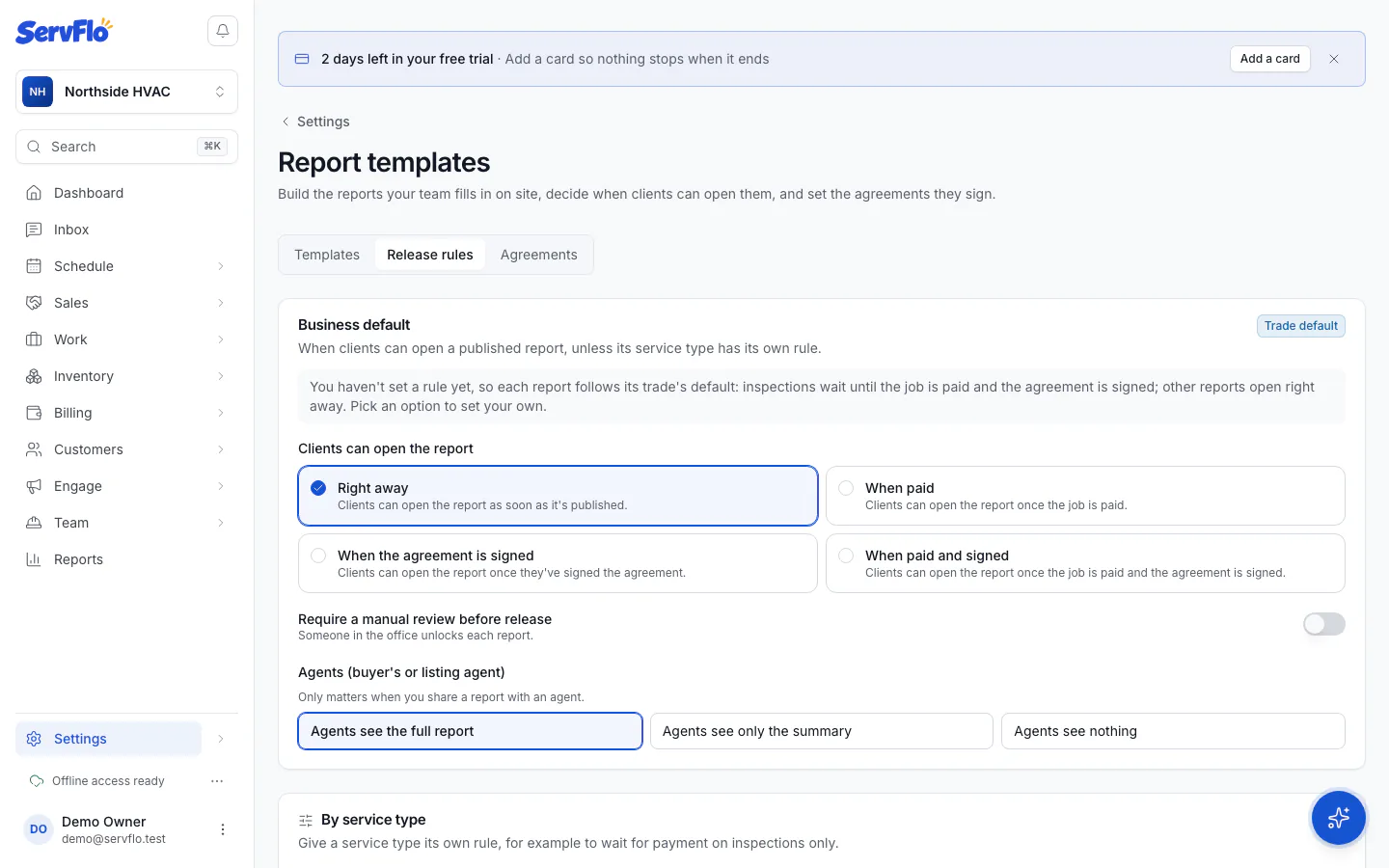
Until you choose, each report follows its trade's default: home and commercial inspections wait until the job is paid and the agreement is signed; other reports open right away.
"Paid" means every invoice for the job is paid, and there is at least one.
Give a service type its own rule
Under By service type, click Set its own rule next to a service type (for example, wait for payment on inspections only). Click Use the default to go back to the business default.
When a report opens
ServFlo checks the rule when the report is published, when an invoice for the job is paid, when the agreement is signed, and when you change a rule. As soon as the conditions are met, the report opens and the client is sent the link by email and text (texts only if they agreed to them). Reports that open for the same job within a few minutes go out together in one message.
Once a client can open a report, it stays open: a refund or a rule change never closes it again. Only locking it does.
Lock or unlock a report by hand
On the job, in the Report sharing panel, the report's Client access shows whether it's paid and signed and who can open it. Change Client viewing:
- Follow the release rule: the normal setting.
- Unlocked — client can view: opens it now, whatever the rule.
- Locked — viewing restricted: every link shows it as restricted until you unlock it. Locking always wins.
You can also click Let them open it now when you publish.
Unlocking a report sends the client the link. Locking a report stops agents and the client from reading it at once.