
Set up texting
Get your local texting number and choose how ServFlo texts your customers.
ServFlo texts customers from a local number of your own. There are two steps:
- Your texting number. ServFlo usually picks one for you.
- Register with US carriers. Texts can't go out until carriers approve it. See Register for texting.
Both are under Settings → Messaging → Texting.
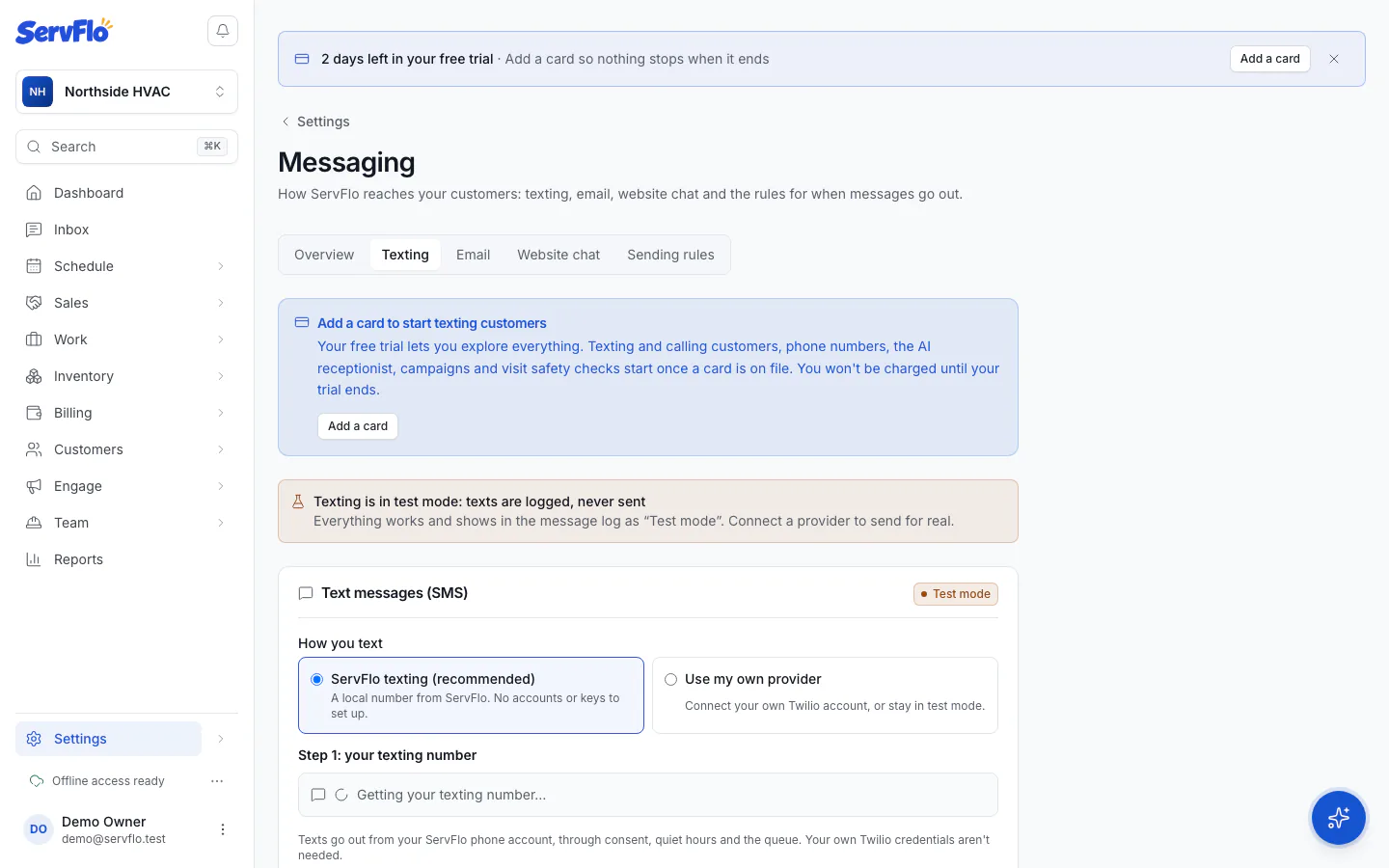
Your texting number
Every new business gets a local texting number automatically, near your business address, once:
- the business has a name, and
- a card is on file (during a trial without a card, the screen says "Your texting number is free with your plan" and waits).
While ServFlo looks, you'll see Getting your texting number…. If your business address isn't set yet, ServFlo waits for it (set it in Settings → Dispatch) or you can pick a number yourself.
Your texting number is included on every plan.
Choose or buy a number yourself
Go to Settings → Messaging → Texting.
Under How you text, choose ServFlo texting (recommended).
Either:
- Text from one of your numbers: choose a number already on your ServFlo phone account and click Text from this number, or
- Buy a local number: enter an area code (or digits, with
*for any digit), click Search, and click Buy next to a number.
Confirm. Customers see this number on every text.
When you're done, the panel says Texting through ServFlo is set up.
To swap your number later, use Change my main number. See Change your main number.
Numbers beyond your included texting number are billed monthly with your ServFlo subscription at Twilio's cost plus 20%. The confirmation shows the price.
Use your own provider
If you already have a Twilio account, choose Use my own provider under How you text, enter your credentials and click Save provider. Paste the Webhook URLs shown into your Twilio number so customers' replies and delivery receipts reach ServFlo. Choosing your own Twilio account also moves your calls to it.
Test mode
Until texting is set up, texting is in test mode: "Texting is in test mode: texts are logged, never sent". Everything works and shows in the message log as Test mode, so you can try automations safely. In test mode, Simulate a reply lets you process a text as if a customer sent it; STOP, START and HELP change consent like the real thing.
Toll-free numbers
ServFlo texts customers from local numbers registered with carriers (A2P 10DLC). Texting from your own toll-free number isn't available yet.
ServFlo's own alerts to you and your team (if you turn on Text me ServFlo alerts in your notification settings) come from ServFlo's verified toll-free number, never from your business number.