
Messaging & Inbox
How ServFlo texts and emails your customers, and where their answers land.
ServFlo talks to your customers for you: booking confirmations, reminders, "on my way" texts, quotes, invoices and receipts go out by text and email, and everything customers send back lands in one Inbox.
Inbox and conversations
Use the Inbox
Texts, emails, missed calls, requests, reviews and website chats in one place.
Reply to customers
Answer by text or email from a conversation.
Send messages from a record
Send a quote, invoice, reminder or portal link by hand.
Team chat
Talk with your office and technicians.
Personal lines
Give team members their own number and email address.
Set up texting and email
Set up texting
Get your local texting number.
Register for texting
Register with US carriers so your texts go out.
Set up email
Email customers through ServFlo email or your own provider.
Send from your own domain
Send from an address at your business's domain.
Email theme
Your logo, colors and footer on every email.
Design an email
Give one email its own layout with blocks.
Automations and rules
Turn on automations
Reminders, follow-ups and receipts that send themselves.
Build your own automation
Your own trigger, audience, messages and guardrails.
Templates
The wording, merge fields and A/B variants.
Message log
Every message sent, held, skipped or failed, and why.
Sending rules
Quiet hours, daily limits and sender details.
Consent and opt-outs
OK to text, STOP replies and unsubscribes.
Where things are
- Inbox, at the top of the sidebar: everything customers send you.
- Engage → Automations, Messages and Templates: what goes out automatically, the log of every message, and the wording.
- Schedule → Team chat: messages inside your team.
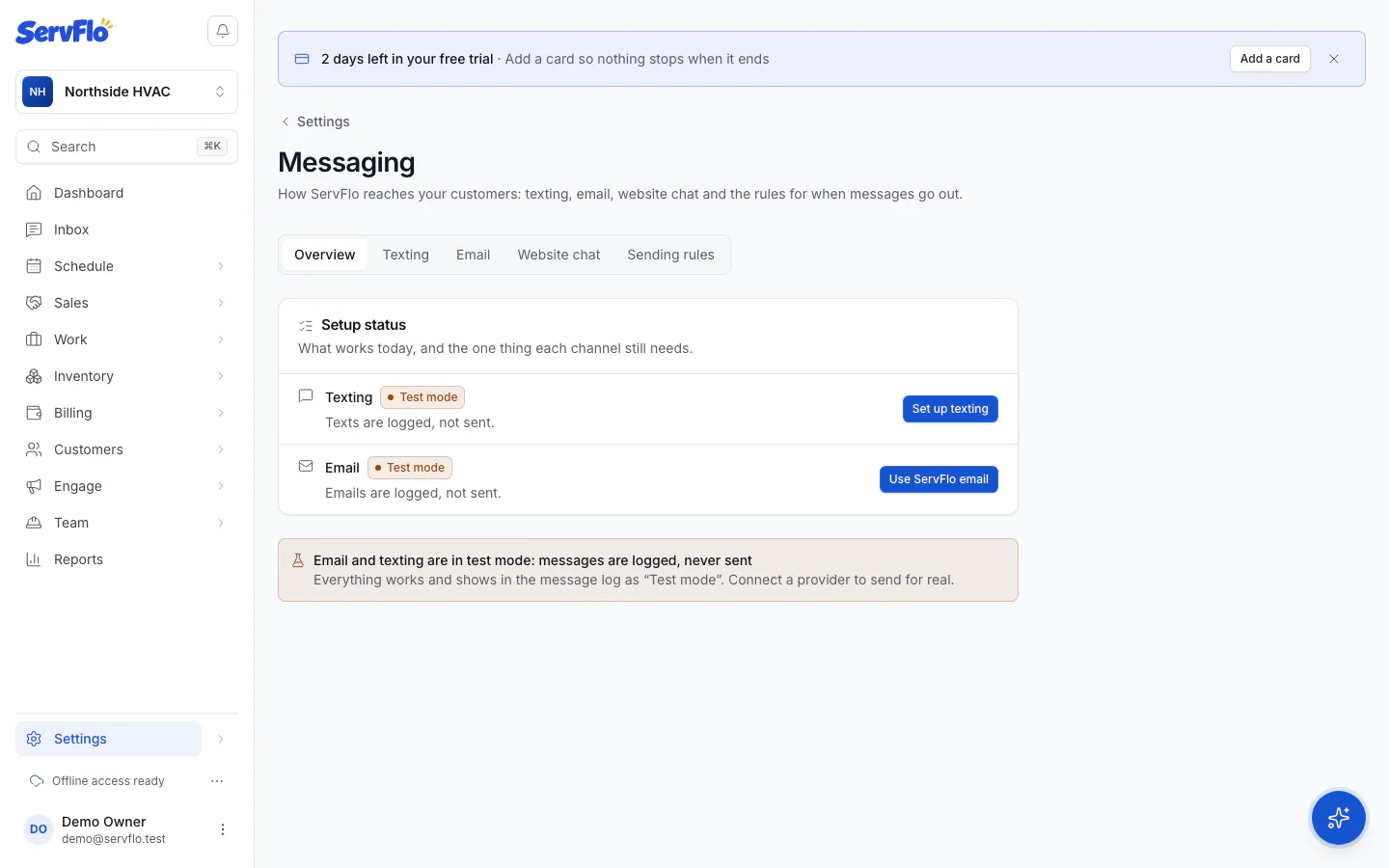
- Settings → Messaging: texting, email, website chat and sending rules. Its Overview tab shows a Setup status row for each channel with the one thing it still needs.
- Settings → My line: your own number, mobile and email address.
What it costs
- Texting and email are on every plan. Your texting number is included, and each plan includes a monthly allowance of texts and ServFlo emails. Your allowances are in Settings → Billing.
- Automated reminders and follow-ups need Connect, Grow or Pro. Marketing automations, such as win-back, need Grow or Pro.
- Sending a quote, invoice or reminder by hand, the Inbox, and replying to customers work on every plan.
During a free trial without a card on file, ServFlo doesn't text customers or email them through ServFlo email. You'll see "Add a card to start texting customers." Test emails to your own team still go out. Add a card in Settings → Billing; you aren't charged until the trial ends.