
Email theme
Set your logo, colors, buttons, font and footer once for every email ServFlo sends.
The Email theme sets how every email looks: reminders, invoices, quotes, receipts and campaigns. It's on every plan.
Edit the theme
Go to Settings → Messaging → Email and find Email theme.
Set what you want:
- Logo and header: Logo size (Small, Medium, Large or Custom with a Logo width), Logo position (Left or Centre), Header background, Line under the logo, an optional Banner image, and the Accent bar across the top.
- Colours and font: Accent colour, Page background, Email background, Text, Links and Font (email-safe fonts only, so it looks the same everywhere).
- Buttons: Style (Filled or Outline), Button colour (or Same as the accent colour), Button text and Corners.
- Footer and social links: Footer text (your website, hours or license number) and links to Facebook, Instagram, Google, Yelp and your website.
Check the Email preview beside the form. It shows a sample email with your unsaved changes.
Click Save theme, or Discard changes.
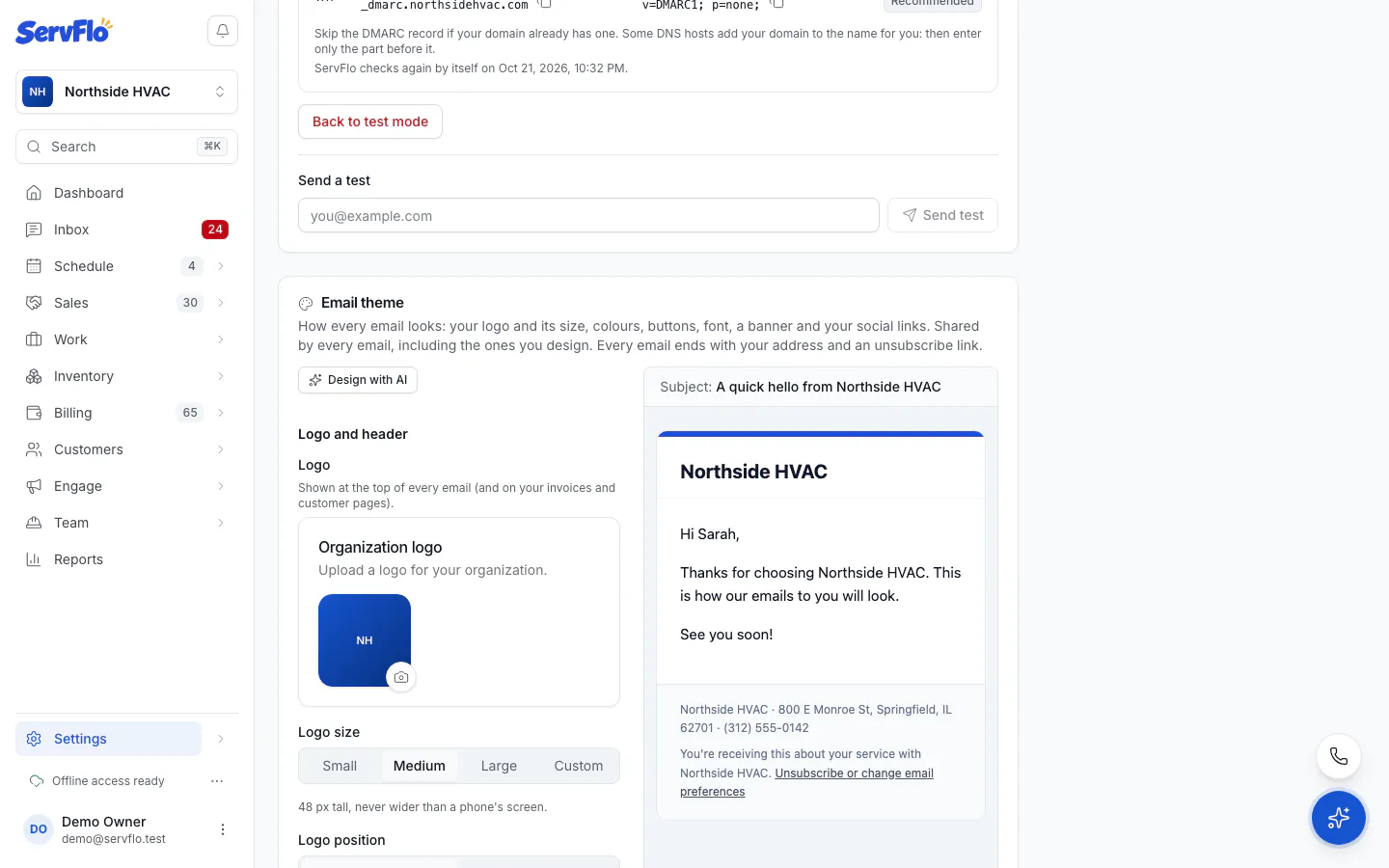
Your logo is the one uploaded in your business settings; it also appears on your invoices and customer pages.
A white logo on a white header won't show. Pick a dark Header background for a light logo.
Design the theme with AI
Click Design with AI.
Optionally add a wish under Anything to add? (for example, "Darker header, rounded buttons").
Click Draft. ServFlo drafts colors, buttons and a font from your website's colors, your logo's colors, or your trade.
Check the preview, then Apply or Discard. Applied changes fill the form but aren't saved: click Save theme to keep them, or Undo AI theme.
Your texts, logo and social links are never changed by AI. Drafting uses AI credits; with AI off, you get a starter theme from your brand.
What every email keeps
Whatever the design, every email ends with your business name, postal address and phone, and an unsubscribe link ("Unsubscribe" on marketing, "Unsubscribe or change email preferences" on service emails). This keeps your emails within anti-spam law.
Related
- Design an email to give one email its own layout