
Turn on automations
Send booking confirmations, reminders, follow-ups and receipts automatically with ready-made automations.
Automations email and text your customers for you when something happens: a job is booked, a visit is tomorrow, a quote hasn't been answered, an invoice is overdue. ServFlo comes with ready-made automations that work out of the box.
Turn one on
Go to Engage → Automations.
Under Ready-made automations, click Turn on next to the one you want.
It's on straight away and appears under Your automations. Its templates are created so you can edit the wording.
Use the switch next to an automation to turn it off again. Turning a ready-made automation on again keeps your edits.
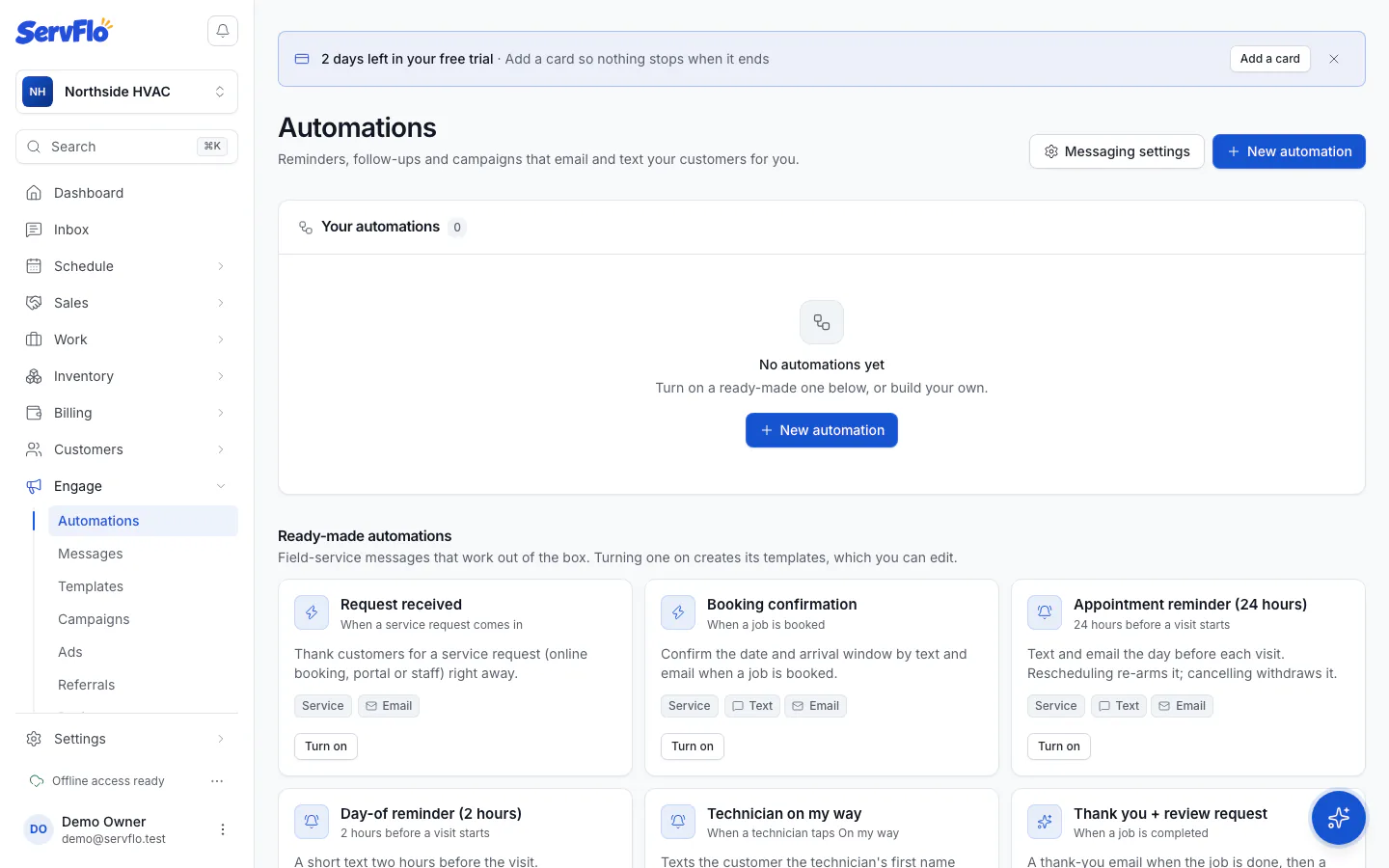
Ready-made automations
| Automation | Sends |
|---|---|
| Request received | An email when a customer sends a request. |
| Booking confirmation | A text and email when a job is booked. |
| Appointment reminder (24 hours) | A text and email 24 hours before a visit. Moves with a reschedule; withdrawn if the visit is canceled. |
| Day-of reminder (2 hours) | A text 2 hours before a visit. |
| Technician on my way | A text with the technician's first name and arrival time. Time-critical, so it goes even during quiet hours. |
| Thank you + review request | An email when a job is completed, then a text 24 hours later. Needs your Review link in Sending rules. |
| Quote follow-up | An email 3 days after a quote is sent, then a text 4 days later, while the quote is unanswered. Stops when it's approved or declined. |
| Invoice sent: payment link | An email with the pay link when an invoice is sent. |
| Overdue invoice reminders | An email the day after the due date, a text on day 7 and an email on day 14. Stops when it's paid. |
| Membership renewal notice | An email 30 days before a membership ends. |
| Membership visit due | An email and text with the portal link when a membership visit is due. |
| Win-back (12 months) | A marketing email to customers with no completed job in 12 months. Needs Grow or Pro. |
| Payment receipt | An email when a payment is recorded. |
| Referral reward thank-you | An email and text to a customer whose referral became a customer. Turned on with your referral program. |
Billing messages go to the customer's billing contact; everything else goes to the primary contact.
Marketing automations are campaigns, so they need the Grow plan; the list shows "On the Grow plan" next to them. Service automations need Connect or higher.
Turning on an automation starts texting and emailing your customers the next time it fires. Check its templates first.
Check an automation
Click an automation to see What it does, Recent messages, the Scheduled reminders (one per visit or record, moved when it's rescheduled and withdrawn when it's canceled) and the Run log. Edit opens the editor; Delete removes it.
Every automation follows your rules
Automations only send to customers whose consent allows it, wait for quiet hours to end, and respect the daily limit per customer. A reply from the customer ends any follow-ups. See Sending rules and Consent and opt-outs.