
Mobile app
Working offline and syncing
What ServFlo Tech keeps on your phone, what works without signal, and how your work reaches the office.
ServFlo Tech is built for basements, crawl spaces and rural roads. Your jobs for today and tomorrow are saved on the phone, and everything you do is saved there first, then sent to ServFlo when there's signal.
What works without signal
- My day and every job on it: status changes, notes, photos and videos, checklists, forms, signatures, items used and equipment.
- Clocking in and out, breaks and non-job time.
- Quotes with the customer's approval and deposit, membership sign-ups, and cash or check payments.
- The pay-later QR code, so the customer can pay once they're online.
- Service reports: items, findings, photos, Snap a finding (the suggestion waits for signal) and signed agreements.
- Parts requests, leads and expenses.
What needs signal
- The first sync after signing in.
- The Schedule, Timesheet and Inbox tabs, team chat, texts and calls.
- Card and bank payments, and AI help (Snap a finding suggestions, Write it for me, the inspection assistant).
- Adding a report, sharing a report and opening its PDF.
- Office mode.
How syncing works
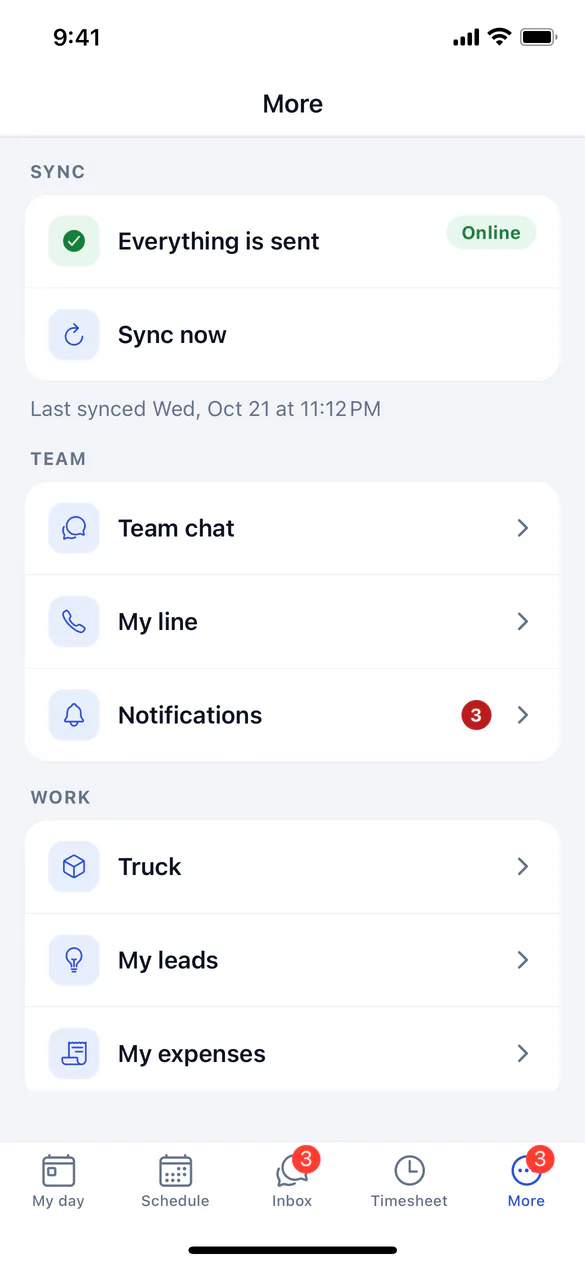
The app sends your work in the order you did it: when it opens, when signal comes back, when you return to the app, after each thing you do, and every 5 minutes. You can also pull down on My day, or tap Sync now under More → Sync.
- Times are recorded when you tapped, not when the phone synced, so your timesheet is accurate.
- Nothing is sent twice: a cash payment is never recorded twice even if the connection drops mid-send.
- The office's changes win: each sync brings the latest version of your jobs. Notes, photos and payments are only ever added.
- Photos are deleted from the app's storage once they've uploaded.
Keeping your data safe
The data on the phone is encrypted. Signing out deletes the business's data from the phone. You can also lock the app with Face ID or a fingerprint.