
Agreements and sharing reports
Have the client sign the agreement on your phone, view and preview a report, open or share the PDF, and send the report link.
Once a report is filled in, you can show it to the client, get their signature on the agreement, and share it, all from the phone.
Have the client sign the agreement
When a report waits for a signed agreement (for example a pre-inspection agreement), the client can sign it on your phone.
Open the agreement
On the report (or the job's Reports list), tap Agreement. If there's none yet, tap Get the agreement (needs signal).
Hand the phone over
Tap Client signs here. The client reads the agreement, types their name and signs.
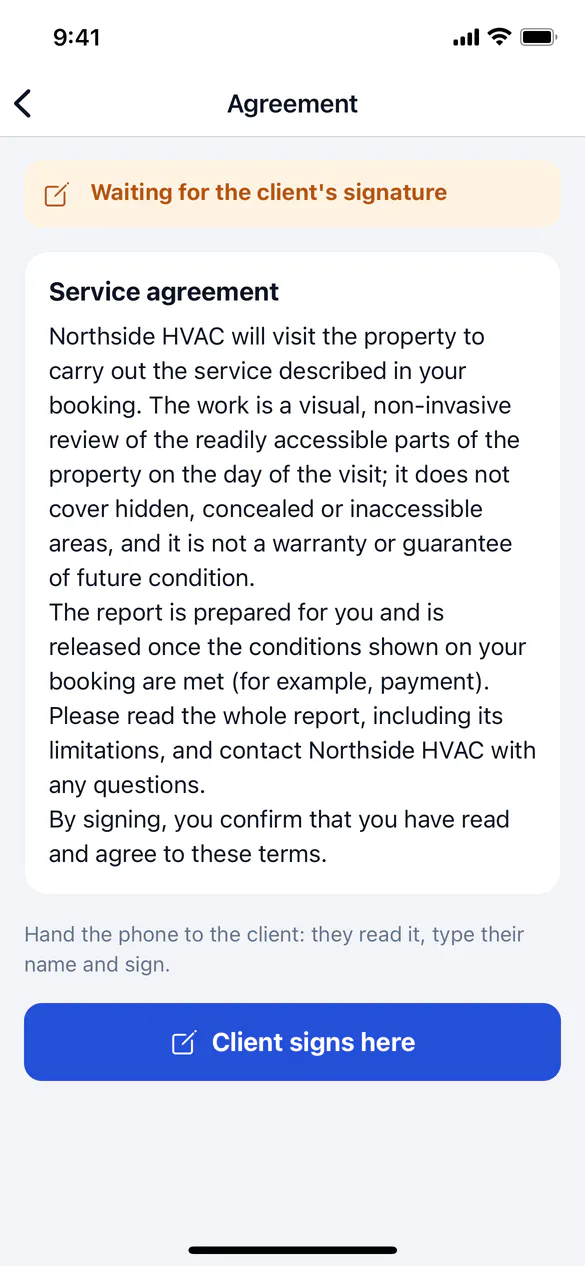
The signature is saved on the phone and sent to ServFlo with signal. If the agreement's wording changed in the meantime, the app asks the client to read the current one and sign again. With signal, you can instead tap Send it to the client to sign.
View a report
On the report, under Show and share:
- View the report shows the latest published version as the client sees it. The last version you opened stays on the phone, so it opens again without signal (photos need signal).
- Preview the draft shows how the report will look once published, including changes still on the phone. It works offline.
- Open the PDF opens the report's PDF; Share the PDF sends it through your phone's share sheet. Both need signal.
Share and track the link
Tap Share & track to see who has a link to the report and when they opened it. Sharing needs signal.
People who publish reports (usually the office) can also:
- choose Who can open it: Follow the rule, Unlocked or Locked;
- Send the link to the client by email, text or both, with an optional note;
- Add a person, such as a buyer's agent or listing agent, with their own link to share from your phone;
- Copy or share link, or Revoke a link.
Technicians see the list read-only. Sending, adding people, revoking and locking are for the office.
Sending the link messages the client, and unlocking a report sends them the link at once.