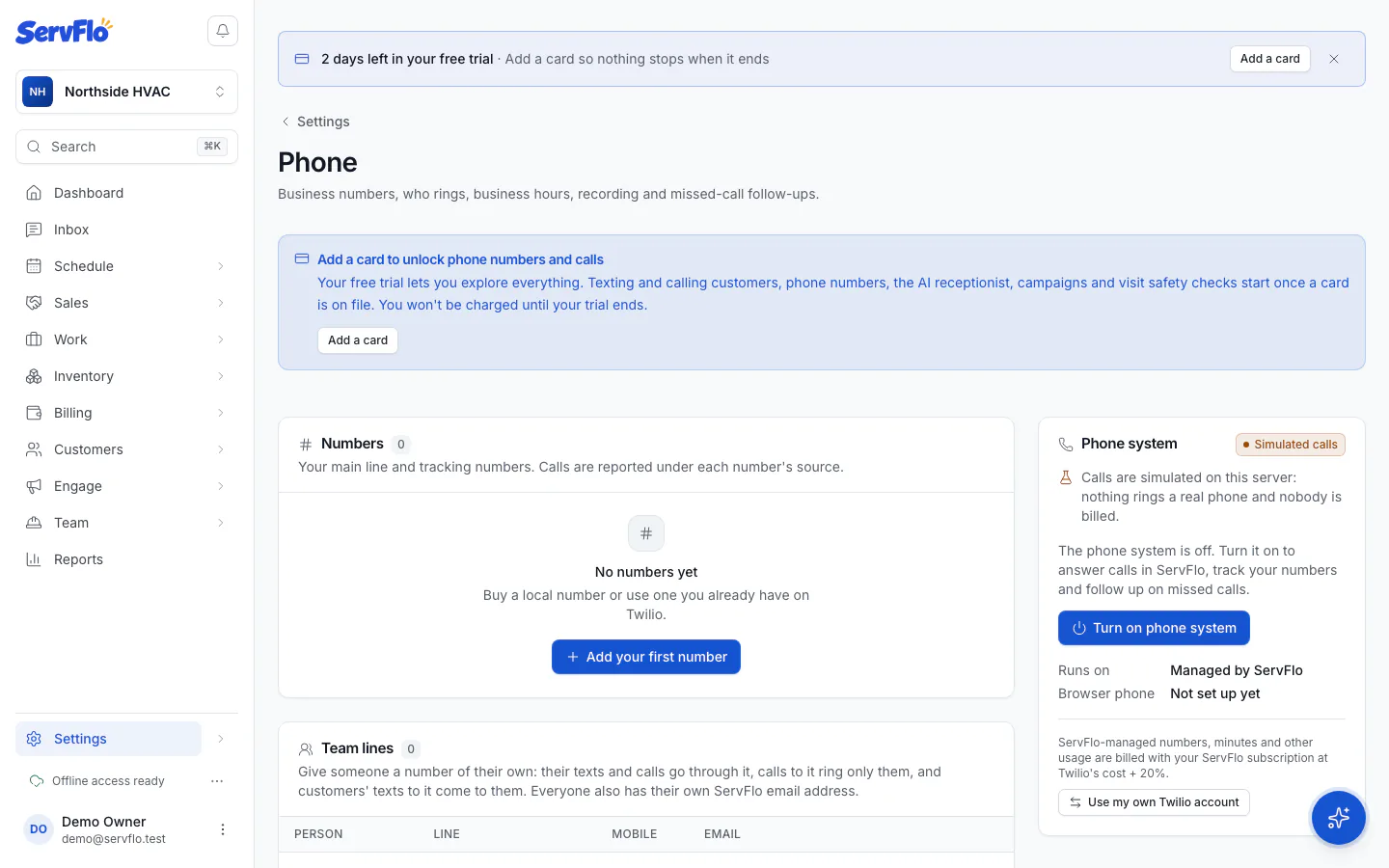
Phone
Business numbers, call routing, recordings and an AI receptionist, with every call linked to the customer who made it.
The ServFlo phone system answers your business calls inside ServFlo. Calls ring your office team in the browser (and on mobile numbers you forward to), the caller's customer record pops up as the phone rings, and every call lands in one call log with its recording, transcript and an AI summary.
The phone system is an add-on on any plan and includes one local number besides your texting number. The AI receptionist is a second add-on that needs the phone system. Your free trial includes both, within trial limits.
Add and turn on the phone system
Add the add-on and start taking calls in ServFlo.
Numbers and tracking
Buy local numbers and track where calls come from.
Ring groups
Choose who rings for each call.
Business hours, voicemail and menus
After-hours calls, voicemail greeting and a phone menu.
Recording, transcripts and summaries
Record calls with the right consent announcement.
Answer and make calls
The phone dock, caller details and Book job.
The call log
Every call in and out, with what it led to.
Missed calls and text-back
Follow-ups and an automatic text after a missed call.
Call tracking report
Calls, booked rate and revenue by source.
Set up the AI receptionist
An AI voice assistant that books, takes requests and transfers.
Change your main number
Swap to a local number without losing calls or texts.
Phone usage and billing
What's included and how usage is billed.
Who can do what
| Role | What they can do |
|---|---|
| Owner, admin | Everything, including phone settings, numbers, recordings and full transcripts |
| Dispatcher | Answer and place calls, follow up on missed calls, read the call log |
| Office member | Read the call log and the call tracking report |
| Technician | No access to the office phone system. Technicians with a line of their own call from the mobile app (see Personal lines) |
Where to find it
- Settings → Phone: turn the phone system on, numbers, team lines, ring groups, AI receptionist, call handling, recording and missed calls.
- Sales → Calls: the call log.
- Reports → Call tracking: the call tracking report.
- The phone dock: the round phone button in the bottom-right corner of every page.