
Add and turn on the phone system
Add the phone system add-on, turn it on and get ready to take calls in ServFlo.
Add the phone system to your plan and turn it on to answer your business calls in ServFlo.
Before you start
- Only the owner can add or remove add-ons. Your free trial includes the phone system within trial limits.
- You need to be an owner or admin to change Settings → Phone.
- During a free trial, phone numbers and calls start once a card is on file. Settings → Phone shows Add a card to unlock phone numbers and calls until then. You won't be charged until your trial ends.
Add the phone system to your plan
Go to Settings → Billing.
Under Add-ons, find Phone system and click Add Phone system.
Read the usage rates (extra numbers, call minutes, recording and transcription are billed at cost + 20%), tick the box to accept them and confirm.
If you open Settings → Phone without the add-on, you'll see a notice with a button to add it there instead.
Turn the phone system on
Usage (extra numbers, call minutes, recording and transcription) is billed with your subscription from the first call.
Go to Settings → Phone.
In the Phone system panel, click Turn on phone system.
Add a number if you don't have one yet. See Numbers and tracking.
Create a ring group so calls ring someone. Without one, calls go straight to voicemail. See Ring groups.
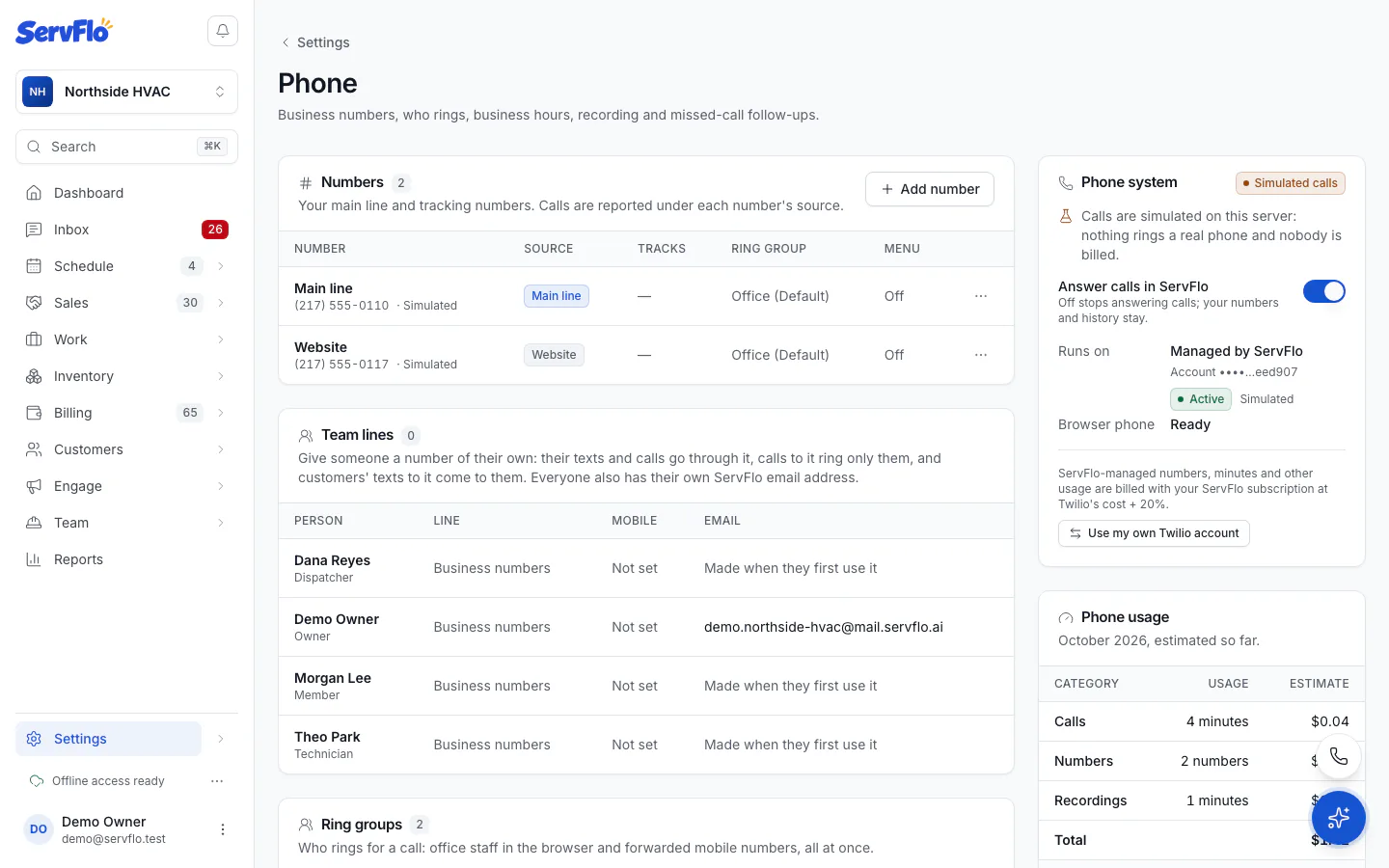
Your phone runs on a phone account ServFlo manages for you (Managed by ServFlo). Numbers, minutes and other usage are billed with your ServFlo subscription. You don't need your own phone carrier account.
Turn it off
Switch off Answer calls in ServFlo in the Phone system panel. ServFlo stops answering calls, but your numbers and call history stay. You can turn it back on at any time.
The browser phone is not a replacement for a regular phone line for 911. Keep a regular phone service for emergencies.
Already use your own Twilio account?
Businesses that connected their own Twilio account before ServFlo managed phones can keep using it. The Phone system panel shows Runs on: Your own Twilio account, and you can switch with Use ServFlo-managed phone (or back with Use my own Twilio account). Numbers already set up stay where they are.