
Missed calls and text-back
Turn every missed call and voicemail into a follow-up, and optionally text the customer back.
Follow-ups
Every missed call or voicemail becomes a follow-up until someone calls back. Find them on Sales → Calls under To follow up, with the count on the tab.
On Sales → Calls, open the To follow up tab.
To call the customer back, open the row's Actions menu and choose Call back. Pick up in the phone dock.
To hand it to someone, open the call and choose who it's Assigned to under Follow-up.
When it's done, click Mark followed up. Booking a job from the call also closes it.
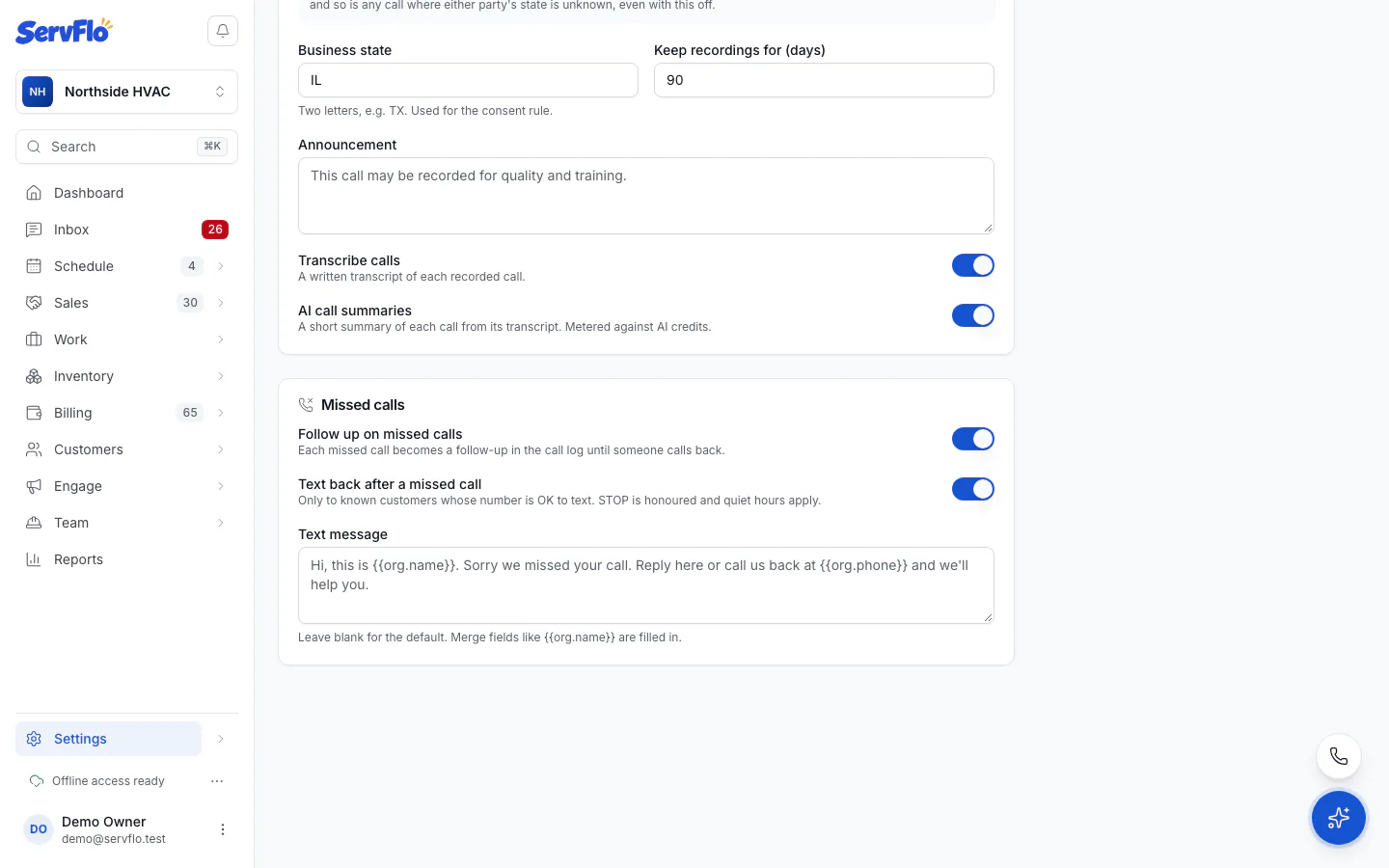
To stop creating follow-ups, go to Settings → Phone → Missed calls and turn off Follow up on missed calls.
Text back after a missed call
ServFlo can text the caller automatically after a missed call.
With this on, ServFlo texts customers automatically. Texts count against your plan's texts.
Go to Settings → Phone and scroll to Missed calls.
Turn on Text back after a missed call.
Optionally write the Text message. Leave it blank for the default. Merge fields are filled in.
Save your changes.
The text goes only to known customers whose number is OK to text. Unknown callers get nothing, because they haven't agreed to receive texts. Customers who replied STOP never get it, and texts during your quiet hours wait until morning. The call shows whether a text was sent. See Consent and opt-outs.
Related
- The call log
- Set up the AI receptionist: answer calls nobody picks up