
Ring groups
Choose who rings when a call comes in, in the browser and on forwarded mobile numbers.
A ring group is a list of people who ring together for a call. Everyone in the group rings at the same time: office staff in the browser (the phone dock) and up to five forwarded mobile numbers. The first to answer takes the call. If nobody answers in time, the caller goes to voicemail, or to the AI receptionist if you've set it to answer then.
Add a ring group
Go to Settings → Phone.
In Ring groups, click Add ring group.
Enter a Name, for example "Office".
Under Who rings in the browser, tick the people who should ring. Owners, admins and dispatchers can answer calls.
Optionally, under Forward to mobile numbers, click Add number and enter mobile numbers that ring at the same time as the browser.
Optionally set Ring for (seconds). Leave it blank to use the business setting.
If you use business units, optionally choose the Business unit whose calls this group takes.
Click Add ring group.
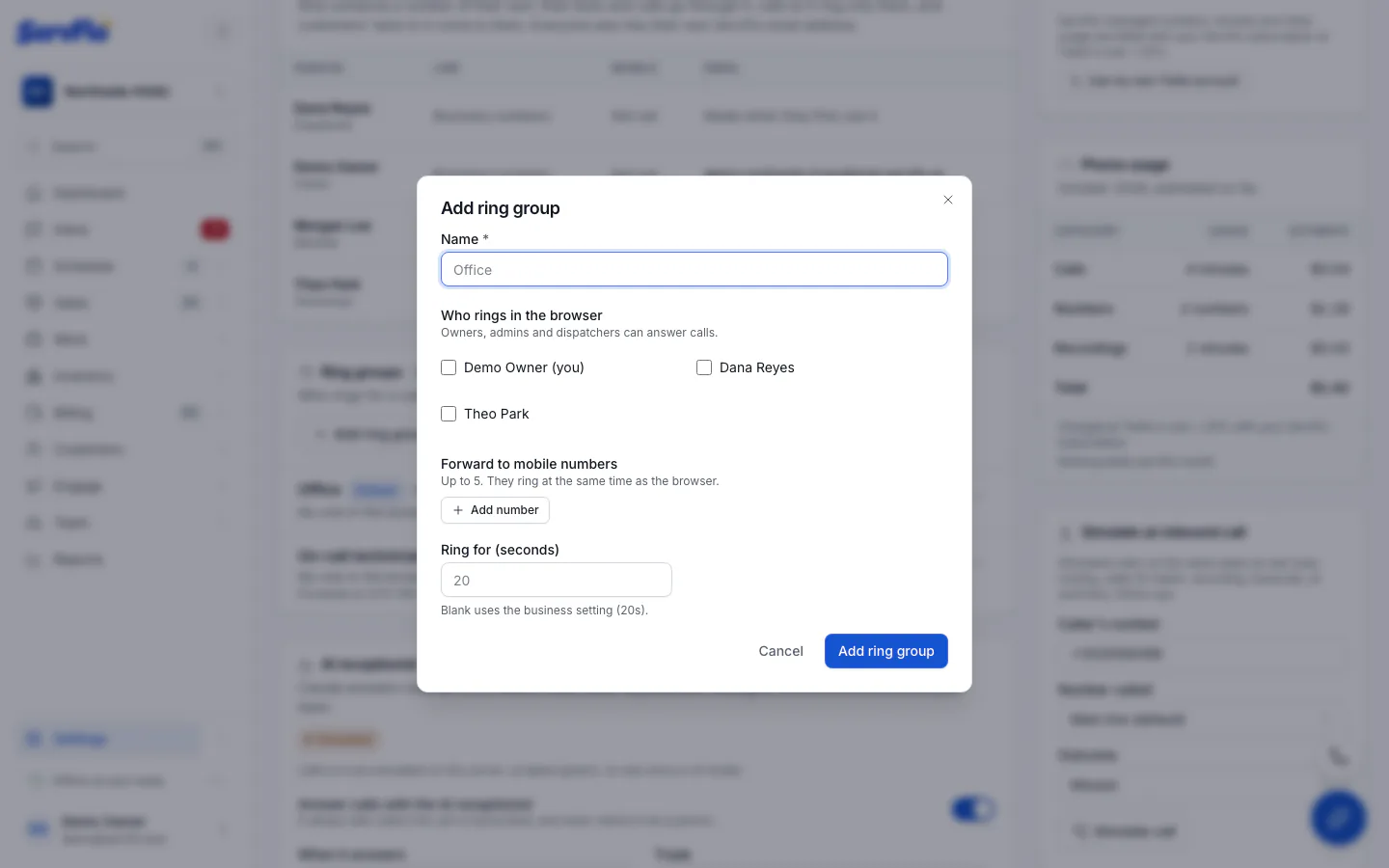
A group needs at least one person or one forward number.
Choose which group rings
- Per number: edit a number and pick its Ring group. See Numbers and tracking.
- Default: in Call handling, set the Default ring group. It rings for numbers that have no ring group of their own. If there's no default either, calls go straight to voicemail.
- Per menu choice: a phone menu option rings the group you choose. See Business hours, voicemail and menus.
Edit or delete a ring group
Open the group's Actions menu and choose Edit or Delete. When you delete a group, numbers using it fall back to the default ring group, or to voicemail.