Phone
What the AI receptionist does on a call
How the AI receptionist talks to callers, what it can and can't do, and where to see its calls.
Add-on: AI receptionist(any plan)needs the Phone add-on
On the call
- It greets the caller, says it's the virtual assistant (if you chose that) and that the call is transcribed.
- It answers questions from what ServFlo knows about your business: hours, service area, services, membership plans and, if allowed, pricebook prices.
- Callers can talk over it; it stops and listens.
- For emergencies like a gas smell, carbon monoxide, flooding, sparks or fire, it gives safety advice first, then offers a transfer.
- Asked whether it's a person, it says it's your business's virtual assistant, an AI.
What it can do
- Book a visit in a real open window, after reading the details back and getting the caller's yes (at most two bookings per call). A booking from a known customer's number is held for your team to confirm, as with online booking.
- Move a known customer's visit to another open window, once it has verified who they are.
- Take a request for your team, marked urgent when it's urgent.
- Take a cancellation request. It never cancels: the visit stays booked, the call gets a follow-up and your team is notified (Calls to follow up in your notification settings).
- Take a message for the team. The call gets a follow-up.
- Text a link to a known customer: your booking page, a payment link or their portal.
- Tell a known customer their balance, once their name matches.
- Transfer the caller to your ring group or number.
It never invents prices or times, never cancels a visit and never reads out account details to an unverified caller. A call can last up to 30 minutes; then it hands the call back.
After the call
- The call appears in Sales → Calls, marked AI, and on the AI receptionist tab.
- The call shows an AI receptionist panel with the Outcome (for example Booked a visit, Took a request, Took a message, Transferred to the team), the AI time, any Message for the team and, for owners and admins, the Conversation.
- The usual AI summary is written from the conversation.
- A booking or request is linked to the call, so the call tracking report counts it as booked.
- A caller who hangs up during the greeting counts as a missed call, so the usual follow-up and text-back apply.
The AI part of the call isn't recorded as audio; the conversation is kept as text, for the same time as your recordings.
The dashboard card
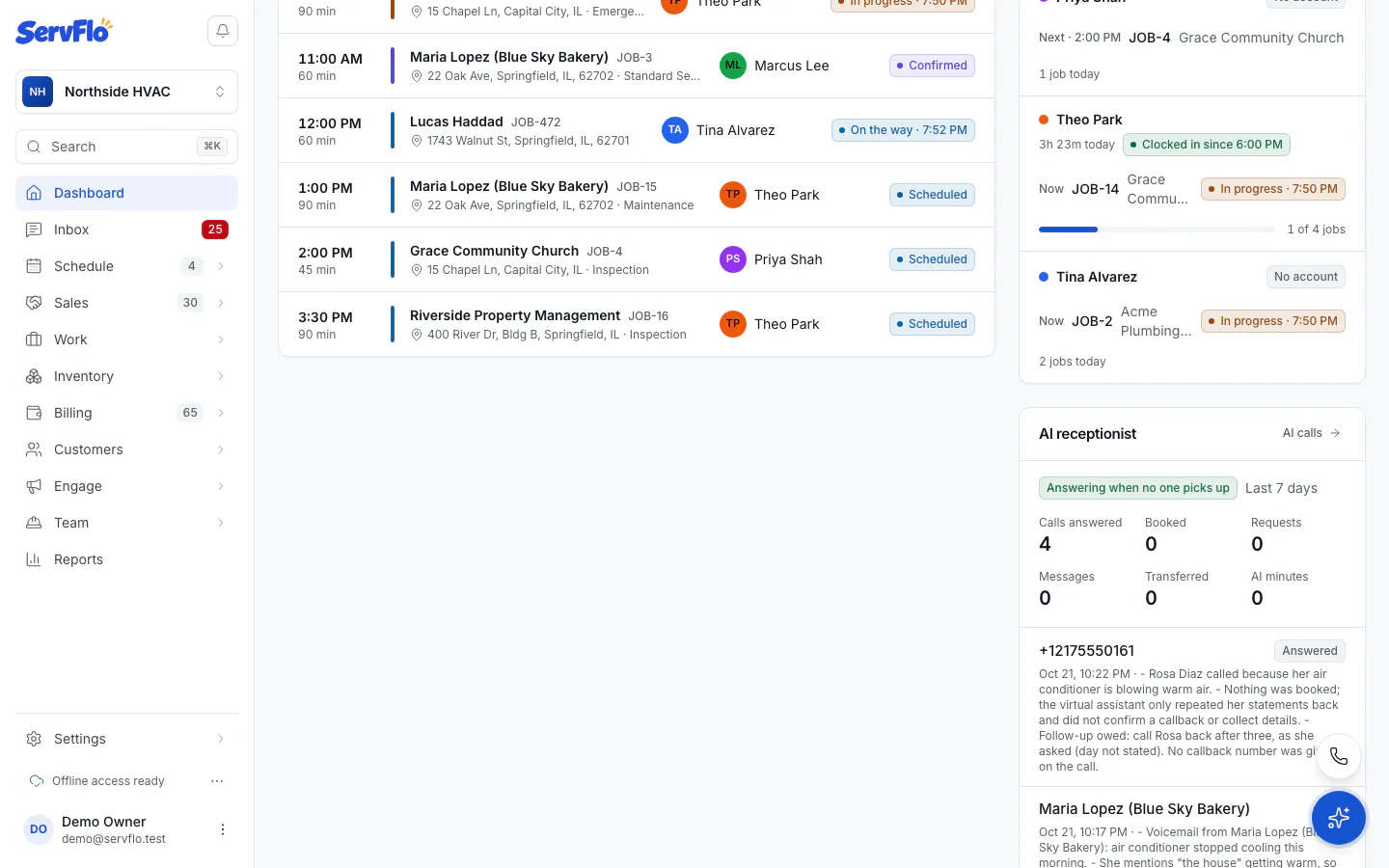
Owners, admins, dispatchers and office members see an AI receptionist card on the dashboard. It shows whether it's answering and when, the last 7 days' Calls answered, Booked, Requests, Messages, Transferred and AI minutes, your trial's AI minutes, and the latest AI calls. If it's off, click Set it up.