
Set up the AI receptionist
Have an AI voice assistant answer calls, book visits, take requests and messages, and transfer callers to your team.
The AI receptionist answers your business calls by voice. It knows your business from ServFlo: your hours, service area, services and (if you allow it) pricebook prices. It can book real arrival windows, take requests and messages, text links to known customers and transfer callers to your team.
The AI receptionist talks to your customers on your behalf. Its voice minutes are billed with your subscription and its AI model use counts against your AI credits. Your free trial includes 30 AI minutes; when they run out, AI answering pauses until you subscribe.
Turn it on
Make sure the phone system is on and you have a number. See Add and turn on the phone system.
If you don't have the add-on yet, add AI receptionist in Settings → Billing under Add-ons (or from the notice in the AI receptionist panel).
Go to Settings → Phone and scroll to AI receptionist.
Turn on Answer calls with the AI receptionist.
Choose When it answers (see below).
Set the rest of the options, then click Save AI receptionist.
Until you save with the switch on, the panel shows Off and calls won't reach the AI. If something needs fixing first, the panel says Needs setup and lists what to do.
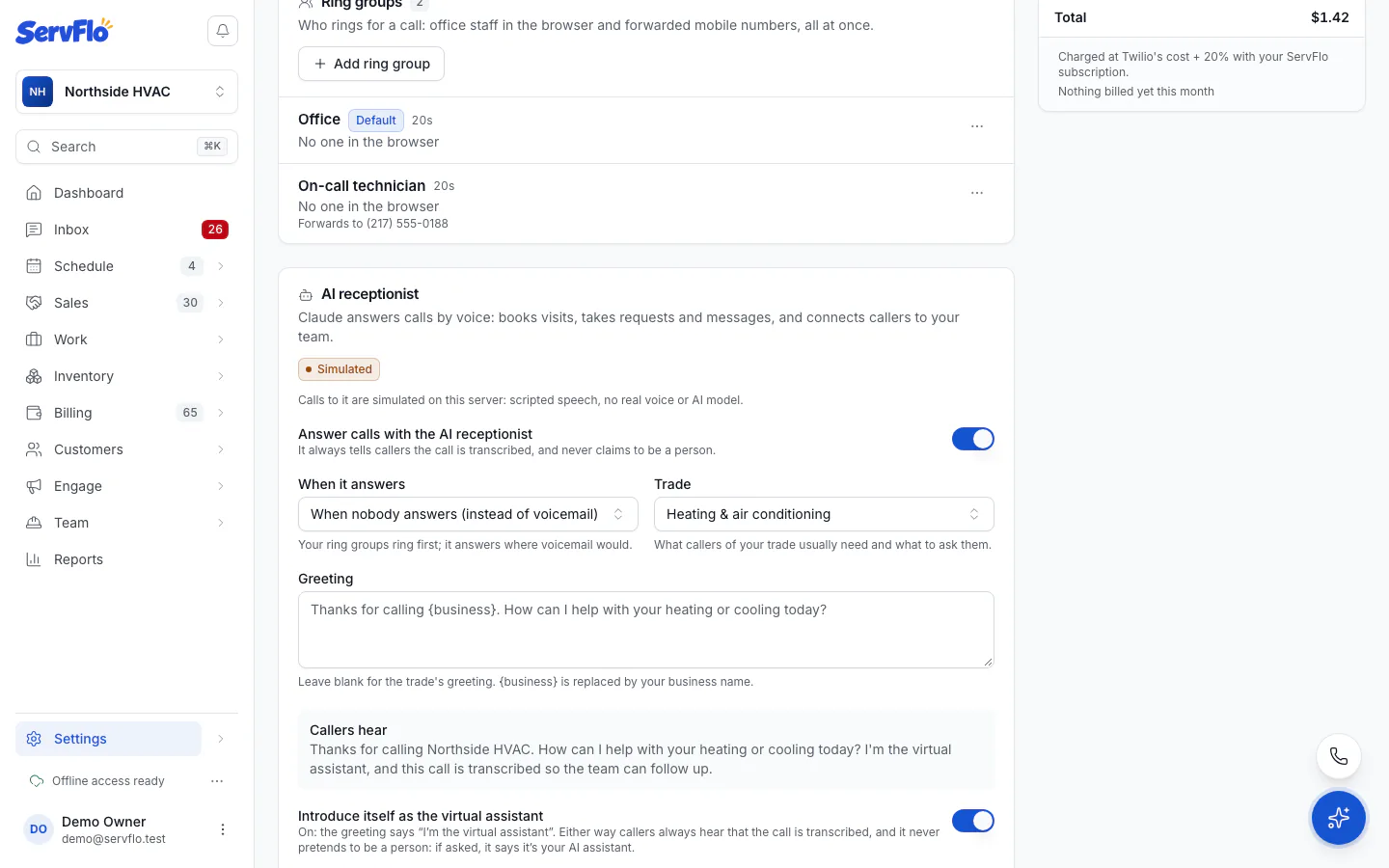
When it answers
| Option | What happens |
|---|---|
| When nobody answers (instead of voicemail) | Your ring groups ring first; it answers where voicemail would. This is the default. |
| Outside business hours | In business hours your ring groups answer as usual. After hours it answers instead of voicemail or your forward number. |
| Every call | It answers before anyone rings (and before any phone menu), and transfers when a caller wants a person. |
If it can't take a call (for example you're out of AI credits), the call routes the usual way. Calls are never refused.
Greeting and what it knows
- Trade: what callers of your trade usually need and what to ask them. It starts on your business's trade.
- Greeting: what it says first. Leave it blank for the trade's greeting.
{business}is replaced by your business name. Callers hear shows the greeting as spoken. - Introduce itself as the virtual assistant: on, the greeting says "I'm the virtual assistant". Either way, callers always hear that the call is transcribed, and it never pretends to be a person. If asked, it says it's your AI assistant.
- Greeting a known caller: when the caller's number matches a customer, greet them by First name ("Hi Sarah"), Title and last name ("Hello Mrs. Johnson") (using the title saved on the customer, never a guessed one), or No name. Unknown numbers always get the greeting without a name.
- What it should know: your policies, areas you serve and anything to mention, for example "We don't service mobile homes. Mention our fall tune-up special." It never says prices or promises you didn't give it.
Voice and language
- Language: English or Spanish.
- Voice provider: Deepgram Aura or OpenAI.
- Voice: pick a voice, or Custom voice ID…. Click Play a sample to hear it as callers will on a phone line.
Transfers
Under Transfers, choose who rings when a caller asks for a person or has an emergency: a Ring group or Or a phone number. With neither, it takes a message instead of transferring.
What it may do
| Option | What it allows |
|---|---|
| Book visits | Book real arrival windows from your online booking rules, after reading the details back and getting a yes. Known customers can also move a visit to an open window. Needs online booking with arrival times (Settings → Online booking); until then it takes requests. |
| Take requests | Take a service request for your team to schedule or call back. Known customers can ask to cancel a visit: it never cancels, it opens a follow-up on the call and notifies your team to confirm. |
| Prices on the phone | Never say a price, Starting-at prices (your pricebook price said as "starting at", with "the technician confirms the final price") or Exact prices (your pricebook price as listed). If nothing in your pricebook matches, it says your team will quote. It never says your costs or margins. |
| Text links to known customers | Text your booking page, a payment link or their customer portal. OK to text and STOP apply. |
| Tell known customers their balance | Only after they give their full name and it matches the customer on that number. Then it offers to text the payment link (needs text links). |
Caller ID can be faked, so before it talks about a caller's visits or account, the AI asks for their full name and service ZIP code and checks them against the customer.