
Job costing
See what each job earned against what it cost in labor, materials, purchases and expenses, and its margin.
Job costing shows whether a job made money. Only owners and admins see it, because it includes costs and pay.
See a job's costing
Open any job. The Costing panel shows:
- Revenue: what's been invoiced for the job, before tax (tips aren't included), and how much was collected.
- Labour: time technicians logged on the job, times each technician's hourly cost.
- Materials: the parts used on the job, at their cost when they were added.
- Purchase orders: anything bought for this job on a purchase order that wasn't already counted as a material.
- Expenses: expenses recorded on the job.
- Total cost, Gross profit and Margin.
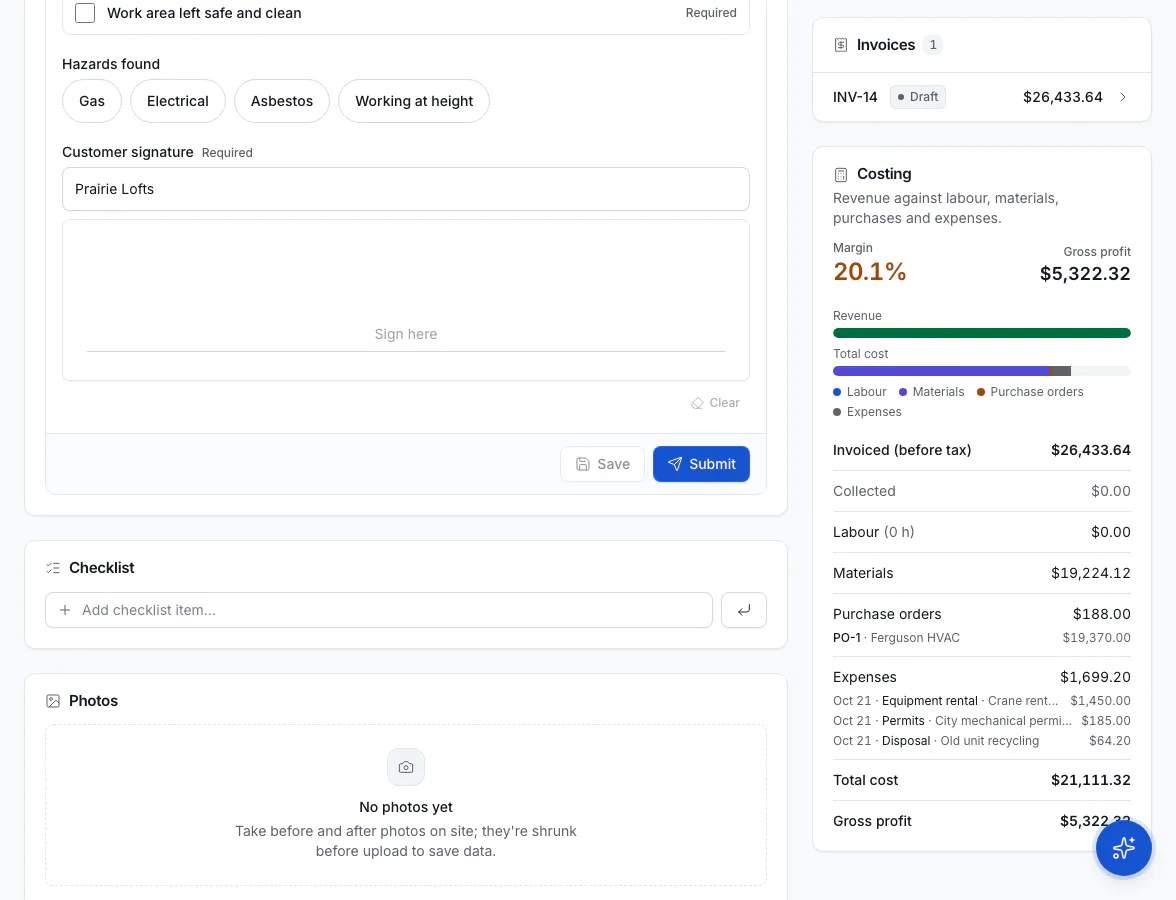
The Jobs list also has a Margin column, so you can spot jobs that lost money.
Set technicians' hourly cost
Labor is costed from each technician's Hourly cost: the full cost of one hour of their time, including wages, taxes and benefits. Set it when you edit a technician (in the left menu, under Team, click Technicians). Hourly pay is what they're paid per hour, used for payroll and commissions.
Time from a technician without an hourly cost, or a part without a cost, counts as $0. The panel tells you when that happens so you can fix it.
Margin on quotes
When you build a quote, owners and admins see an internal margin preview for each option. Customers never see it.