
Bill a job in parts with progress invoicing
Invoice a large job by milestone or by percent complete, with optional retainage.
For big jobs such as installs, remodels or new construction, you often bill as the work goes: a deposit, then rough-in, then completion. Progress invoicing fixes the contract amount once and makes sure the invoices never add up to more than it.
Set it up
You can start progress billing from an approved quote that hasn't been invoiced, or from a job that hasn't been invoiced.
Open the quote or job
Find the Progress billing panel and click Bill in progress invoices.
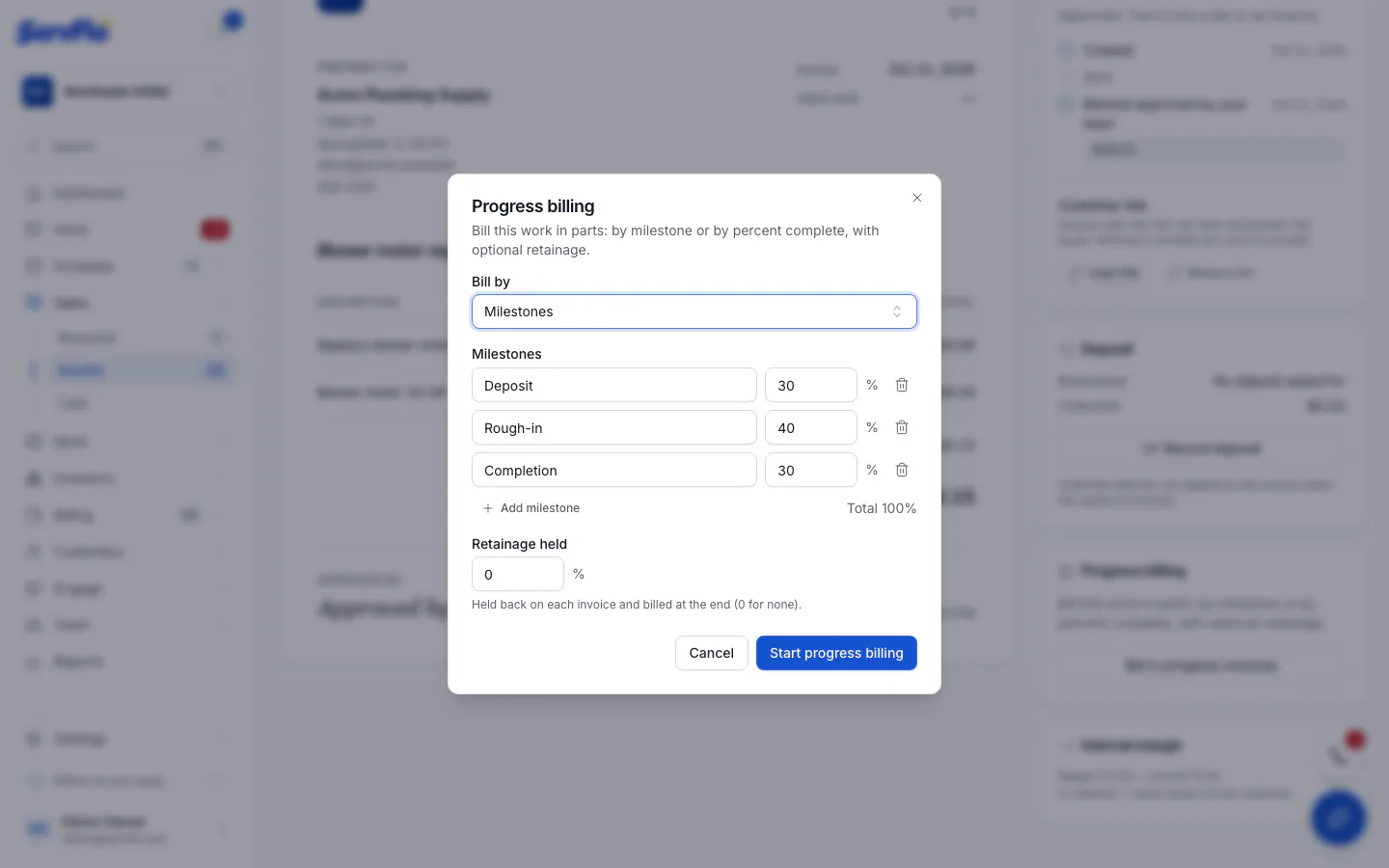
Choose how to bill
Under Bill by, choose:
- Milestones: named stages, each a percentage of the contract. They must add up to 100%. ServFlo suggests Deposit 30%, Rough-in 40% and Completion 30%. Use Add milestone to add more.
- Percent complete per line: bill each contract line by how far along it is.
Set retainage (optional)
Retainage held is a percentage held back on each invoice and billed at the end (up to 50%). Enter 0 for none.
Start
Click Start progress billing.
The panel then shows the Contract, what's Billed to date, what's Remaining, and any retainage held.
Create the invoices
- Milestones: click Invoice next to a milestone when it's reached. Each milestone can be billed once.
- Percent complete: enter the new % complete for each line and click Invoice progress. ServFlo bills only the difference since the last invoice. A percentage can't go down.
- Final invoice: bills the rest of the contract. It lists every contract line in full and credits each earlier progress invoice, so the customer sees the whole job. Tick Release the retainage on it to bill the retainage on the same invoice.
- Invoice retainage: once the whole contract is billed, bills all the retainage held so far.
Each one is a normal Draft invoice. Send it, take payments and track it like any other. ServFlo refuses an invoice that would bill more than is left of the contract.
Good to know
- Deposits collected on the quote go on the first progress invoice. That first invoice must be at least as large as the deposits already paid.
- Once progress billing is set up, the quote or job can't also be invoiced in one go, and the job doesn't appear in batch invoicing.
- The contract doesn't change. For extra work, create a new quote as a change order.
- To undo the setup, click Stop progress billing. You can only do this before any of its invoices is live.
- Canceling a progress invoice frees up what it billed, so you can bill that milestone again.