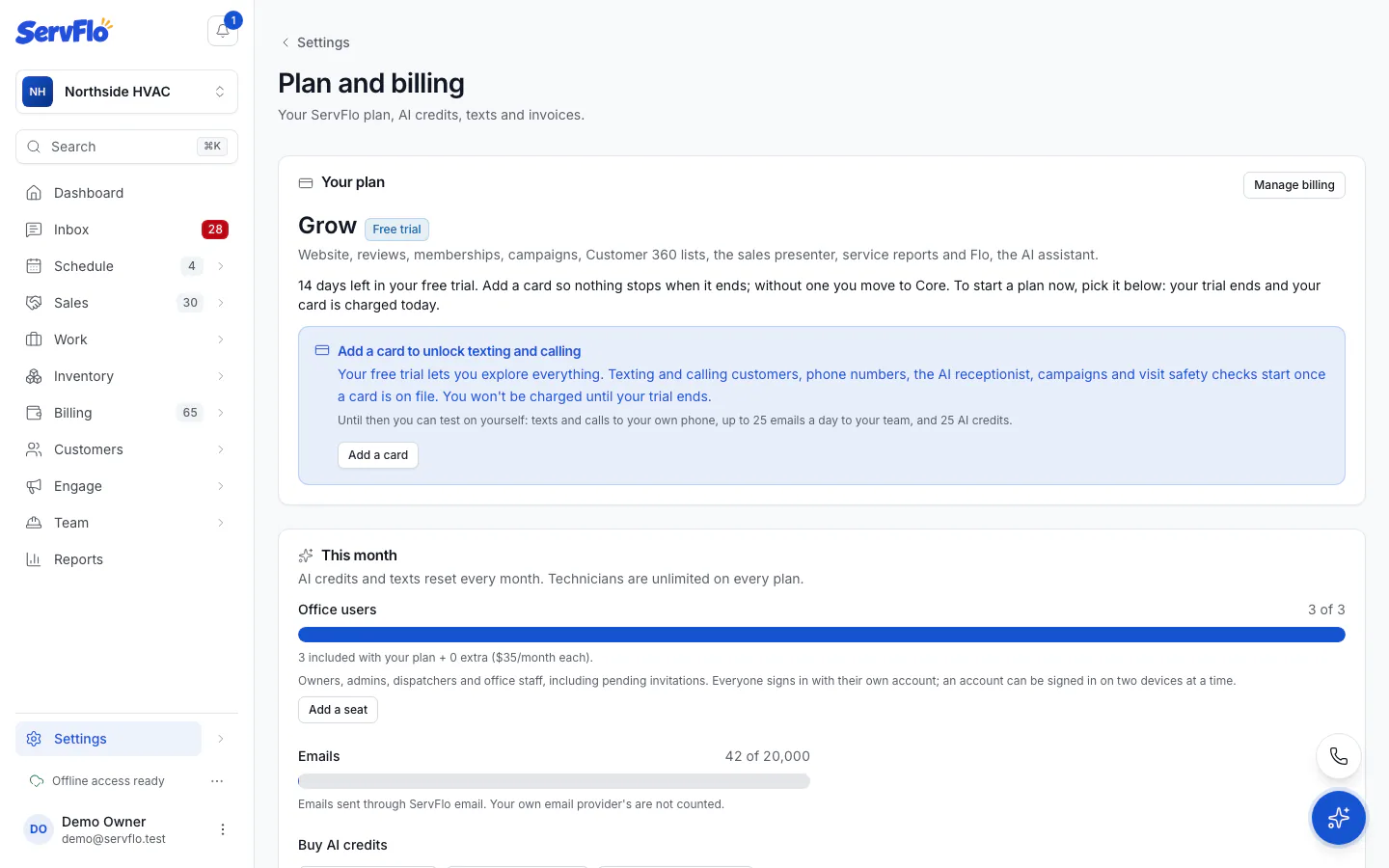
Add a card
Put a card on file so ServFlo can text and call customers, buy numbers and run campaigns during your trial.
During the free trial, texting and calling customers, phone numbers, the AI receptionist, campaigns and visit safety checks wait until a card is on file. Adding a card doesn't charge you and doesn't end your trial. You aren't charged until your trial ends.
Only the owner can add a card. Anyone else sees Ask the owner to add a card in Settings → Billing.
Where to find Add a card
- The trial banner. At the top of every screen, the owner of a trial without a card sees how many days are left, for example 12 days left in your free trial · Add a card so nothing stops when it ends, with Add a card.
- Notices. Where something needs a card, ServFlo shows a notice such as Add a card to start texting customers, Add a card to unlock phone numbers and calls or Add a card to send campaigns. You'll see these in the phone settings, the call log, the texting settings, campaigns and visit safety.
- Refused actions. If something you try is refused for want of a card, the message also offers Add a card.
- Settings → Billing. Under Your plan, the Add a card to unlock texting and calling notice has Add a card.
Add the card
Select Add a card
Select Add a card in any of the places above. Stripe's secure card page opens (Stripe is our payment provider).
Enter your card
Add your card details and save them.
Return to ServFlo
You come straight back to Settings → Billing, which says Card added. Texting, calling and paid features are unlocked. Everything that was waiting for a card works at once. Select Back to where you were to return to the screen you started from.
If you leave Stripe's page without saving, Billing says No card was added. You can try again any time.
Once your card is on file, Your plan shows A card is on file. To change or remove a card, or see your invoices, select Manage cards and invoices (or Manage billing at the top of the page). This opens the secure billing portal.
If your plan is complimentary, Settings → Billing shows This plan is complimentary: no card needed.