
Style and site settings
Apply a designed style, and set your colors, fonts, logo, business details, hours and search settings.
Site-wide settings live on Website settings. Open Engage → Website, then Settings and domains. Changes apply to your draft; publish to show them on the live site.
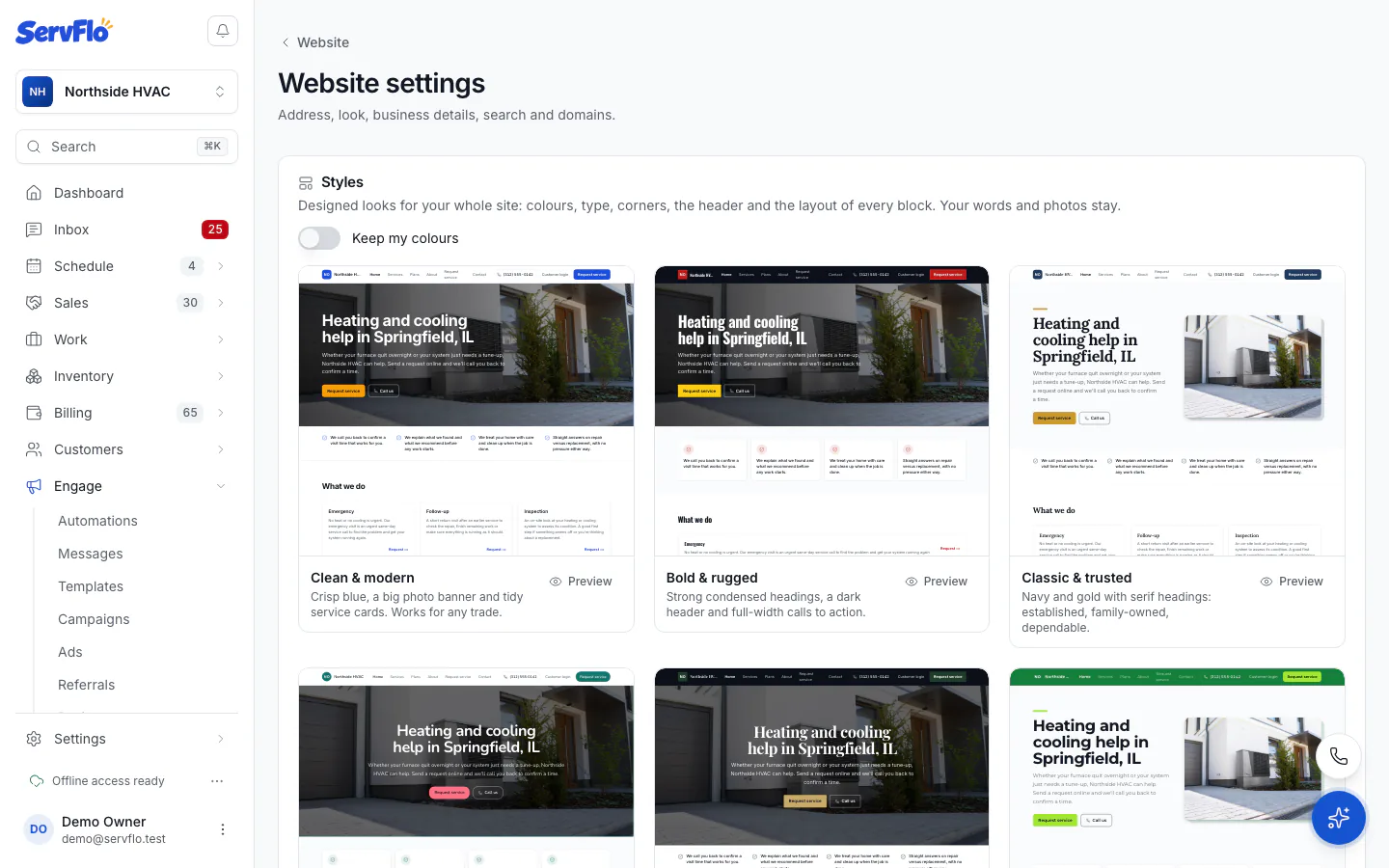
Apply a style
Styles are eight designed looks for your whole site: colors, fonts, corners, the header and the layout of every block. Your words and photos stay.
On Website settings, scroll the Styles gallery. Each style is drawn with your own draft.
To keep your own colors and change only the rest, tick Keep my colours.
Click Use the … style on the one you like, then Apply style.
The live site changes only when you publish.
Address and trade
- Website address: your free ServFlo address. Changing it moves the live site at once, and old links stop working.
- Trade: suggests photos for your trade in the image picker and steers the next fresh draft.
Look
- Main colour and Highlight colour.
- Headings: the font pair, such as Modern, Classic, Friendly or Bold (condensed headings).
- Corners: Square, Soft or Round.
- Header: Light, Dark or Brand colour.
Business details
Shown in the header, footer and contact page:
- Name shown on the site, Tagline, Phone, Email, Address, Licence or insurance line and Where you work.
- Logo, Header shows (Logo and name, Logo only or Name only) and Logo size.
- Opening hours, typed as 08:00-17:00. Leave a day empty when you're closed. Add a Note under the hours if you like.
- Social and review links: Facebook, Instagram, Google Business, Yelp and Nextdoor.
Privacy policy and terms
Every site has a Privacy Policy (/privacy) and Terms (/terms) page written from your business details, including the text-messaging wording phone carriers require. If you have your own pages that say the same, add their addresses under Privacy policy and terms. The footer links and the links next to every form then point to your pages.
Search engines
Set the Site title and Site description that search engines show. Each page also has its own Search title and Search description in the editor's page settings. Your site has a sitemap and search-friendly page tags automatically.
Click Save when you're done.