
Use customer insights
See each customer's value, health score, habits and predictions, and find who's due for service or likely to need a replacement.
ServFlo works out a 360° view of every customer from your own records: their jobs, quotes, invoices, payments, messages, reviews and equipment. It isn't guesswork you have to trust — every score and prediction comes with the reasons and the data behind it.
There are two parts:
- The Insights section on each customer's page — on every plan.
- The Customer insights page, with lists of customers across your whole business — on Grow and Pro.
Insights on a customer's page
Open a customer. Insights is the first section on the page. It appears once the customer has a completed job or a membership.
- Figures: Lifetime value, revenue in the Last 12 months, Average ticket, Jobs (completed / total), Last visit, Next visit, Membership, Open balance and how quickly they usually pay.
- Health score: a score out of 100, where 70 is a typical customer. What moved it lists each reason with its points — for example paying on time, being a member, or being overdue for service. The score is banded Good, Watch or At risk.
- Behaviours: habits such as Books online, Prefers text, Pays on time, Approves quotes quickly, Price-sensitive, Seasonal or High value. Select one to see Why we think so.
- Equipment outlook: each piece of equipment at the customer's properties, with its age against its expected life and how likely it is to need replacing.
- Predictions: when their next service is due, equipment replacement, Lapse risk, Late payment risk and Quote acceptance. Select Why? to see the Reasons and Data used.
Insights update on their own as things happen. To refresh them right away, select Recompute.
Timeline
The Recent activity card on the customer page shows the latest jobs, quotes, invoices, payments, messages, reviews, notes and calls. Select View all to open the full Activity timeline, which you can filter by kind. Entries are ordered by when they actually happened, so imported history and work entered late still land in the right place.
The Customer insights page
Available on Grow and Pro.
Go to Customers → Customer insights. The page has three lists:
- Service due — customers due for service in a date range, and why (Already booked, Membership visit, Their usual rhythm, Service interval, Seasonal pattern or Yearly check-up).
- Likely replacements — equipment likely to need replacing, with the outlook (Replace now, Plan replacement, Healthy or Age unknown).
- At risk — customers likely to lapse, pay late, or accept an open quote.
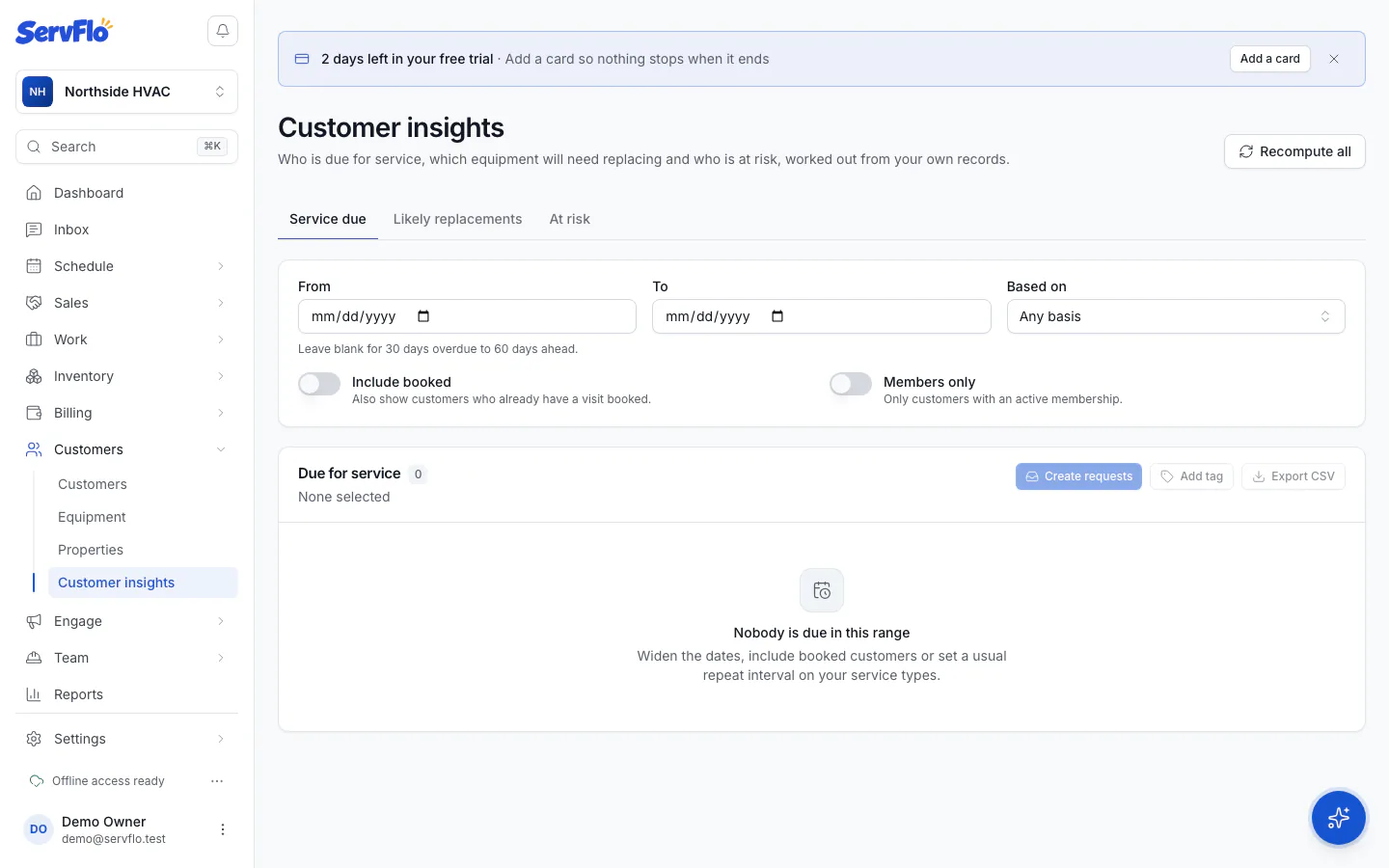
Act on a list
Select customers (up to 100 at a time), then choose:
- Create requests — one new request per customer, for your office to follow up.
- Create quotes — one draft replacement quote per customer.
- Add tag — tag them all, for example to reach them with an automation. Nothing is sent when you tag.
- Export CSV — download the selected rows, or the whole list with your current filters if nothing is selected.
Nothing is sent to customers from these actions.
Equipment lifespans
Replacement predictions compare each unit's age with its expected life. To change the expected years per equipment type, select Lifespans on the Customer insights page.
On Core and Connect, the Customer insights page shows that the lists are available on the Grow plan and up. The Insights section on each customer's page still works.