
Ask for a deposit
Request a deposit on a quote and collect it online or in person.
A deposit is money the customer pays up front when they approve a quote, for example to cover equipment you need to order. ServFlo shows it to the customer as due on approval. Nothing is charged automatically: the customer pays it online, or you record it when you receive it.
Add a deposit to a quote
- Create a quote, or open one and click Edit.
- Under Deposit, choose:
- Percentage: a share of the total, including tax.
- Fixed amount: a set amount, up to the quote total.
- Save the quote.
The customer sees Deposit due on approval on the quote page.
How the customer pays it online
If you take payments online, the quote page shows a Deposit card as soon as the customer approves. They click Pay deposit (or Pay by card / Pay by bank (ACH) when you accept bank payments) and pay on a secure Stripe page. If you offer financing and the amount qualifies, they can also pay with Affirm or Klarna.
The payment appears on the quote as soon as Stripe confirms it. A customer who comes back to the quote link later can still pay any deposit that's left.
Record a deposit you received
If the customer pays by cash, check or another way:
Open the approved quote
The Deposit panel shows what you asked for (Requested), what's been paid (Collected) and what's left (To collect).
Click Record deposit
Enter the Amount, the Method (Cash, Check, Card, Bank transfer or Other), the Date received and an optional Reference, such as a check number.
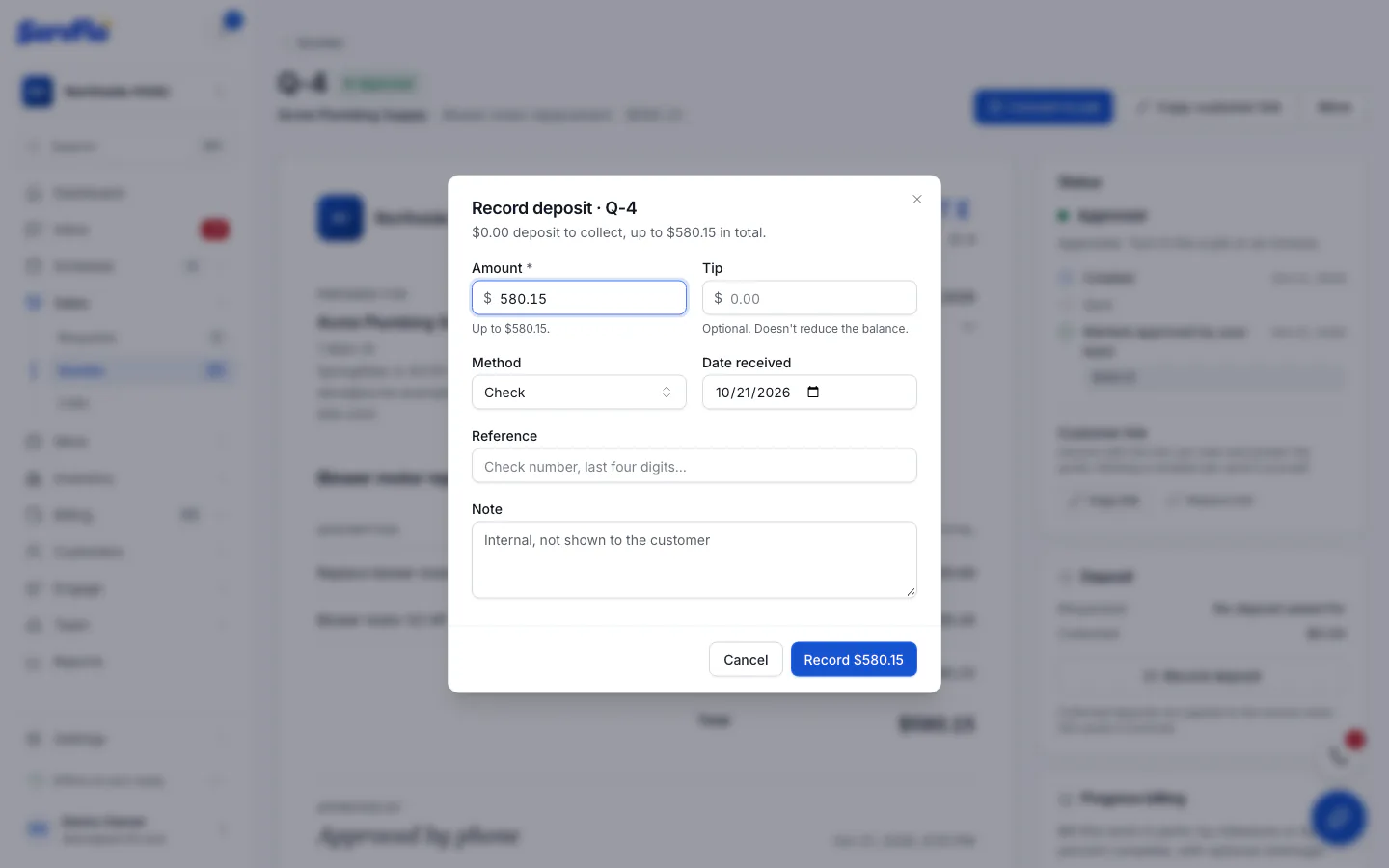
Save
Click the Record button, which shows the amount (for example Record $500.00). Recording a deposit doesn't charge the customer. It records money you've already received.
You can record deposits once the quote is approved, until it's invoiced. Deposits can add up to the approved total, but no more.
What happens to the deposit later
When you invoice the quote (or the job it became), every deposit collected moves onto the new invoice and counts as paid there. The invoice shows as Partially paid, and the customer only owes the rest.
If you bill the work in parts with progress invoicing, the deposits go on the first progress invoice.
Using the in-home presenter? After the customer signs, you can collect the deposit right away. See Present a quote in the customer's home.