
Set your pay schedule and overtime
Choose how often you pay and how overtime and double time are counted, with federal or California rules in one click.
Owners and admins set the pay schedule and overtime rules once. Every pay run uses them.
Open the settings tab
In the left menu, under Team, click Payroll, then the Pay schedule and overtime tab.
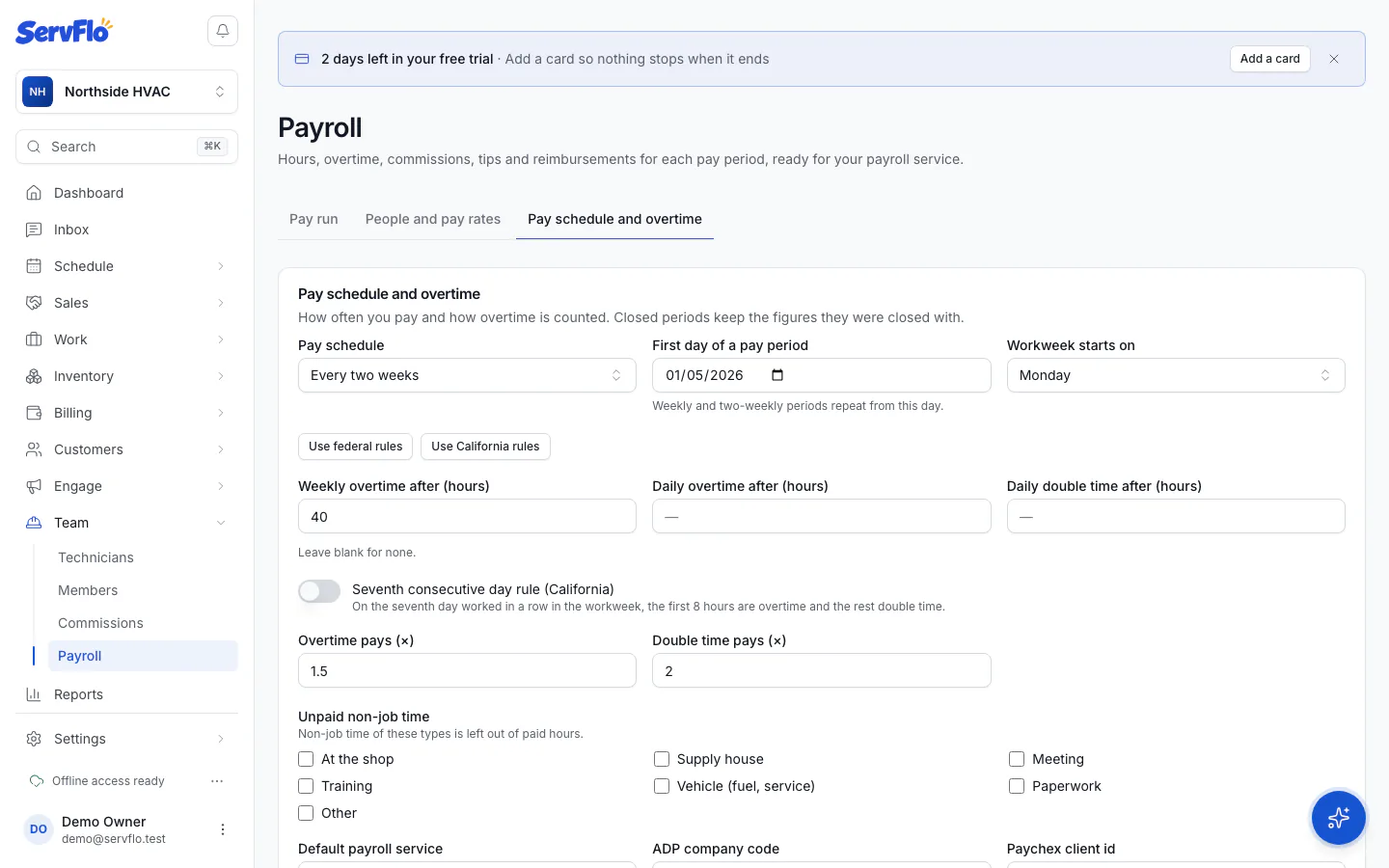
Choose your pay schedule
Pick a Pay schedule: Weekly, Every two weeks, Twice a month (1st–15th, 16th–end) or Monthly. For weekly and two-weekly pay, set the First day of a pay period; periods repeat from that day.
Set overtime
Click Use federal rules (overtime after 40 hours a week) or Use California rules (daily overtime after 8 hours, double time after 12, and the seventh-day rule). Or set each one yourself:
- Workweek starts on
- Weekly overtime after (hours)
- Daily overtime after (hours) and Daily double time after (hours): leave blank for none
- Seventh consecutive day rule (California): on the seventh day worked in a row in the workweek, the first 8 hours are overtime and the rest double time
- Overtime pays (×) and Double time pays (×): 1.5 and 2 unless you change them
Choose unpaid non-job time
Under Unpaid non-job time, tick any kinds of non-job time you don't pay for, such as Meeting or Training. They're left out of paid hours.
Choose your payroll service
Pick the Default payroll service for downloads. For ADP enter your ADP company code; for Paychex, your Paychex client id. Then click Save settings.
How overtime is counted
- Paid time beyond the weekly limit in a workweek is overtime. Weekly overtime only counts regular hours, so no hour is counted as overtime twice.
- A workweek that started in the previous pay period still counts its earlier days toward the weekly limit, so overtime isn't lost when a period splits a week.
- A person can have their own overtime multiplier or be exempt from overtime. Salaried people are exempt. See Pay rates and payroll ids.
Closed pay periods keep the figures they were closed with. Changing the rules only affects open periods.
The Payroll hours report under Reports always uses a plain 40-hour weekly rule. Your own rules apply on the Payroll page.