
Approve timesheets
Approve a person's week or send it back to be fixed before you run payroll.
Owners and admins approve timesheets. Approving a week locks its entries, so the hours you pay are the hours you checked.
Open Timesheets
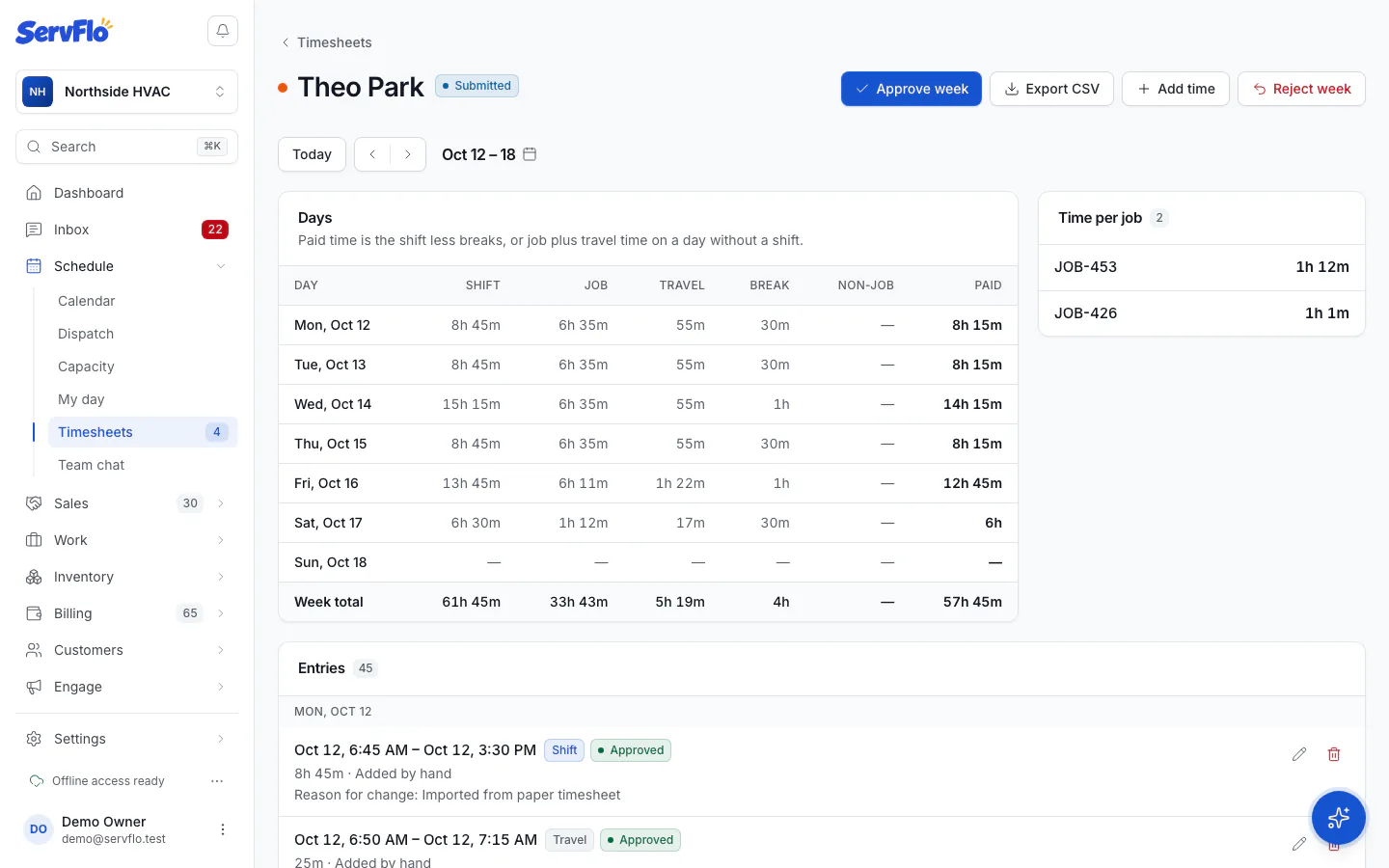
In the left menu, under Schedule, click Timesheets, and pick the week.
Open the person's timesheet
Click the person. Check their days, time per job and any entry added or changed by hand (the reason shows on the entry).
Approve or reject
Click Approve week, or Reject week to send it back to be fixed. A rejected week can be corrected and submitted again.
You can't approve a week while that person's clock is still running. Ask them to clock out first (or fix the entry).
You don't have to approve everything before payroll: the pay run counts approved and unapproved time, and warns you about anything not approved yet. Rejected time is left out.