
Let customers join online
Share a join link or QR code so customers sign up for a plan and pay online.
Every plan has its own join page. Customers see the plan's price, term and perks, enter their details and sign up themselves. Put the link on your website, in emails and texts, or print the QR code on a flyer or invoice.
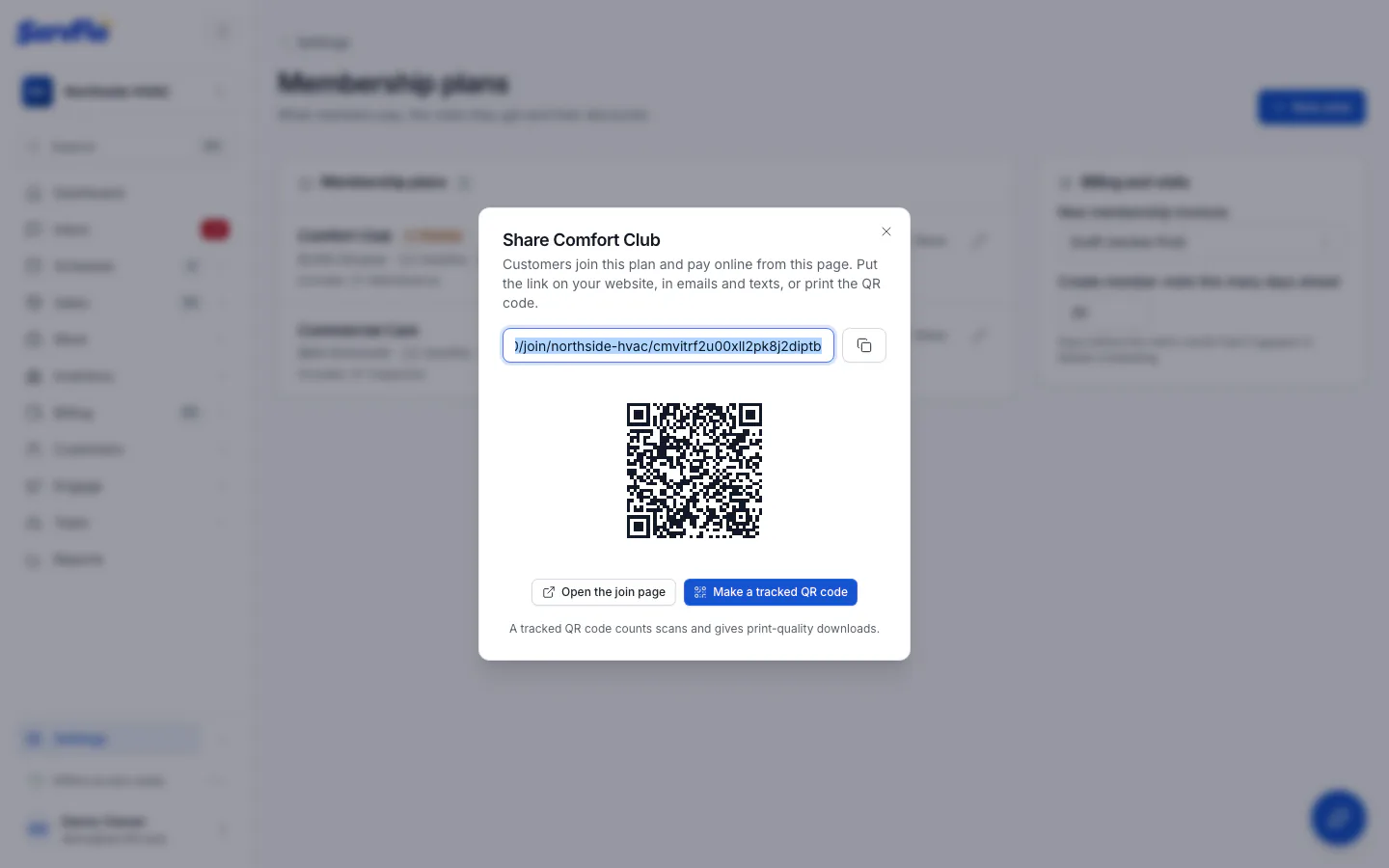
Copy the link or the QR code
Click Copy link to copy the Join link, or use the QR code shown. Make a tracked QR code creates a QR code that counts scans and gives you print-quality downloads. Open the join page shows the page as customers see it.
The plans block on a ServFlo website links to the same join pages.
What happens when a customer joins
The customer enters their name, email, phone and service address.
- If you take online payments (Settings → Payments is set up), they continue to Stripe's secure page and save a card. ServFlo then creates the customer and the membership with autopay on, and charges the first period. The customer sees their membership number and whether the first payment went through.
- If you don't take online payments, joining sends you a request saying the customer wants to join the plan. Sign them up from the request with Add a membership.
If the card is saved but the first payment fails, the customer and the card are still saved, and the invoice stays open for you to follow up.