
Create a membership plan
Set a plan's price, billing, term, included visits and member discounts.
A plan is the template every membership is copied from: what members pay, how often, for how long, which visits they get and what they save. Owners and admins can create and edit plans.
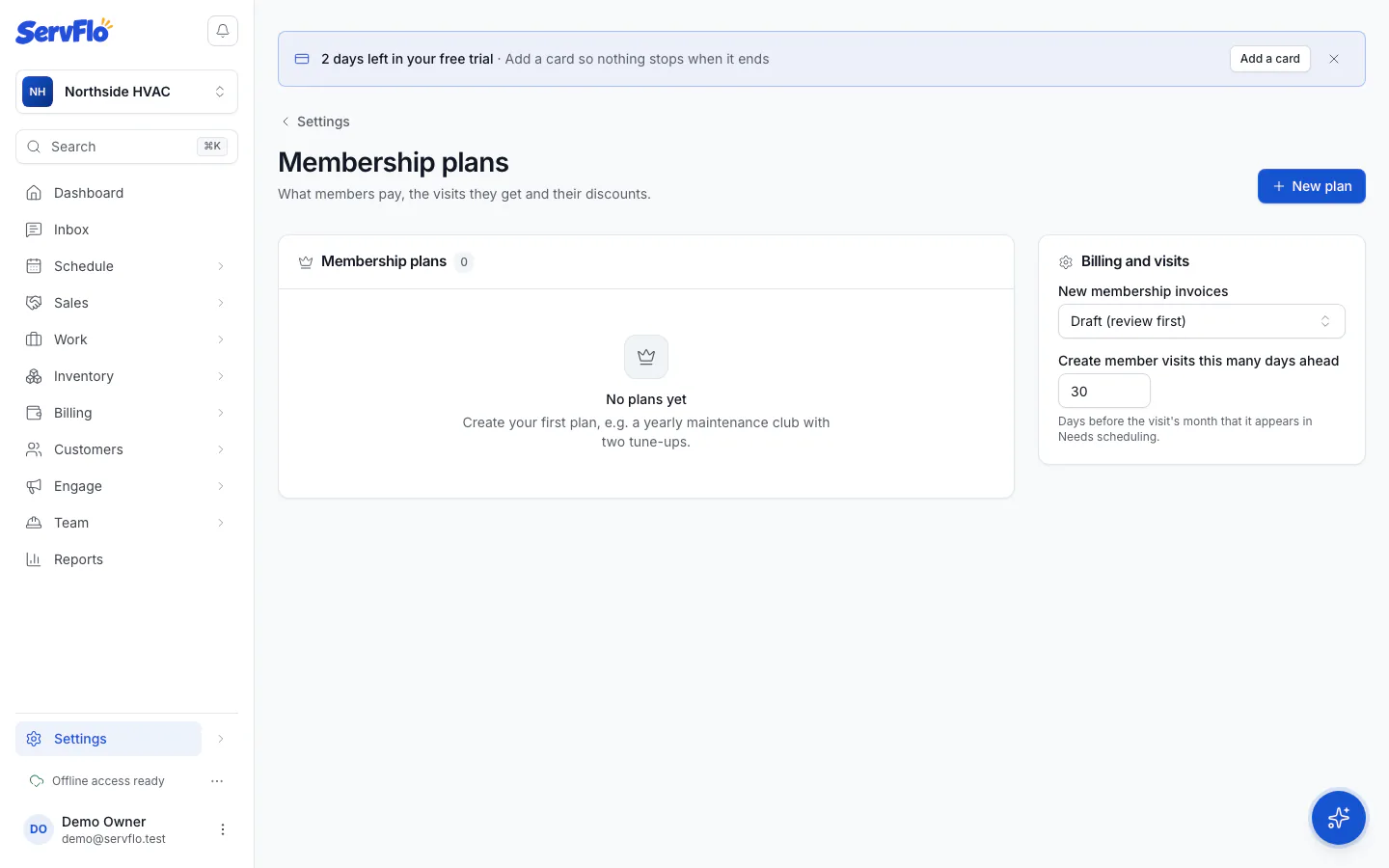
Name and price it
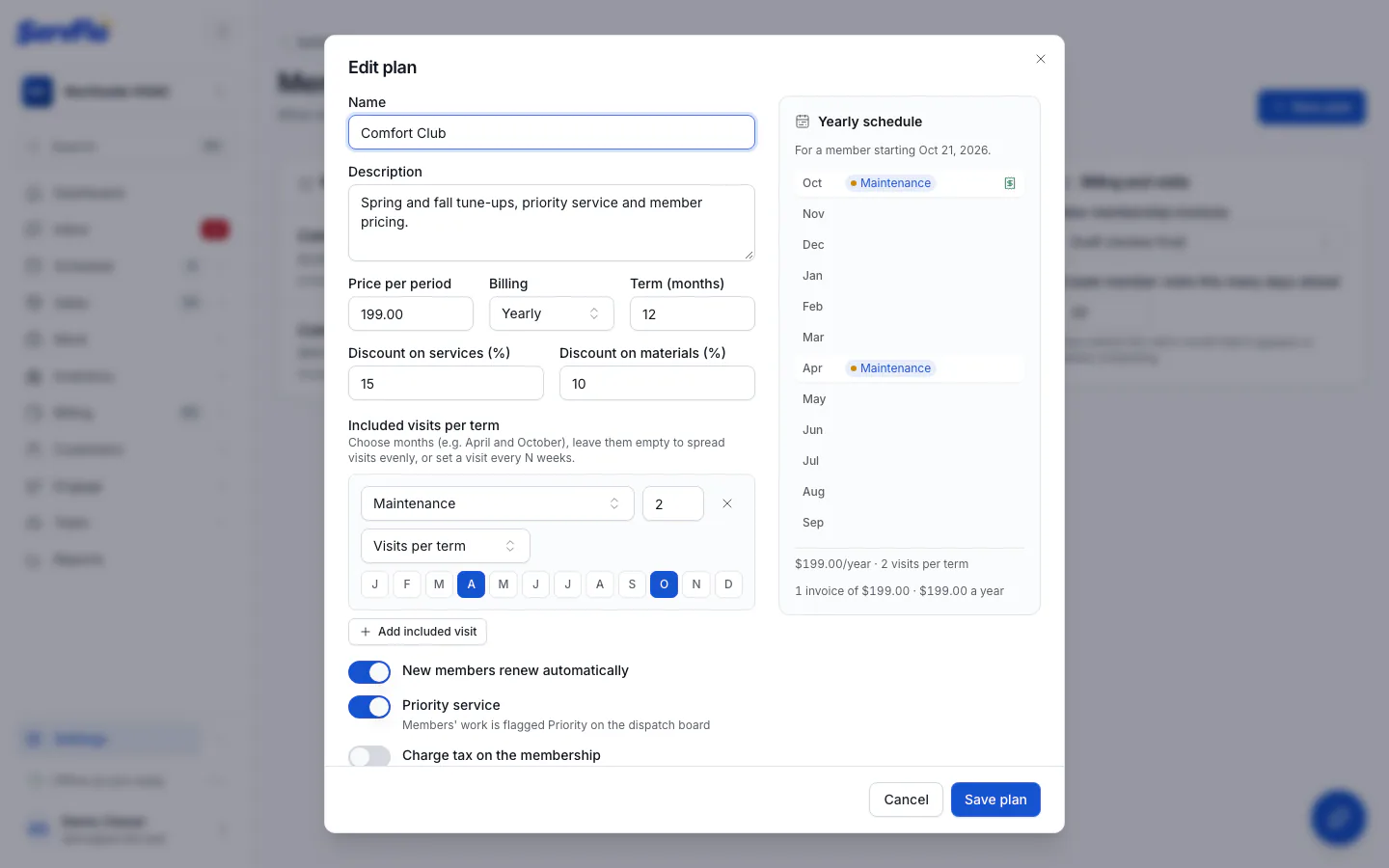
Enter a Name (for example "Comfort Club") and a Description. Set the Price per period and choose how often it bills under Billing: Weekly, Every 2 weeks, Every 4 weeks, Monthly, Quarterly, Every 6 months, Yearly or Once per term.
Set the term
Enter the Term (months), from 1 to 60. Leave New members renew automatically on if most members should roll into a new term at the end.
Add the included visits
Under Included visits per term, click Add included visit and choose the Service. Then choose How often:
- Visits per term: set the number of Visits. Pick Months (for example April and October for spring and fall tune-ups), or leave the months empty to spread the visits evenly over the term.
- Every N weeks: set Every so many weeks and, if you like, a Preferred day.
Add discounts and perks
Set Discount on services (%) and Discount on materials (%). Turn on Priority service to flag members' work as Priority on the dispatch board. Turn on Charge tax on the membership if the membership fee is taxable where you work: it's taxed at the property's rate, and tax-exempt customers are never taxed.
Check the preview and save
The Yearly schedule preview shows when visits fall, how many invoices a year the plan makes and what it comes to per year. Click Create plan.
Changing a plan later
Edit a plan from its row in Settings → Membership plans. Changes apply to new members only: each membership keeps the price, discounts and visits it was sold with, through every renewal. The membership page shows this as Plan at signup.
To stop selling a plan, edit it and turn off Open to new members (the plan shows as Retired). Existing members keep it. A plan that has ever had members can't be deleted.
Billing and visit settings
Below your plans, Billing and visits has two settings for all plans:
- New membership invoices: Draft (review first) or Sent (issued directly).
- Create member visits this many days ahead: how many days before a visit's month it appears on Needs scheduling (30 by default).
The Membership scheduler runs every hour on its own. Run now runs it immediately, which is handy after setting up a plan or a demo. It's safe to run more than once.