
Create a campaign
Write an email and/or text campaign, draft it with AI, preview it and send yourself a test.
Open Engage → Campaigns and click New campaign.
Under Name and channels, type a Campaign name (customers don't see it; it also tags the campaign's links) and choose Channels: Email, Text or Email and text.
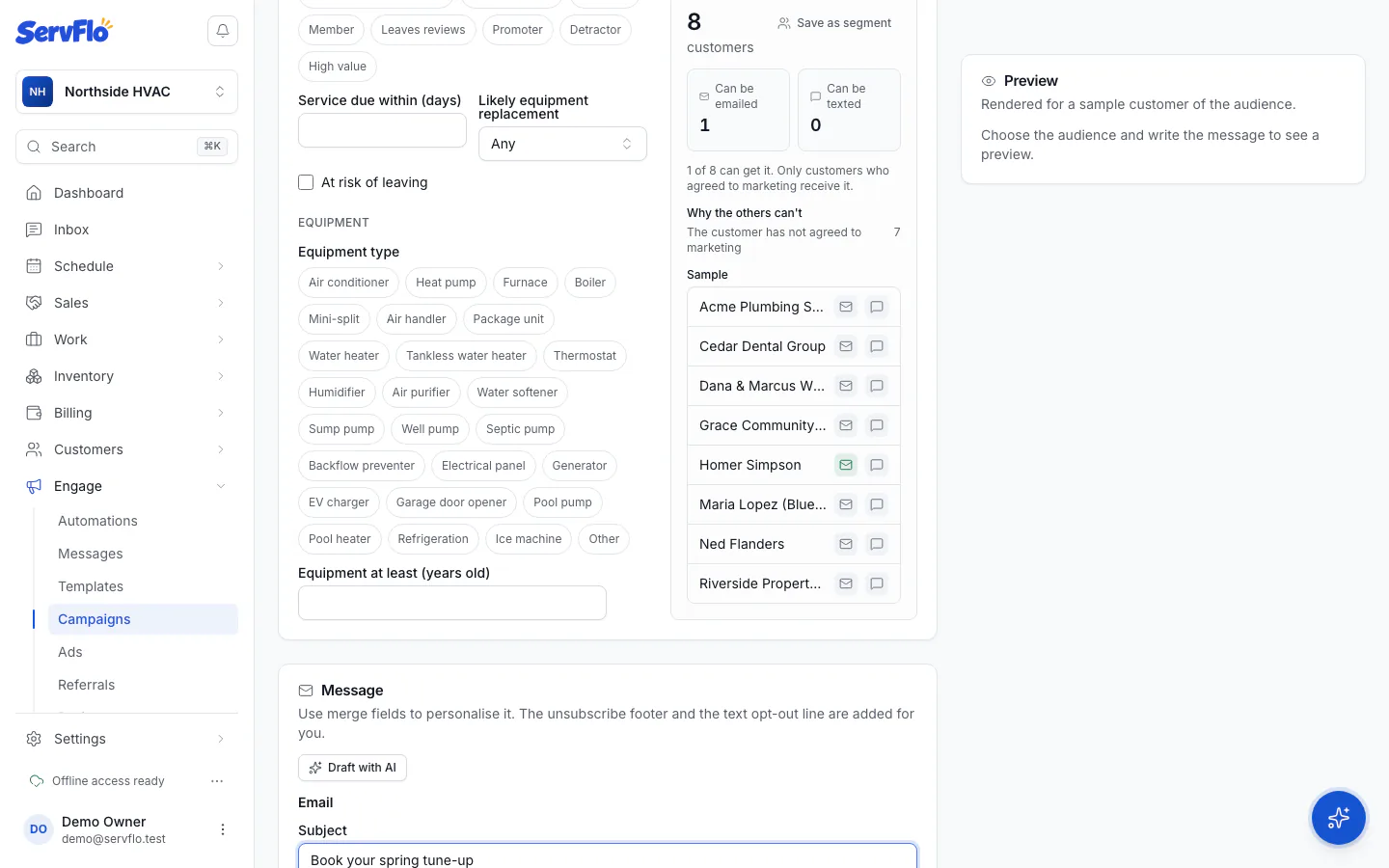
Under Audience, choose who gets it. See Audiences and segments. The live count shows how many customers it reaches.
Under Message, write the email (Subject, Preview line, Email message) and/or the Text message. Use merge fields to personalize it, or click Draft with AI.
Check the Preview on the right: the email and text as a sample customer of the audience would get them.
Click Send test to me to see it in your own inbox or phone.
Click Save draft, or go straight to sending or scheduling.
Draft with AI
Describe what the campaign is for in What is it for? (for example "Spring AC tune-up, $89 for members until May 31"), pick a Tone (Friendly, Professional or Urgent) and click Draft it. The email and text are written with merge fields. It never invents prices or offers you didn't give. Drafting uses AI credits; nothing is sent or saved until you save the campaign.
What's added for you
- Email: your logo and colors, the legal footer and an Unsubscribe link.
- Text: "Reply STOP to opt out." at the end of every text.
Text cost
The editor counts the segments in your text and estimates the total: segments per text × recipients, against what's left of this month's text allowance, and any overage past it.
Design the email
Once the campaign is saved, click Design the email to give it its own design with images, buttons, columns and backgrounds in the email designer. See Messaging.
Test sends
A test is marked [Test], rendered for a sample customer, and never counted in results. Leave the email empty to use your account's email; add your mobile number to see the text on a phone.