
Ads
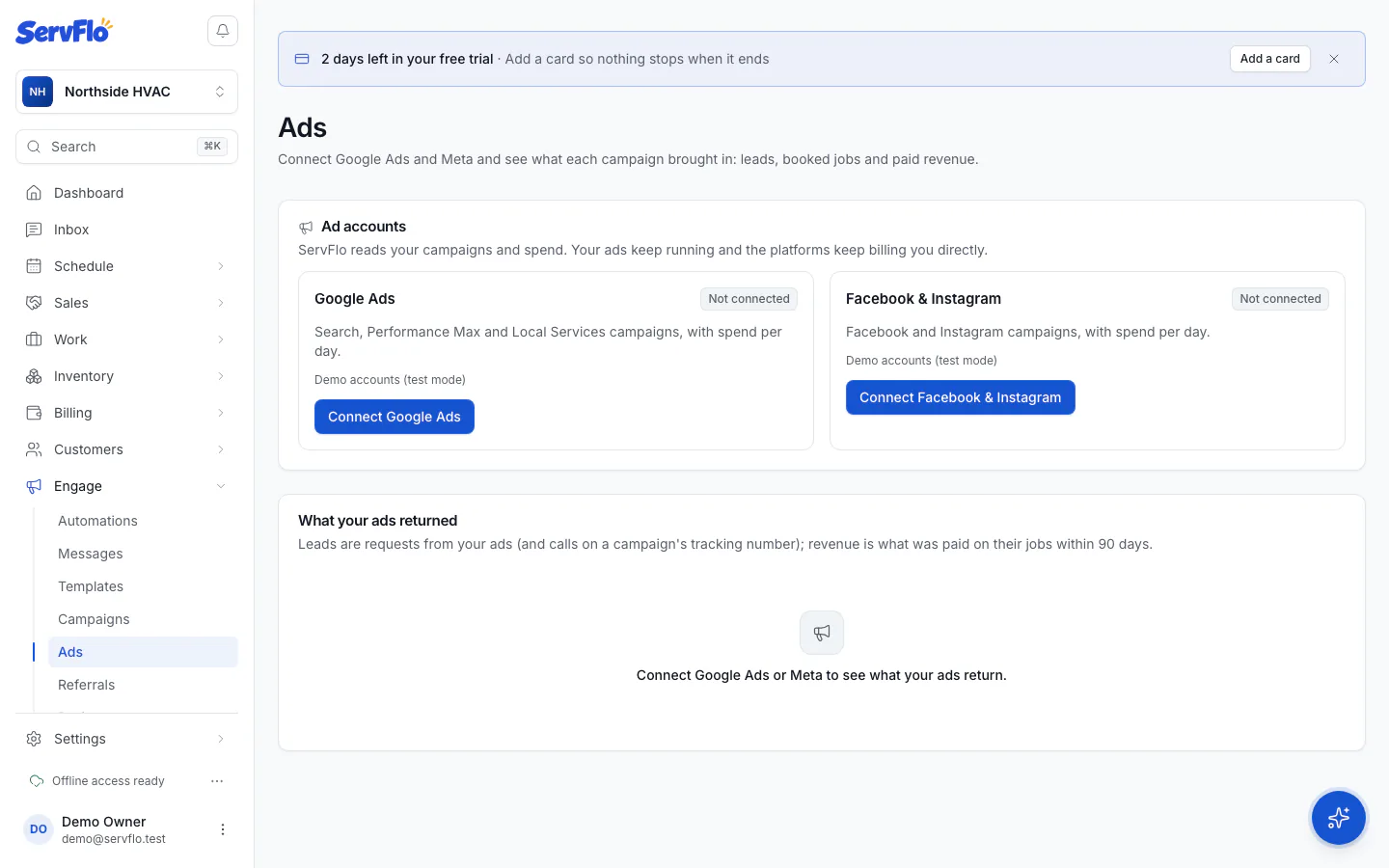
Connect your Google Ads and Meta ad accounts and see what each campaign returned in leads, booked jobs and paid revenue.
Engage → Ads reads the campaigns and spend of your own Google Ads and Meta (Facebook and Instagram) ad accounts and matches them to the requests, jobs and payments in ServFlo. Your ads keep running in Google and Meta, and the platforms keep billing you directly. Owners and admins connect ad accounts.
Connect your ad accounts
Open Engage → Ads.
Under Ad accounts, click Connect Google Ads or Connect Facebook & Instagram.
Sign in to Google or Meta and allow access.
Back in ServFlo, under Choose the ad accounts ServFlo reads, tick the accounts and click Use these accounts.
ServFlo imports their campaigns and the last 90 days of spend, then syncs every hour. Click Sync now to sync at once. Google brings Search, Performance Max and Local Services campaigns; Meta brings Facebook and Instagram campaigns.
Add tracking
So requests are credited to the right campaign, click Add tracking on a connected account:
- Google Ads: ServFlo adds campaign tags to each campaign's links for you.
- Meta: ServFlo shows the URL parameters to paste. In Meta Ads Manager, open each ad of the campaign → Tracking → URL parameters, and paste them.
Google clicks are also matched by Google's click ID, even without tags.
What your ads returned
Under What your ads returned, pick a date range and a platform. For each campaign, each platform and in total you see:
| Column | Meaning |
|---|---|
| Spend, Clicks | What the platform reports |
| Leads | Requests from the campaign, plus calls on the campaign's tracking number |
| Booked jobs | Jobs those requests became |
| Revenue | What was paid on those jobs within 90 days of the lead |
| Cost per lead, Cost per job | Spend divided by leads and by booked jobs |
| Return | Revenue divided by spend |
Customers who came from an ad get the lead source "Google Ads", "Facebook / Instagram" or "Google Local Services", so your other reports show them too. Reports → Sales pipeline shows ad spend beside those lead sources.
Disconnect
Click Disconnect and confirm. ServFlo stops reading those accounts; your campaigns keep running and their history in ServFlo stays.
Coming later. Creating and publishing ads from ServFlo, ServFlo-managed ad accounts with prepaid ad funds, and importing leads from Google and Meta lead forms are planned but not available yet. Today Ads works with your own connected accounts.