
Marketing
Campaign results
See delivery, opens, clicks, unsubscribes and the requests, jobs and revenue a campaign brought in.
Open a campaign from Engage → Campaigns to see its results.
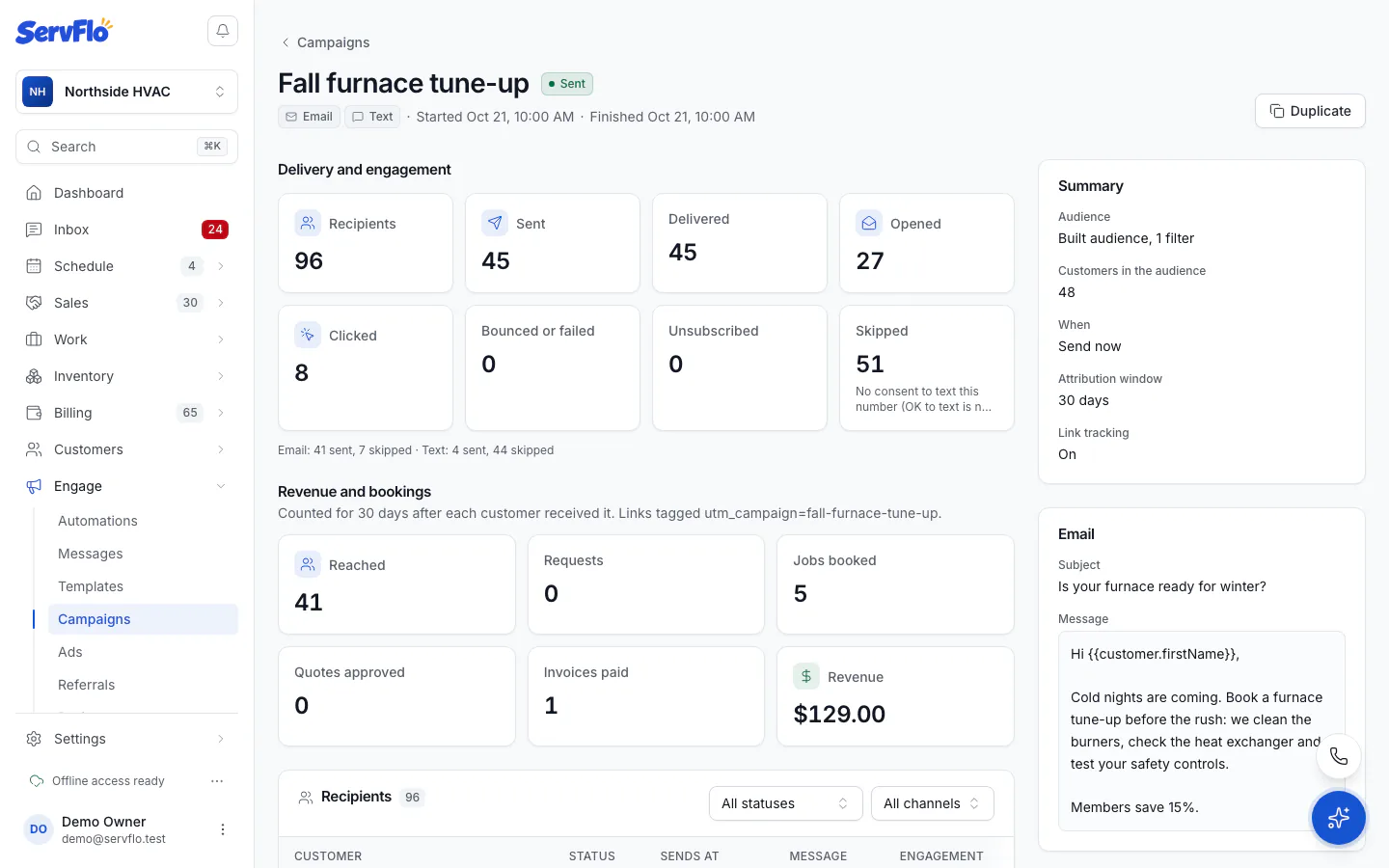
Delivery and engagement
- Recipients, Sent, Delivered, Opened and Clicked.
- Bounced or failed, Unsubscribed and Skipped, with the top reasons.
- Email and text counts separately.
Opens and clicks show where your email provider reports them (turn on open and click tracking with your provider). ServFlo adds no tracking pixel.
Revenue and bookings
For each customer, from the moment they received it until the end of the attribution window:
- Requests: theirs, plus any request that arrived through the campaign's tagged links;
- Jobs booked;
- Quotes approved;
- Invoices paid and Revenue.
Recipients
The Recipients list shows each customer, the channel, the status (Waiting, Queued, Skipped, Failed, Cancelled), when it sends, and when they opened or clicked. Filter by status or channel and open any message.