
Set up referrals
Turn on a referral program so customers share their own link and both sides get a reward.
Each customer gets their own referral link. A friend who uses it asks for service from a landing page, and both get a reward when the friend becomes a customer.
Open Engage → Referrals.
Under Programme settings, switch on Referral programme.
Set the Reward for the customer who refers and the Reward for the new customer: Account credit, Discount, Gift card (with a note, such as "$50 Amazon gift card") or No reward, with the **Amount ($)**.
Write the Landing page headline and Terms.
Choose when A referral counts when the friend: Pays their first invoice or Has their first job completed.
Optional: set a Cap per referrer (rewards per number of days). Leave it empty for no limit.
Click Save programme.
Turning the program on also turns on an automation that messages referrers when they earn a reward, and customers see their link in the portal.
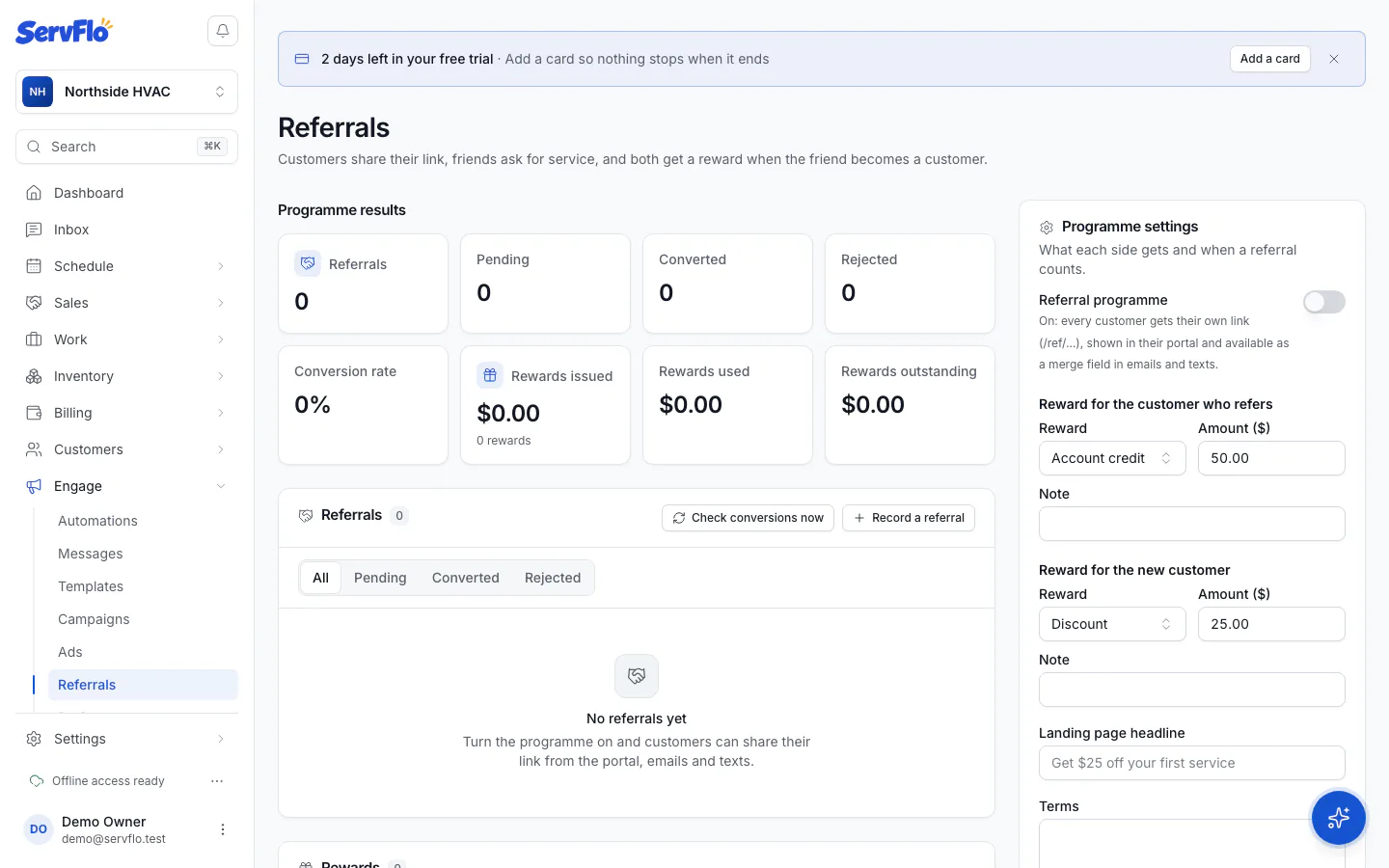
Until you change them, the program gives the referrer $50 credit and the new customer $25 off, with a cap of 10 rewards per referrer per year.
Turning the program on the first time also turns on the Referral reward thank-you automation, which tells the referrer when they've earned their reward. You can edit or turn it off in Engage → Automations.
How customers share
- In their customer portal, under Refer a friend.
- In your emails and texts, with the referral link merge field.
- From the customer's page in ServFlo: Copy referral link.
- A referral code also works on your booking page and booking widget.
The landing page shows your business, the referrer's first name, the offer and your terms. The friend's request lands in Requests.
How a referral is checked
When the friend's request becomes a customer, ServFlo links the referral and issues the new customer's reward. It rejects:
- Same person as the referrer (same email, phone or address);
- Already a customer (they had paid you before);
- Already referred.
When the friend converts, the referral becomes Converted and the referrer's reward is issued, unless they've reached the cap. To run the checks now, click Check conversions now.
Record or fix a referral
- Record a referral: one customer told another about you. Choose Referred by and New customer.
- Link to a customer: link a pending referral's request to the customer it became.
- Reject: it earns nothing and the new customer's unused reward is voided.
Program results
Programme results shows referrals, pending, converted and rejected, the conversion rate, rewards issued, used and outstanding, and your Top referrers.