
Office users and technicians
Technicians are unlimited on every plan; office users are included per plan, with more available as seats.
ServFlo counts the people in your business in two groups.
- Technicians are people with the Technician role. They're unlimited and free on every plan.
- Office users are everyone else: owners, admins, dispatchers and members. Each plan includes a number of them.
Office users included with each plan
| Plan | Office users included |
|---|---|
| Core | 1 |
| Connect | 2 |
| Grow | 3 |
| Pro | 5 |
Need more? Add a seat for $35 a month per extra office user, on any plan.
If your business subscribed before October 20, 2026, you keep the number of office users your plan had when you bought it.
What counts
- Pending invitations count. An invitation to an office role takes an office user as soon as it's sent, so you can't send more invitations than you have room for. Withdrawing the invitation frees it.
- Technician invitations never count.
- Changing a role can count. Moving a technician to an office role needs a free office user. Moving someone between office roles, or to Technician, doesn't need one.
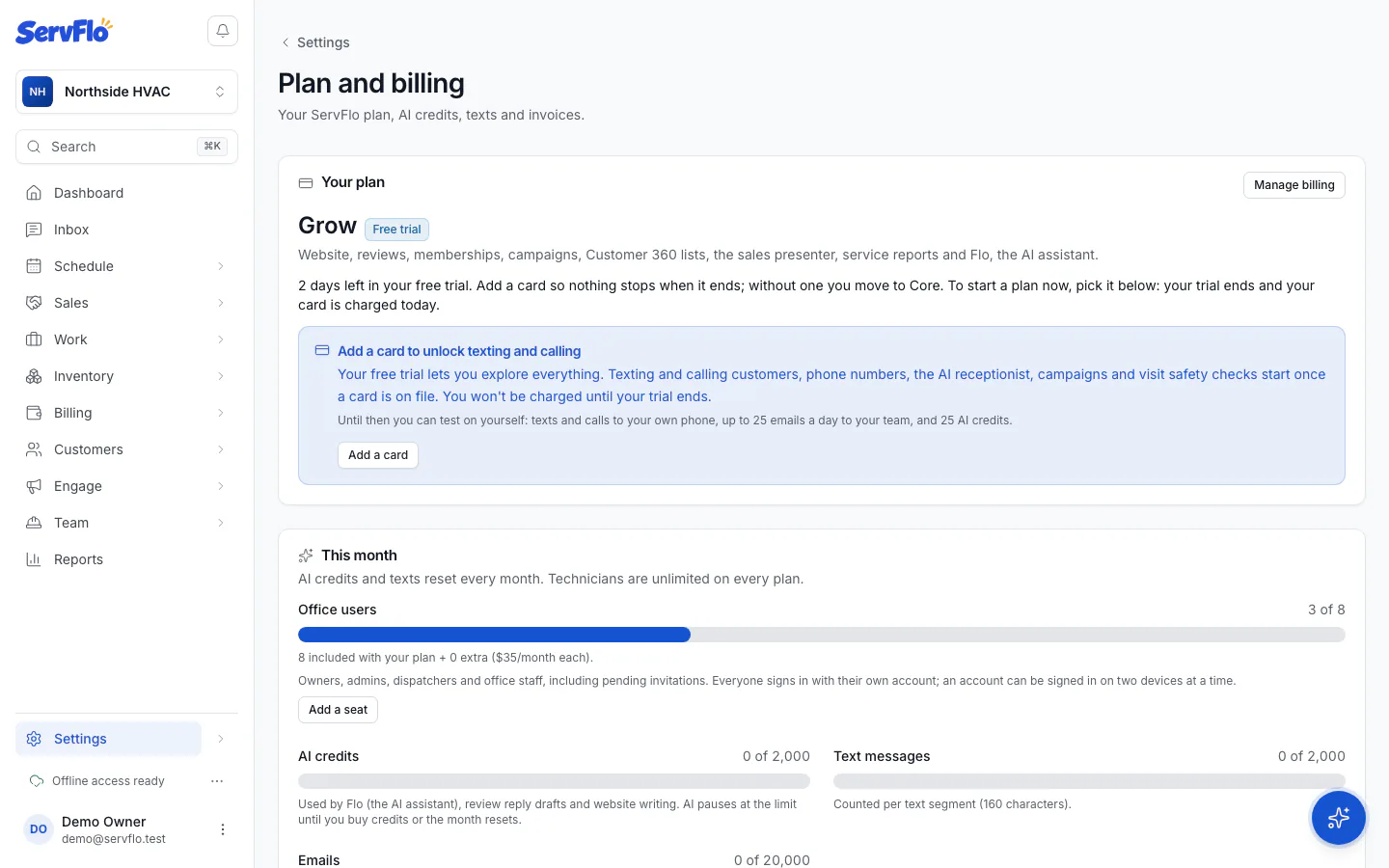
To see where you stand, go to Settings → Billing and look at Office users.
When you're at your limit
If you invite someone to an office role and your plan has no room left, the invite dialog tells you how many office users your plan has and how many are taken. The owner sees Add a seat ($35/month) right there: save the seat and ServFlo sends the invitation. Anyone else sees "Ask the owner to add a seat in Settings → Billing."
You can also:
- add a seat from Settings → Billing,
- upgrade to a plan with more office users, or
- remove someone or withdraw a pending invitation.
If you move to a smaller plan
Nobody is removed. You can't add another office user until you're under your new plan's number or add seats.