
Add a seat
Pay for extra office users beyond the ones your plan includes.
Each plan includes a number of office users (Core 1, Connect 2, Grow 3, Pro 5). When you need more, add extra office users, called seats, for $35 a month each on any plan ($350 a year each on a yearly plan). They're billed with your plan. Technicians never need a seat.
Only the owner can add or change seats. You can add them during the free trial too.
Each extra office user is added to your ServFlo bill, charged to the card on file with your plan.
Open Billing
Go to Settings → Billing and find Office users under This month. It shows how many you use, including pending invitations, and below that how many are included with your plan and how many are extra.
Select Add a seat
Select Add a seat. If you already have extra seats, the button is Change extra office users.
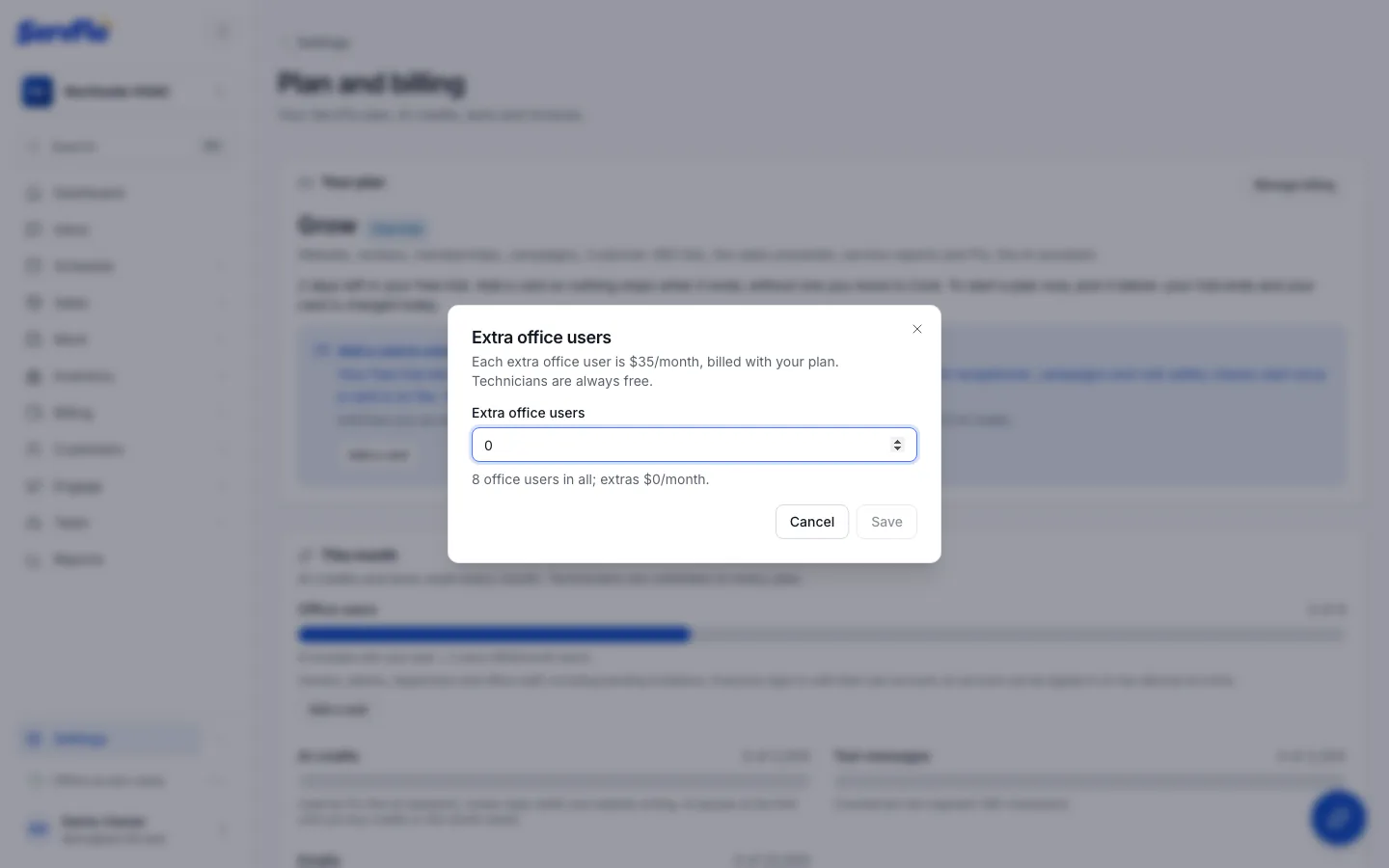
Set the number of extra office users
Enter the total number of Extra office users you want. ServFlo shows your new total and what the extras cost.
Confirm and save
Tick I understand each extra office user is billed $35/month with my plan. and select Save. ServFlo shows Office users updated.
Now you can invite the new person.
Already inviting someone and out of room? The invite dialog offers Add a seat ($35/month) right there, and sends the invitation once the seat is saved.
Remove seats
Open the same dialog with Change extra office users and lower the number, or set it to 0. You can't go below the office users you're using, including pending invitations: remove someone or withdraw an invitation first. Lowering seats never removes anyone.