
Approve Flo's changes
Every change Flo wants to make waits on an approval card until you approve or decline it.
Flo reads your records on its own, but it never changes anything without you. When it wants to create, edit, send or delete something, it shows you an approval card first.
Read the card
The card says Approve this change? and what Flo will do, with the details it will use. For something that's hard to undo (sending to a customer, recording a payment, deleting), it says Approve this change? It can't easily be undone.
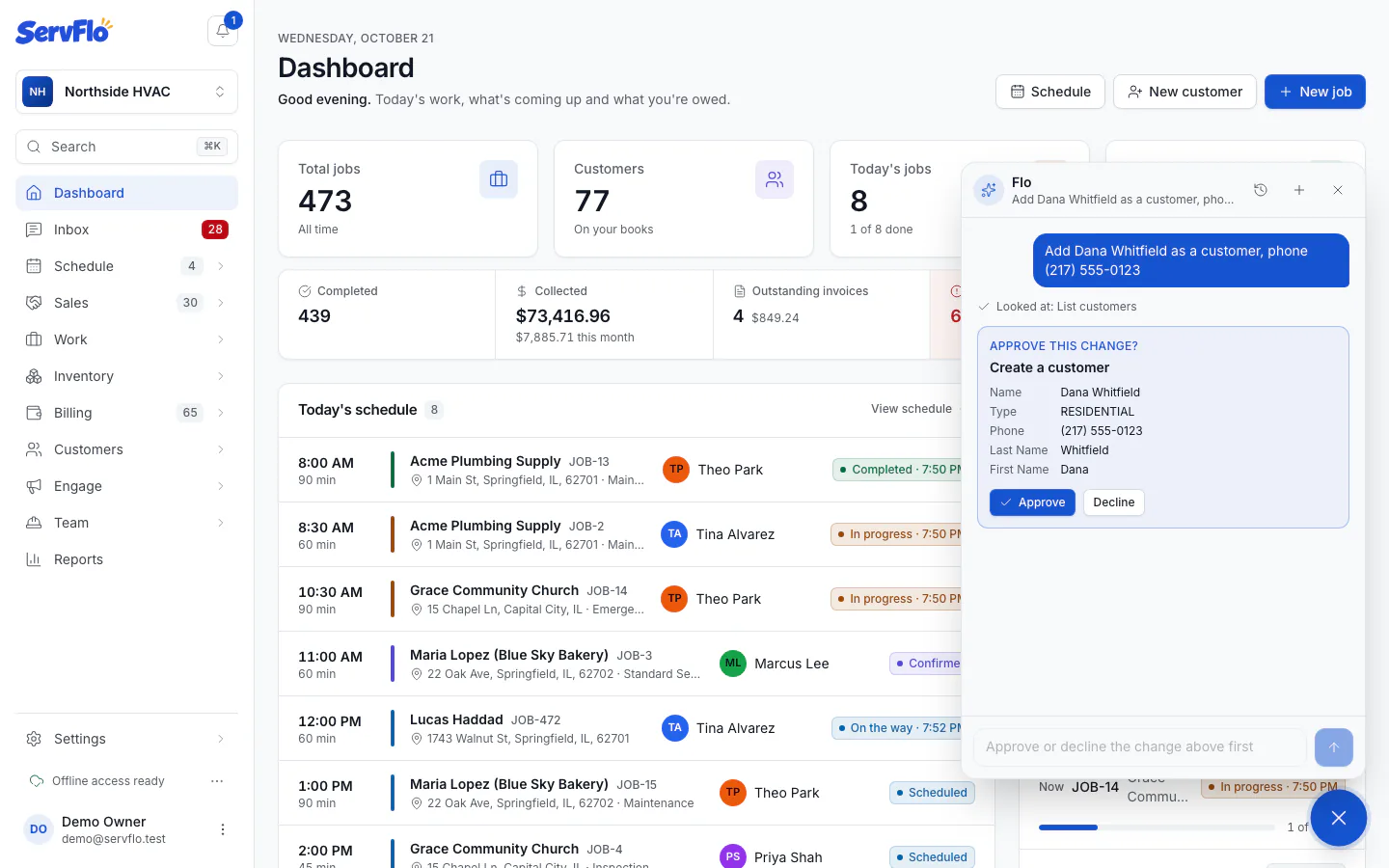
Approve or decline
Click Approve to make the change, or Decline to skip it. Flo tells you what happened and carries on: after Done: … you'll see the result, and after Declined: … Flo knows not to do it.
Read the card before you approve: Flo can send emails and texts to customers, record payments and delete records when you approve it, just as you could.
Good to know
- While a change waits, Flo takes no new messages. The box says Approve or decline the change above first.
- Some requests take a few changes in a row, like booking a job for a new customer. Flo asks for each one, or proposes one step that does the whole job ("Invoice and send").
- After you approve, the page behind Flo updates, so you see the new customer or job straight away.
- If a change fails, Flo shows Couldn't: … with the reason and can try another way.
- When Flo only opens a form for you ("start a quote…"), there's no card: nothing is saved until you click Save on the form.
Who did it
Every change you approve is recorded in Settings → Activity log (owners and admins) under your name, with the channel Flo (AI assistant), so you can always see what Flo did and when.