
Approve what an AI assistant does
When ChatGPT, Claude or another connected assistant wants to do something sensitive, you approve or decline it in ServFlo.
An AI assistant connected to ServFlo (with an API key or by signing in) can look things up and make everyday changes for you. Before it does something sensitive, ServFlo asks you, and only you can say yes, here in ServFlo.
What needs your approval
- Moving money: recording payments, refunds, payout account changes.
- Deleting anything.
- Contacting customers: sending quotes, invoices, texts, emails and campaigns.
- Who has access: inviting people, changing roles, adding technicians with a sign-in.
- Connecting outside systems: webhooks, QuickBooks, Xero, Google, ad accounts, mailboxes, messaging providers.
- Your ServFlo plan and phone service.
Everyday changes inside your business (adding a customer, booking a job, drafting a quote) don't need approval, just as in the app.
This is for assistants outside ServFlo. Flo, the assistant inside ServFlo, asks for every change on its own approval card instead. See Approve Flo's changes.
Approve or decline a request
Open the notification
When an assistant asks, you get a notification in ServFlo and an email (unless you turned those off). The assistant also tells you it's waiting for your approval.
Check the request
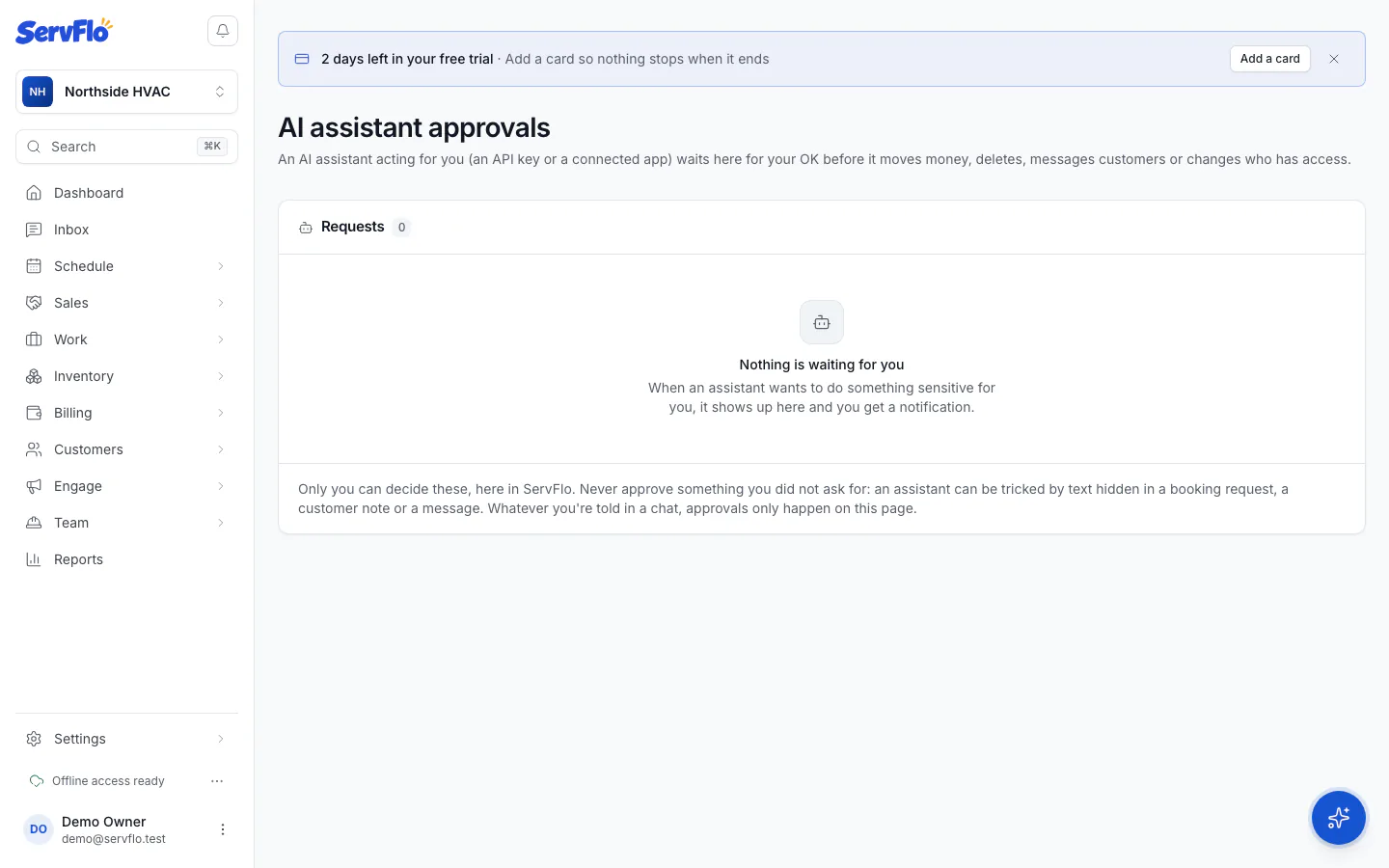
The notification opens AI assistant approvals. Each request under Requests shows which assistant is asking and Exactly what it will run.
Decide
Click Approve or Decline. Approved requests run once, when the assistant tries again within an hour, so tell the assistant you approved it. Declined requests are never run.
Only approve what you asked for. An assistant can be tricked by text hidden in a booking request, a customer note or an incoming message. Approvals only happen on this page: a "yes" typed in the chat, or the assistant's own Allow button, doesn't count.
Good to know
- You see only requests from assistants acting for you. Nobody else can approve them, including owners and admins.
- When you approve, ServFlo checks that your role still allows the action.
- A request you don't decide expires after an hour. The assistant can ask again.
- Some assistants (such as Claude Code and Cursor) show a confirmation in the chat for everyday sensitive actions. The riskiest ones (deletes, refunds, access and connections) always come to this page.