
Business units
Book by phone
Find an arrival window with room for a caller in the next seven days, then create the job.
When a customer calls, Book by phone shows the open arrival windows for the service they need, using the same capacity rules as online booking.
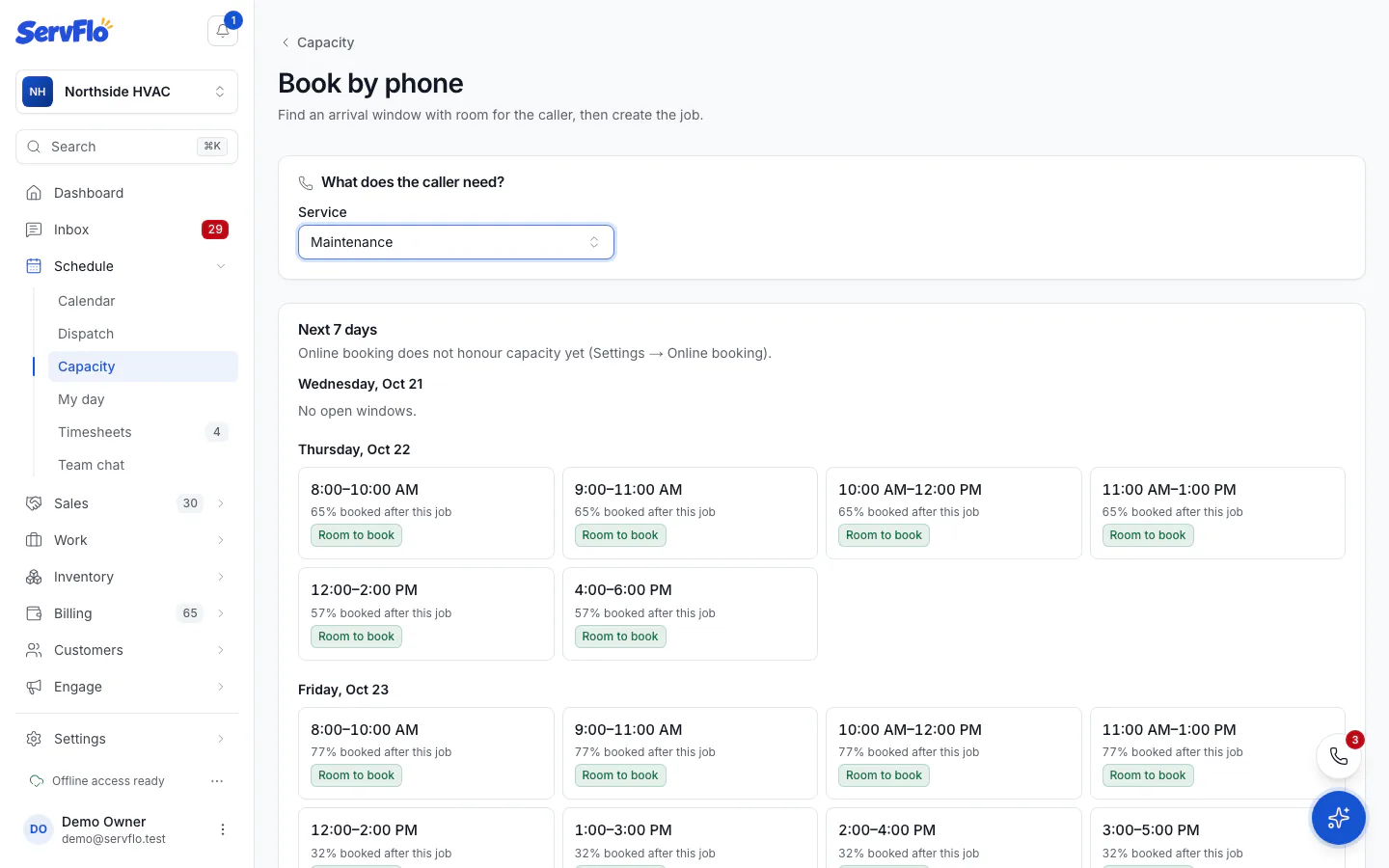
Choose the service
Pick the Service. The Business unit defaults to the service's unit; change it if needed.
Pick a window
ServFlo lists the Next 7 days, with each window marked Room to book, Filling up or Over capacity — online booking hides it, and how full it would be after this job.
Create the job
Choose a window. A new job opens with that time, ready to fill in.
You can still book a window that's over capacity: ServFlo asks Book over capacity? and you click Book anyway.