
Cutover checklist
Finish the switch to ServFlo: invite your team, ask customers for cards again and turn on messaging for imported records.
Do the cutover once your old system has stopped sending reminders and invoices. The Cutover checklist is at the bottom of Settings → Import your data.
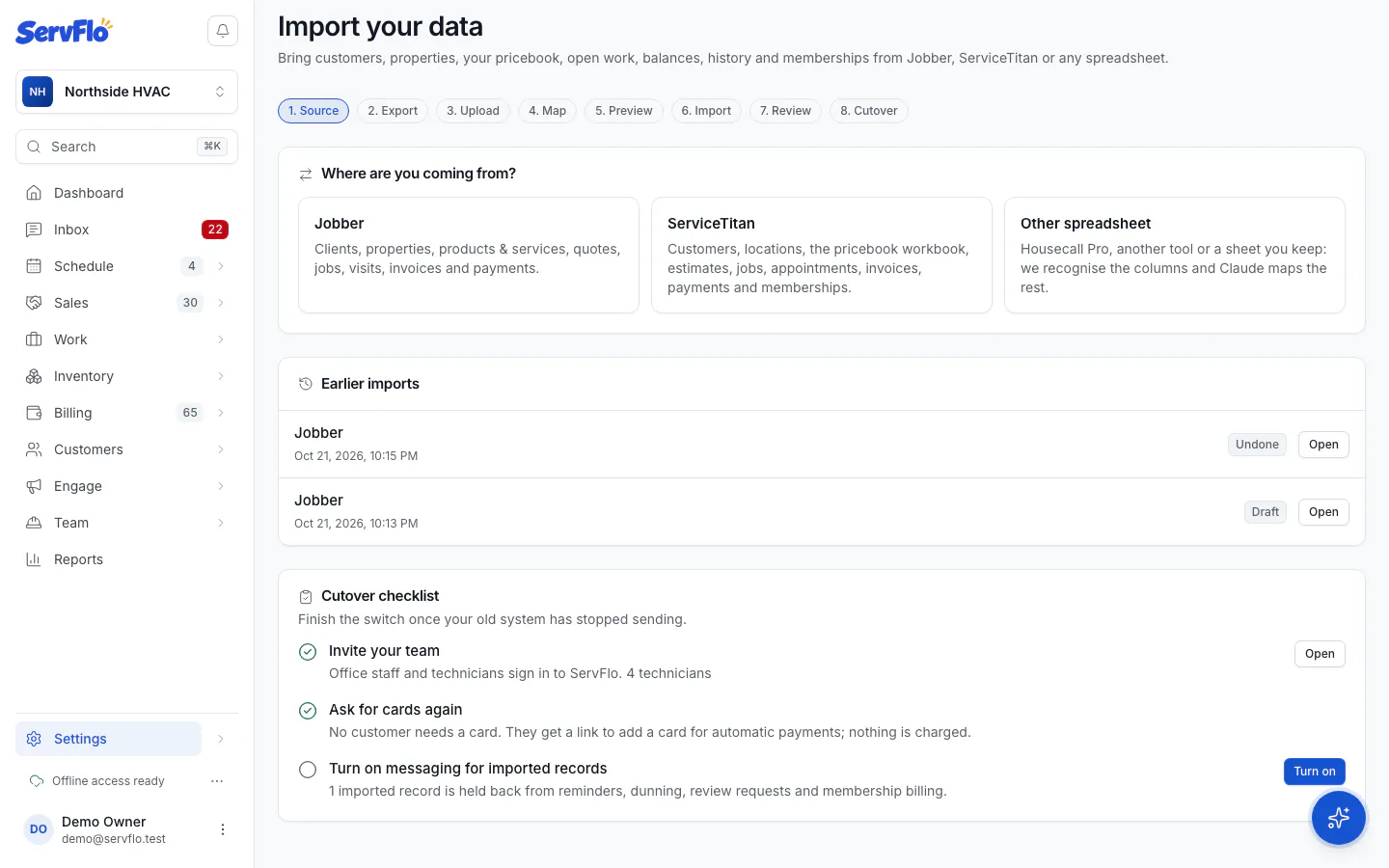
Invite your team
Office staff and technicians need their own sign-in. ServFlo never creates technicians from your files: invite them, and imported work is matched to technicians by name.
Ask for cards again
Saved cards can't be copied from another system. Customers who paid by card on file get a link to add a card for automatic payments; nothing is charged. Click Send update-card links and confirm.
Turn on messaging for imported records
Click Turn on and confirm. From now on your automations (reminders, overdue notices, review requests) and membership billing include imported customers.
Send update-card links emails or texts customers, and Turn on lets automations message imported customers and bill their memberships. Do both only after your old system has stopped sending.
Online payments must be set up before you can send update-card links. Consent and quiet hours apply to every message.