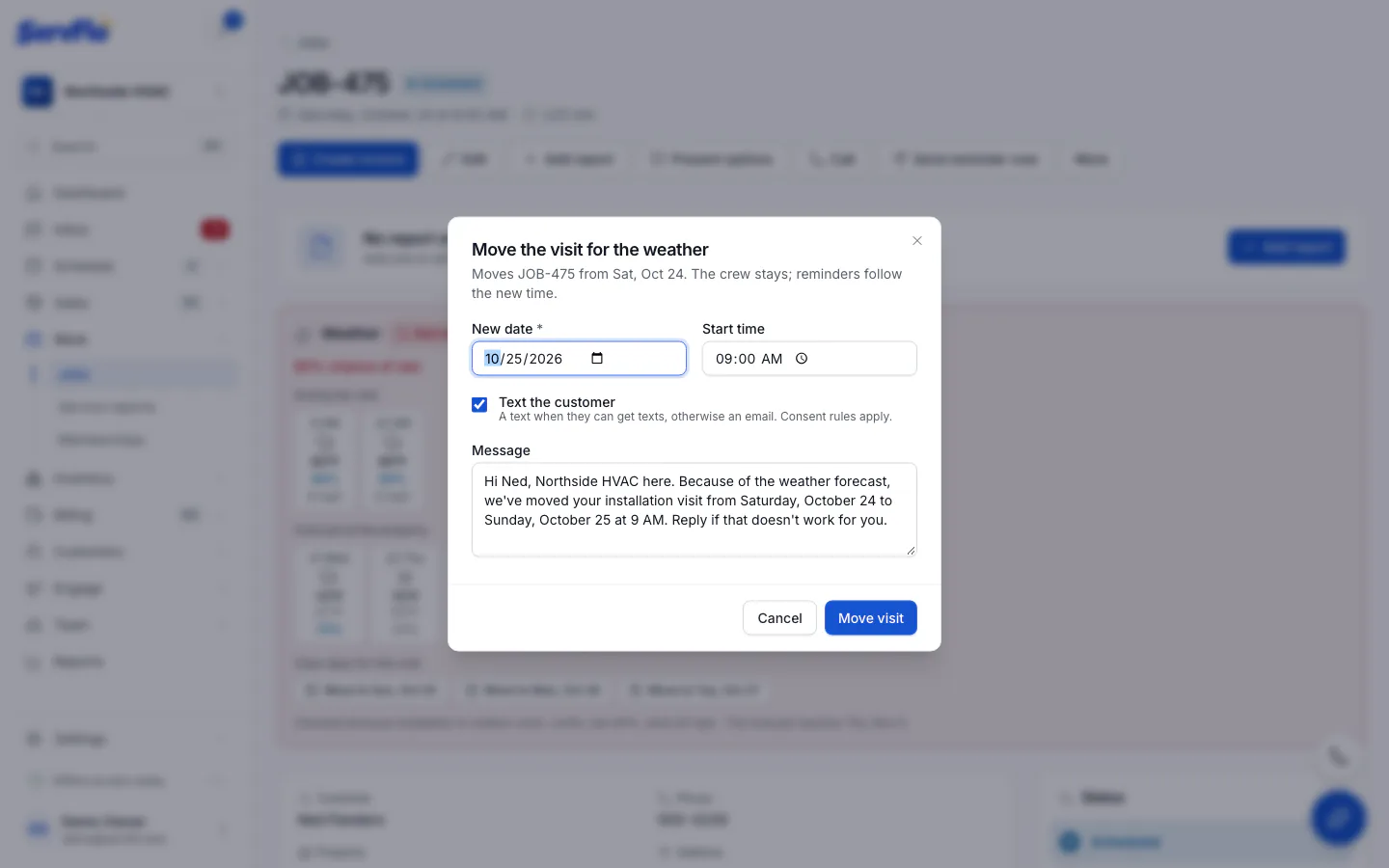
Move a visit for the weather
Reschedule an outdoor visit to a clear day and text the customer in one step.
When an outdoor visit's forecast is Watch or Bad, ServFlo suggests the next clear days for the same time and length.
Open the job
Click the alert, or open the job. The Weather panel lists Clear days for this visit.
Pick a day
Click Move to on the day you want. Move the visit for the weather opens.
Check the details
Adjust the New date and Start time if needed. The crew stays the same, and reminders follow the new time.
Tell the customer
Leave Text the customer on to let them know. ServFlo texts them if they can get texts, otherwise it emails. Edit the Message if you like, for example:
Hi Ana, Green Lawns here. Because of the weather forecast, we've moved your lawn mowing visit from Tuesday, October 20 to Thursday, October 22 at 1:30 PM. Reply if that doesn't work for you.
Move it
Click Move visit. ServFlo confirms the new date and whether the customer was told.
With Text the customer on, a message goes to the customer right away (consent and quiet hours still apply).