
See the forecast
Where the forecast shows for outdoor jobs, on the job form, the job page, the schedule, the dispatch board and the mobile app.
When you book a job
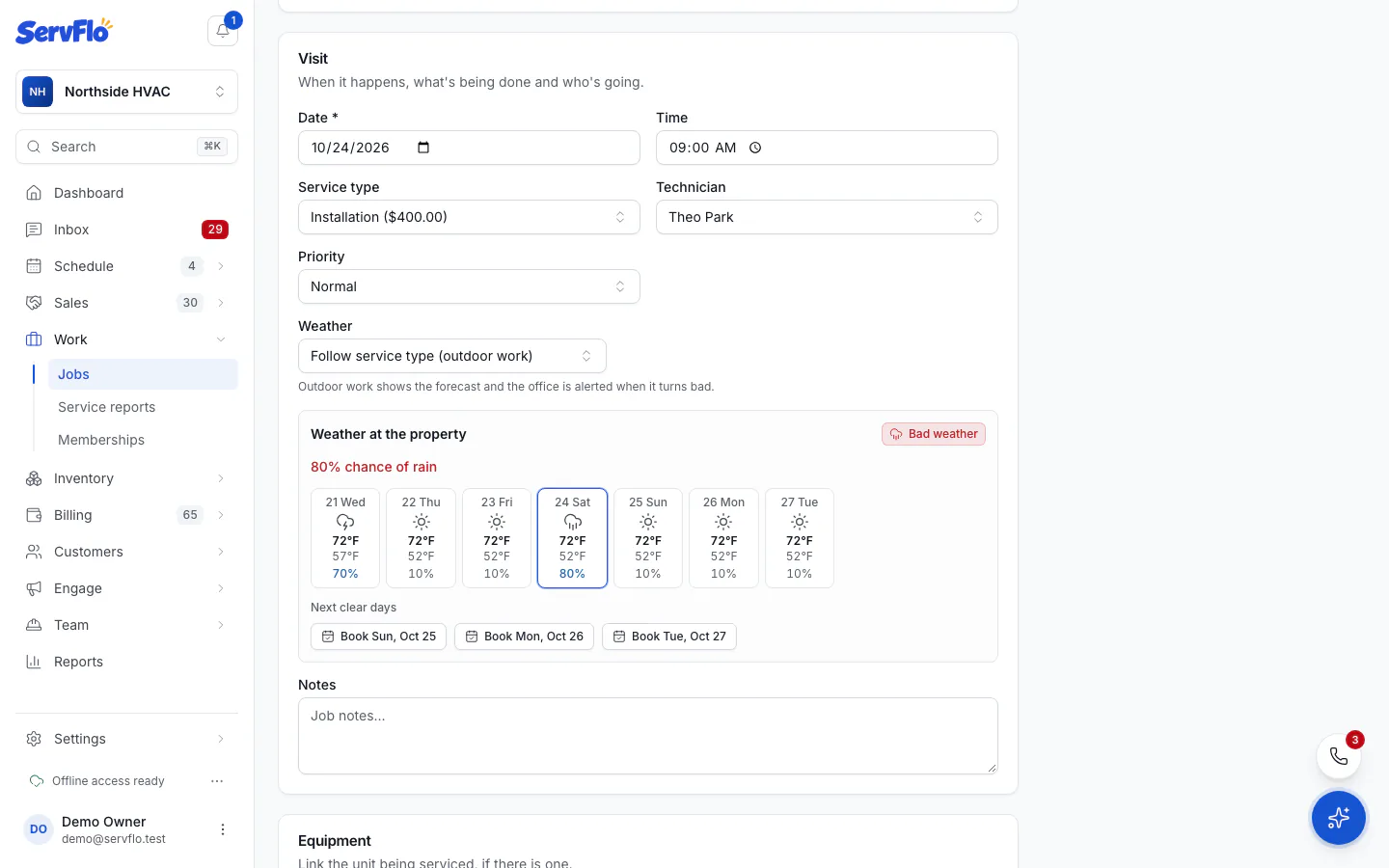
On the new or edit job form, once you've chosen the property and a day, Weather at the property shows the forecast and the verdict for that time. Under Next clear days, click Book on a day to use it instead.
On the job
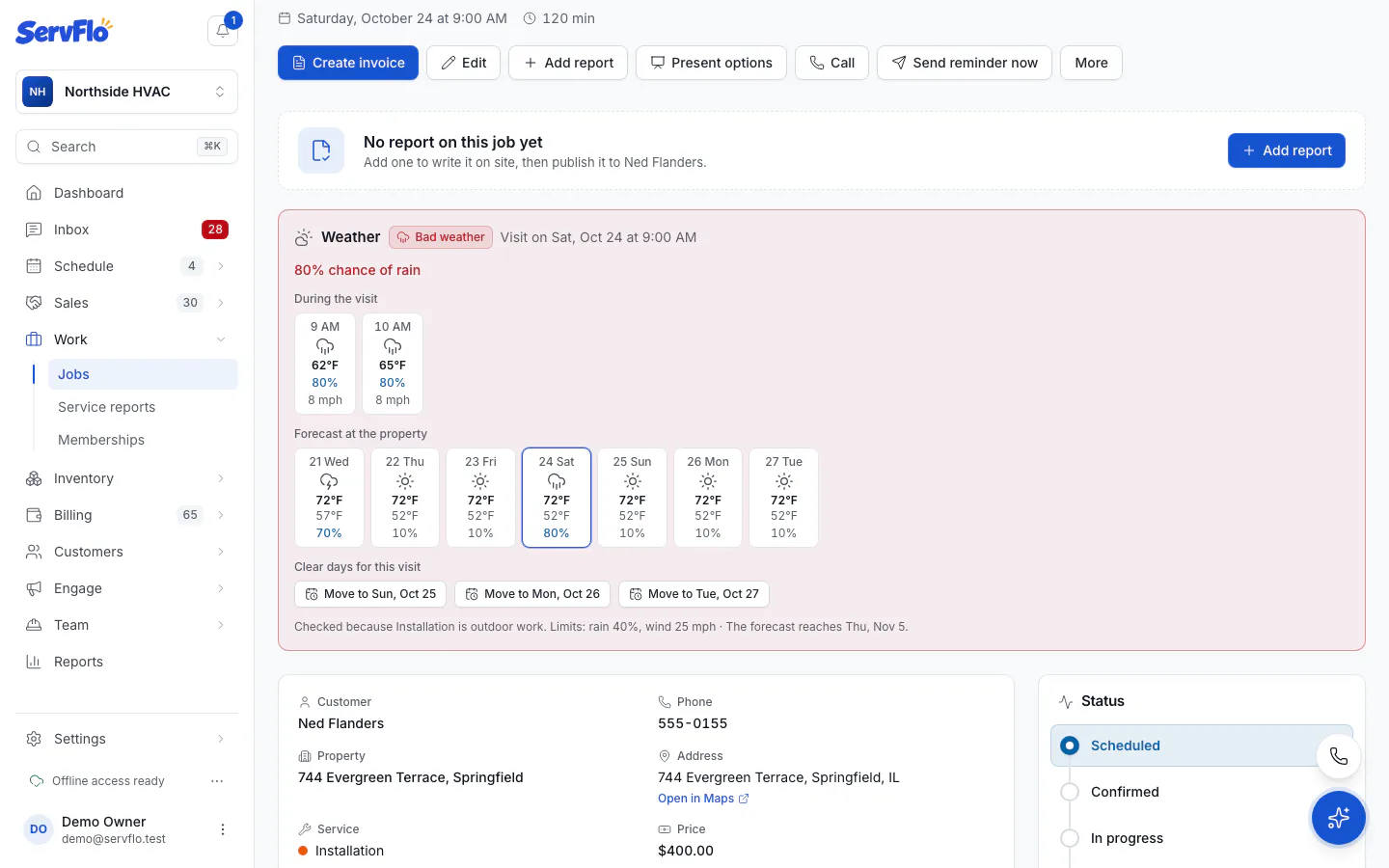
An outdoor job shows a Weather panel with:
- the next visit's verdict and the forecast During the visit, hour by hour;
- the Forecast at the property for the coming days;
- the limits it's checked against;
- when the verdict is Watch or Bad, Clear days for this visit with Move to buttons.
On the schedule and dispatch board
The Calendar and Dispatch board show each day's forecast at your business address, and a weather icon on outdoor visits that are Watch or Bad. Hover over the icon for the reason.
The daily forecast uses your business address. If it isn't on the map, check it in Settings → Company profile.
In the technician app
Technicians see the verdict on outdoor jobs, for example "Weather: keep an eye on it", with the hours during the visit and the next days. The last forecast is kept on the phone, so it shows offline too. Technicians can't move visits for the weather.
No forecast?
- No forecast yet: the visit is further ahead than the forecast reaches (about 7 days). Check back closer to the day.
- This property isn't on the map yet: edit the property and set its map location.