
Connect QuickBooks Online
Push customers, invoices, payments and refunds from ServFlo to your QuickBooks Online company automatically.
Connect QuickBooks Online once, and ServFlo sends your customers, invoices, payments and refunds to it as they happen. You keep working in ServFlo; your bookkeeper sees everything in QuickBooks.
Only owners and admins can connect QuickBooks.
What gets sent
The sync is one way: ServFlo → QuickBooks. Changes you make in QuickBooks don't come back to ServFlo.
| In ServFlo | In QuickBooks |
|---|---|
| Customer (when created or changed) | Customer, with name, primary email and phone, billing address and taxable status |
| Invoice (when created or sent) | Invoice with the same number (for example INV-12), its lines on your default item, discounts and credits as a discount line, and ServFlo's tax amount |
| Payment against an invoice | Payment linked to the invoice, deposited to the account you choose (tips aren't included) |
| Refund | Refund receipt |
Drafts, cancelled invoices and payments that haven't settled yet aren't sent. A record that's already in QuickBooks is updated, never created twice.
Connect
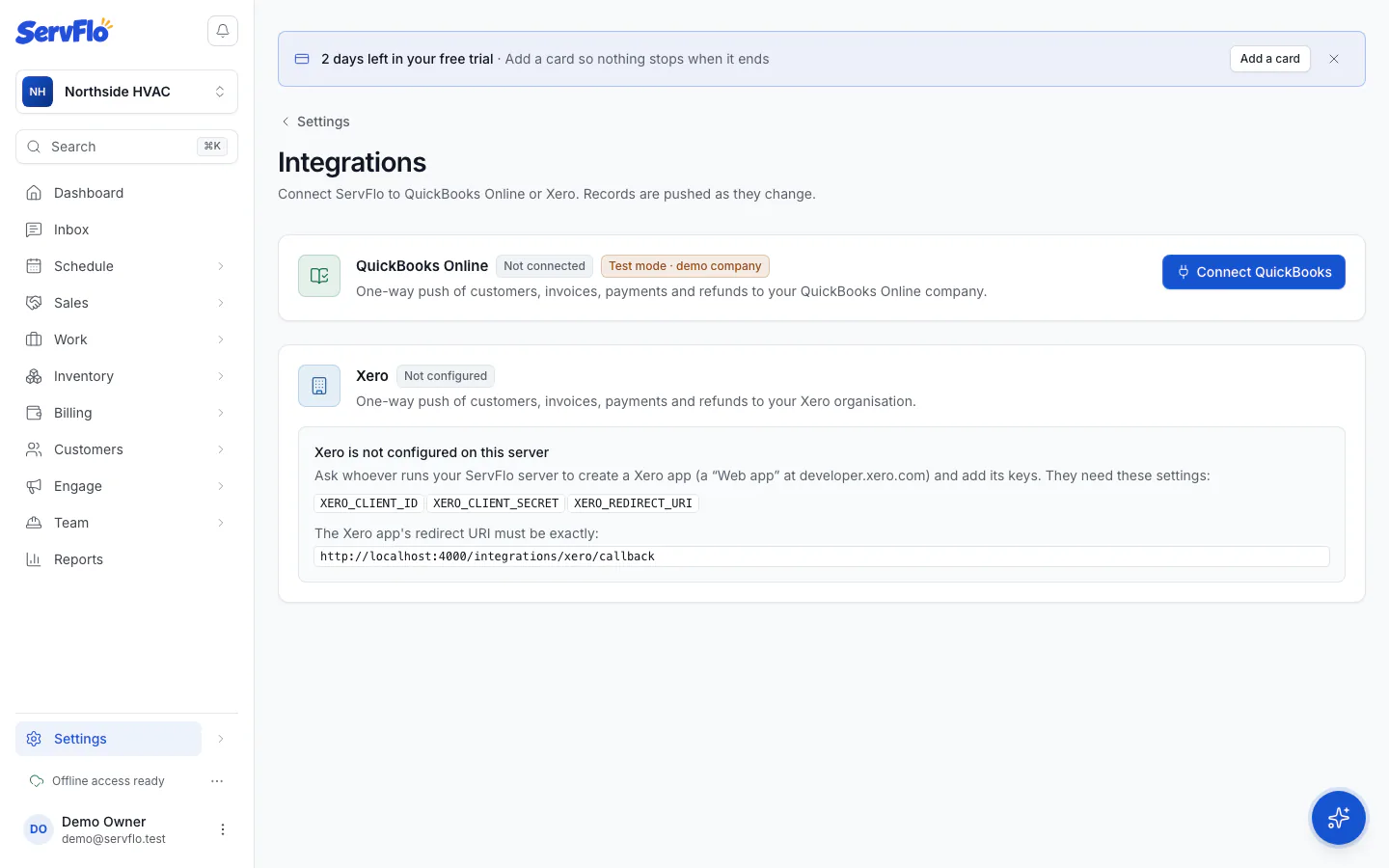
Connect QuickBooks
On the QuickBooks card, click Connect QuickBooks. Sign in to Intuit and choose the company to connect.
Come back to ServFlo
Intuit sends you back to Settings → Integrations. The card shows Connected, the company name and Last sync.
Set your mappings
Under Mappings, choose where ServFlo's records land, then click Save mappings:
- Default item: the product or service every invoice line is booked to. Required before invoices and refunds can be sent.
- Income account: for reference only; revenue follows the default item's income account.
- Tax code for taxed invoices: used on invoices that carry tax. Untaxed invoices use NON. The tax amount is the one ServFlo calculated.
- Deposit payments to: the account payments go into. The default is Undeposited Funds.
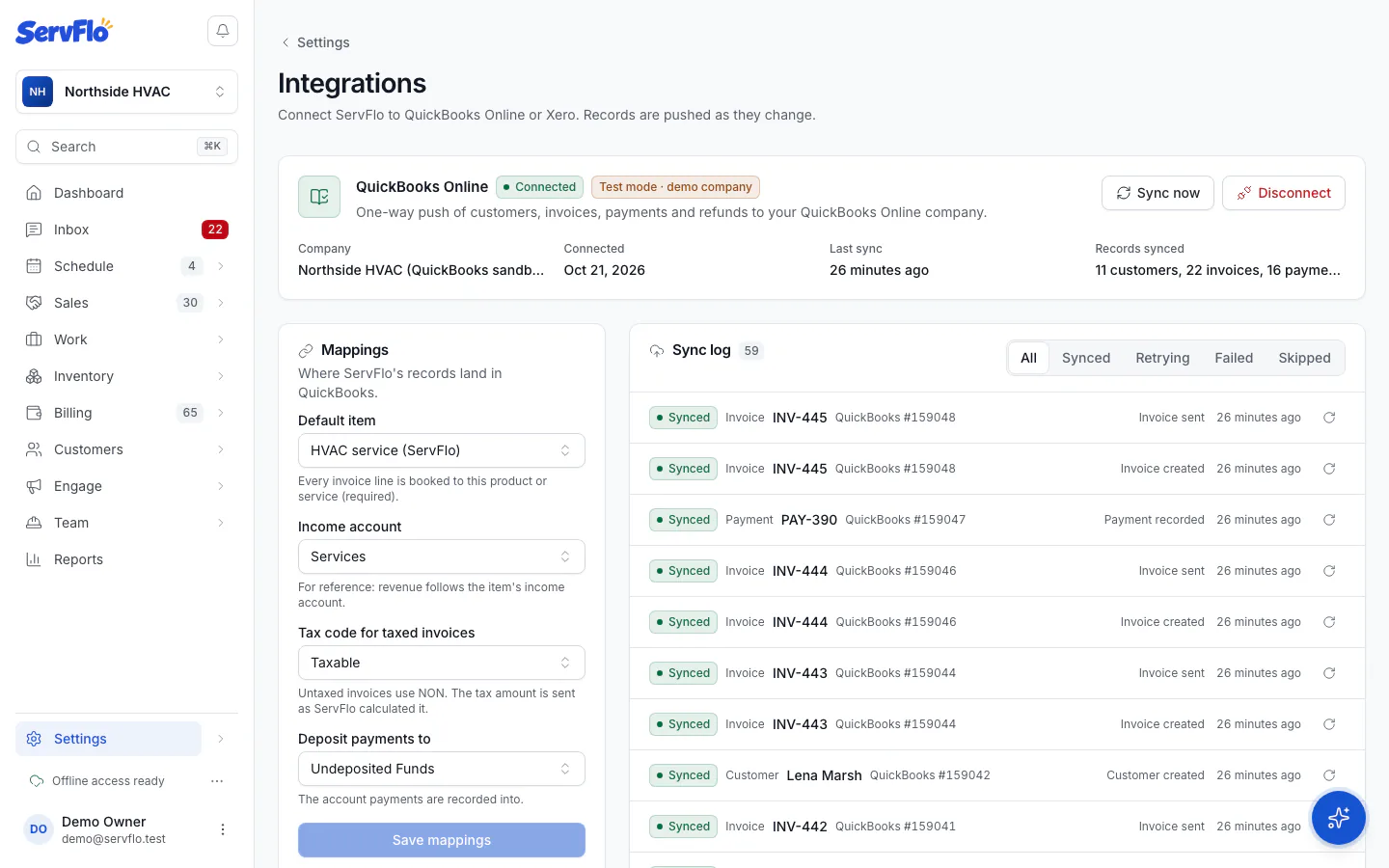
From now on, records are pushed as they change. To send anything that's waiting right away, click Sync now.
If you use business units, each unit can map to a QuickBooks class and location so you can report by division. See Business units.
If the card says Reconnect needed
QuickBooks sometimes stops accepting ServFlo's connection (for example after a password change or if access is removed in Intuit). Click Reconnect and sign in again. Nothing is lost: records already pushed are recognised and updated.