
Ask for reviews
Customers are asked "How did we do?" when they pay, then offered Google; you can also send review requests by automation.
At payment (automatic)
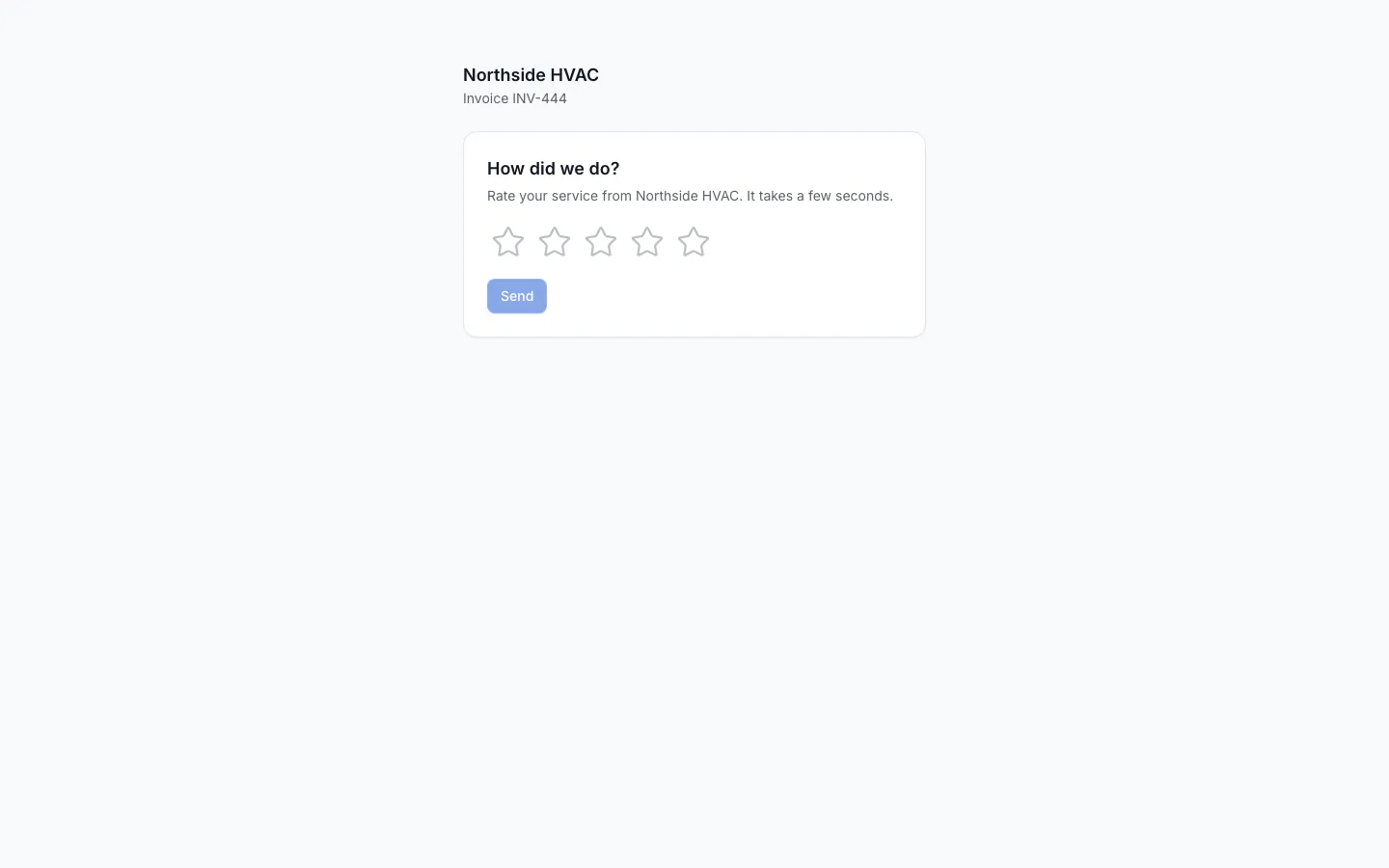
When a customer pays an invoice for the first time, ServFlo asks them How did we do?. You don't need to set anything up.
- Where they see it: on the paid invoice page right after paying (online, in the customer portal, or on a technician's phone), and in the payment receipt email as a "How did we do?" link.
- What they give: 1 to 5 stars and an optional comment. They can change their answer for a day, in case of a mis-tap.
- Then Google, for everyone: once they answer, every customer sees Would you share your review on Google too?, whatever rating they gave. Post it on Google copies their comment and opens your Google review page, so they paste it there.
Deposits on quotes don't trigger the question: the work isn't done yet.
Set your review link
The Google button opens your Review link. Set it in Settings → Messaging → Sending rules. If it's empty, ServFlo uses your connected Google location's link. The link must start with http:// or https://.
By automation
The Thank you + review request automation sends a thank-you with your review link after a job. Turn it on and edit it in Engage → Automations. See Messaging.
No review gating. Google forbids asking only happy customers for reviews. ServFlo's review requests go to everyone the same way; keep any messages you write the same.