
Reviews
Reply to Google reviews
Answer reviews from ServFlo, with a reply drafted by AI that you check before posting.
Replying helps your ranking. Owners, admins and dispatchers can reply.
Open Engage → Reviews. Click Waiting for a reply, or filter by Unanswered or by stars.
On a review, click Reply.
Write your reply, or click Draft with AI. Click Draft again for another version.
Read it and edit anything, then click Post reply.
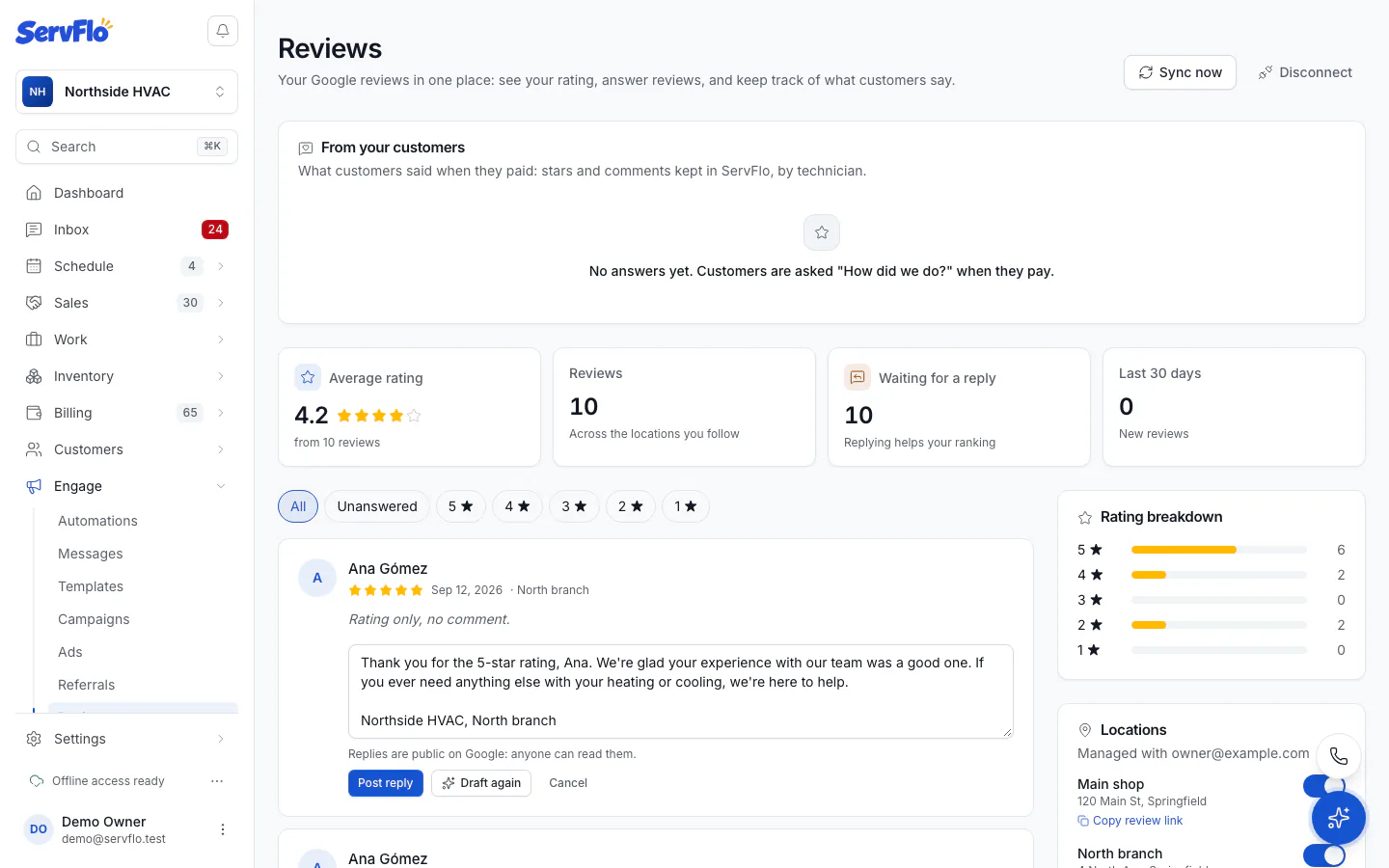
Draft with AI writes a short, warm reply from the review and, when the reviewer is your customer, their last job. On a low rating it apologizes without arguing. It never invents facts or promises. Drafting uses AI credits.
Replies are public on Google: anyone can read them.
Edit or remove a reply
Click Edit reply to change it (posting again replaces it), or Remove reply to take it off Google. You can write a new one any time.