
Follow up in bulk
Create requests or quotes, tag customers for an automation, or export a Customer 360 list.
Each Customer 360 list lets you act on many customers at once. Tick the customers you want (or Select all on this page), then use the buttons above the list. You can act on up to 100 customers at a time.
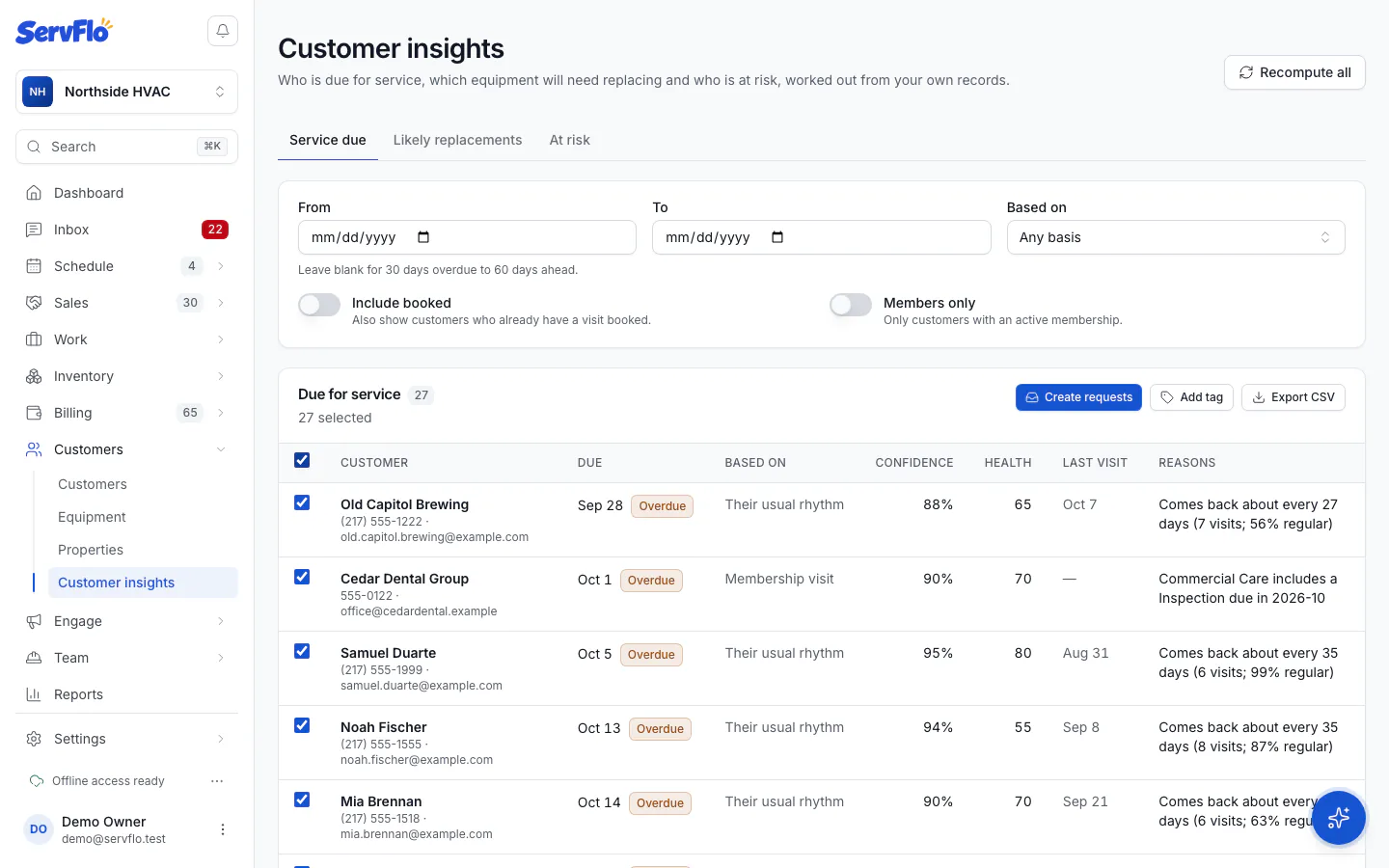
| Button | On | What it does |
|---|---|---|
| Create requests | Service due | Adds a new request for each customer to your Requests list |
| Create quotes | Likely replacements | Creates a draft quote for each customer with an empty "Replacement" option to price |
| Add tag | Every list | Adds a tag to each customer |
| Export CSV | Every list | Downloads the selected rows, or the whole list with its filters when nothing is selected |
None of these sends anything to customers. After a bulk action, Results lists each customer as Created, Updated, Skipped or Failed, with the reason.
Reach tagged customers with an automation
Add tag suggests a tag for the list (for example "service-due" or "at-risk"). An automation whose audience is "tags contains" that tag will reach exactly those customers. Nothing is sent when you add the tag.
The automation you point at the tag does message those customers. Check its message and audience before you turn it on.