
Safety alerts on jobs and properties
Where visit safety warnings show in the web app and the mobile app, and how to check a property again.
On the job
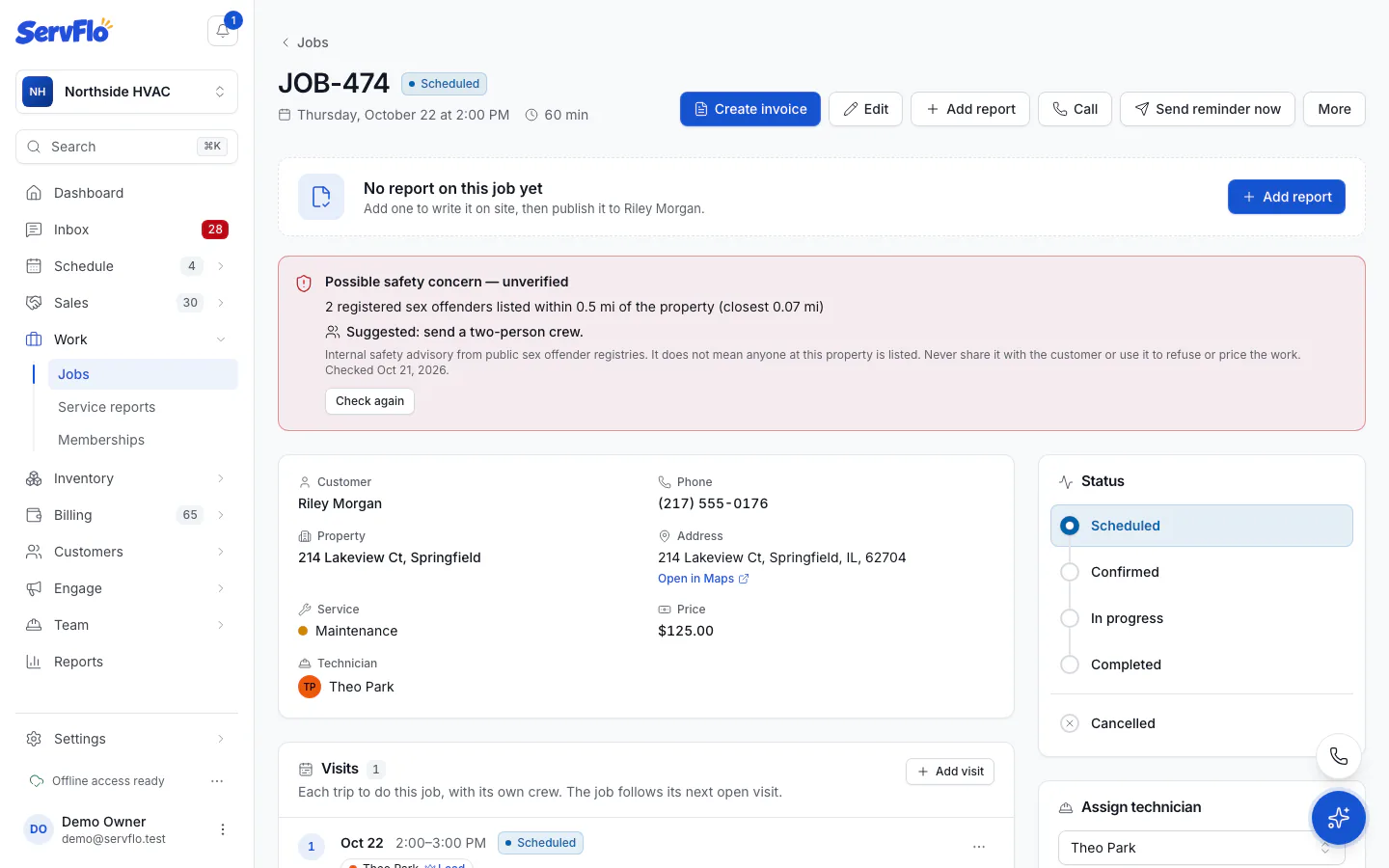
When something is found near the property (or a check couldn't be completed), the job shows a banner at the top:
Possible safety concern — unverified, with a short description, "Suggested: send a two-person crew." when a listing is very close, the date it was checked, and a reminder never to share it with the customer.
Nothing shows when the check is clear.
Click Check again to run a new check now. It's billed like any other check.
On the property
Every property page has a Visit safety section showing:
- the latest result: Not checked yet, Checking…, Clear, Low, Medium, Skipped or Check failed;
- when it was Checked and the Next check;
- the Radius searched, or Whole ZIP code when the property has no map location.
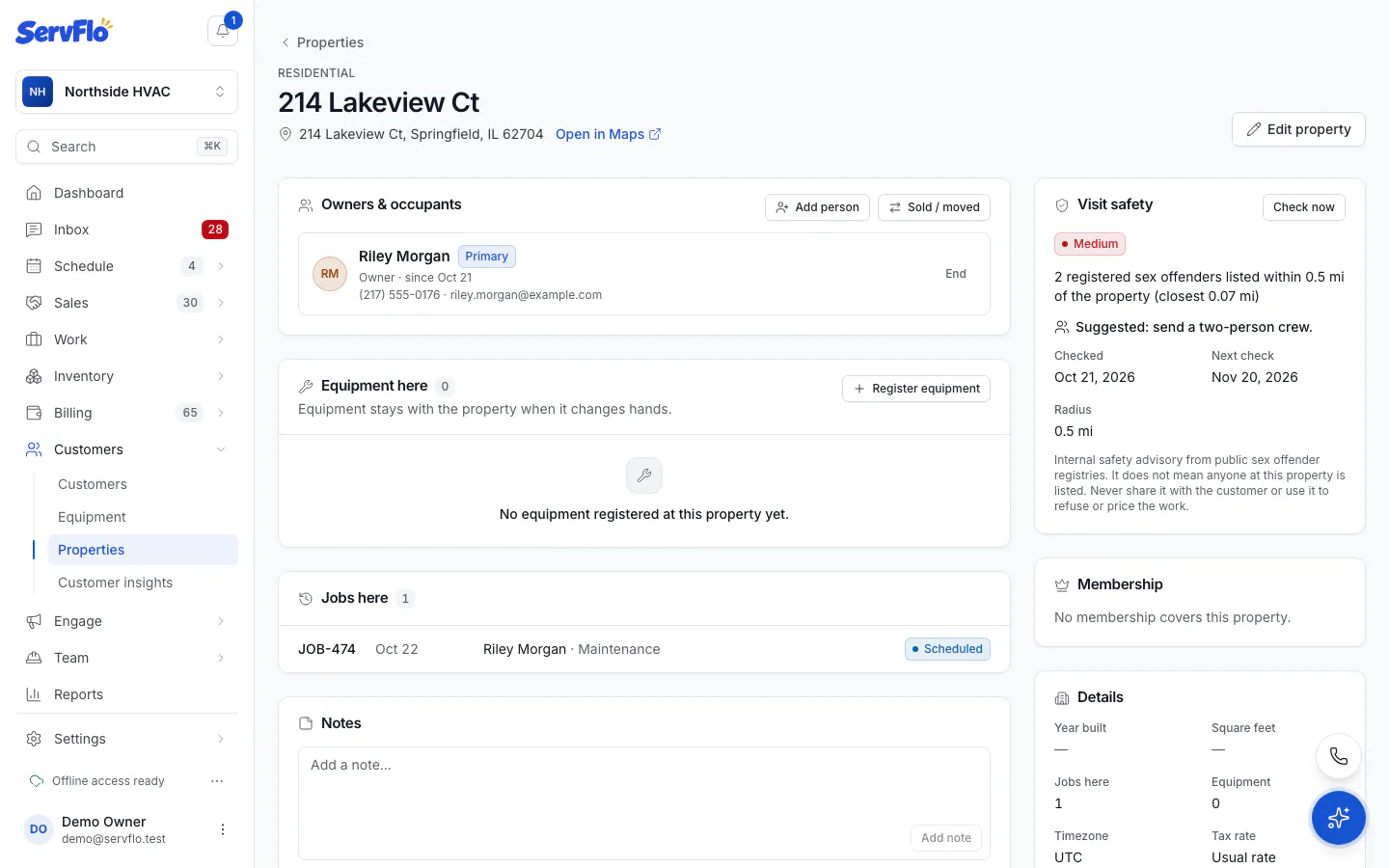
Click Check now to check the property right away. ServFlo asks you to confirm and shows the price first.
A property without a map location is searched by ZIP code, which is coarser and never more than Low. Edit the property and complete its address for a closer search.
In the technician app
Technicians see the same banner on their own jobs in the mobile app, even offline (the last result is kept on the phone). They can tap Check again after confirming that the check is billed to the business.
Who sees it
Owners, admins, dispatchers and office staff see warnings on every job. Technicians see them only on jobs they're assigned to. Customers never see them.